ak2k
May 30, 2019, 11:21pm
1
Server Version#:1.15.6.1079
Hi - have been using plex for ages and finally migrated to my mac to a newly acquired DS918+ Synology NAS. (Using this excellent guide: Migrating Plex from Mac to your Synology NAS ). I got as far as copying the library over from my Mac to the Synology server.
I’ve also made sure that my plex permissions are set to read on the media folders per Plex Media Server security changes for Synology users
So when I click on the open Plex package icon in the apps of my DSM (6.2.2-24922), I get an error and my server cannot open:
myservername.synology.me:32400/web
XXXX.synology.me
Try:
ERR_CONNECTION_REFUSED
I have a feeling I have messed up some settings and would appreciate some guidance
The link you provided does not work so I will restate.
When migrating, there are a few details to be extremely careful of
1, When the installer runs, and PMS launches the first time, it creates the structure it needs
1.  stop plex
2.  Rename Library - >  Library.unused
3.  Put your Mac's     ~/Library/Application Support/Plex Media Server
4.  In place where the old library was and keep its structure
5.  Now manually set the individual files/directory permissions for  Library
6. When this completes, Start Plex
For the synology.me address to work you need to forward port 32400, just like for remote access.
FWIW, when I select the Plex app in DSM on my 918+ it opens to the local ip address, i.e. http://192.168.1.XX:32400/web/index.html .
I also have a synology.me DDNS address. Not sure why we see differing results when selecting the Plex app in DSM.
ak2k
May 31, 2019, 1:40pm
4
Hi. How do I forward the port 32400?
ak2k
May 31, 2019, 1:45pm
5
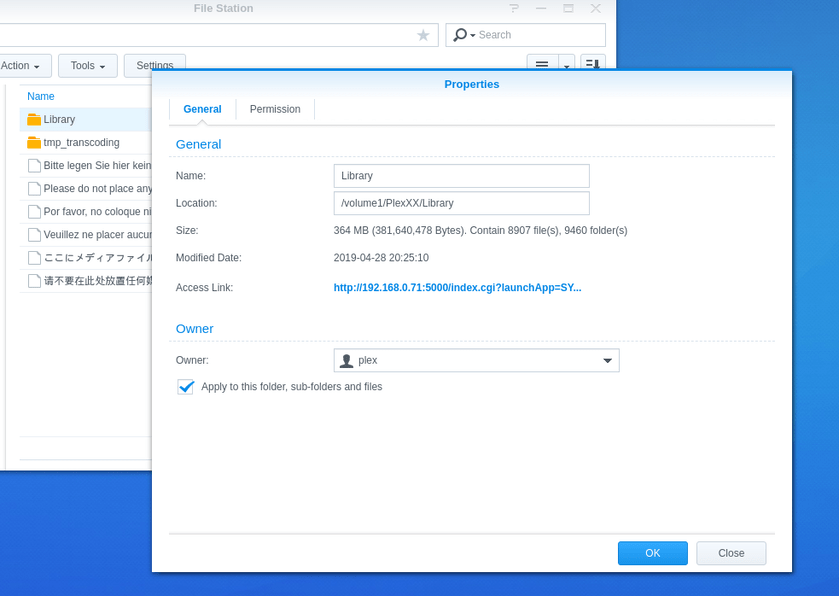
Hi! I don’t see the plex folder in file station. help! i do show it as a mountable folder when i connect to the NASpic 1
You have to put a port-forwarding rule in your router.
The procedure varies from router to router (the config screens are similar, but do vary for each router manufacturer).
Here’s an example from my Asus router:Internal IP Address is the IP address of my Plex server.
ak2k
June 1, 2019, 1:24am
8
thank you! permissions fixed… but for some reason when I click on “open” on the Plex package I still get the same error.
ak2k
June 1, 2019, 1:25am
9
thanks! i forwarded the port on my google wifi router, but the same thing happens - i get the error per above.
Can you connect by pointing your browser directly at PMS?
http://put.NAS.ip.address.here/web/index.html
What about via the hosted version at plex.tv ?
https://app.plex.tv/desktop
ak2k
June 1, 2019, 8:47am
11
I finally figured out the issue. Apparently, my plex server works over http://, but not over https://.
So : http://192.168.87.79:32400/web/index.html works like a charm, but https://192.168.87.79:32400/web/index.html .
https://app.plex.tv/desktop?secure=1#!/settings/account - for example shows my server as not available, but loads plex.tv system ok.
1 Like
ak2k
June 3, 2019, 4:37pm
12
And now… going via plex.tv doesn’t seem to load my Synology NAS anymore. At the same time, http://192.168.87.79:32400/web/index.html loads perfectly well.
Any advice would be very much appreciated. I don’t want to go back to using my iMac as a server. Please help
system
September 1, 2019, 4:48pm
13
This topic was automatically closed 90 days after the last reply. New replies are no longer allowed.