Connection issues with PLEX server

I think I posted this in the WRONG area last time. Sorry…

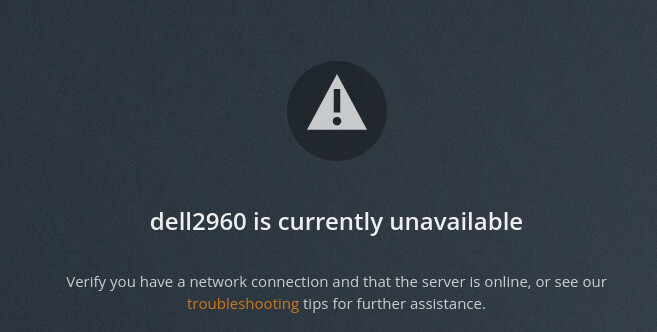
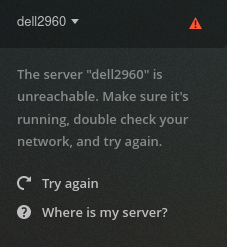
I have been experiencing an issue with the connection to my server. It will show the media files and then like 2 mins later they are gone and it will not connect to the server. It says

I have checked the server itself and have found NO faults. I have connected to the server via PUTTY SSH , FTP and have run a PING and traceroute there are NO issues there. I have been able to prev to today access all my media files. But now it keeps going on and off all by itself. Can someone PLEASE help me. Thank you

PS the port is forwarded on the router port : 32400

Thanks to all in advance…

Set secure connections to required.

How can I do that? With the server bouncing ??Also I thought I had already done that in the beginning.

Under the Network link in the web app.

It will not allow me to go in there… Every time i try it disconnects before i can do anything in there

image

https://ipofserver:32400/web

Same issue… it started to connect and asked me if i REALLY wanted to log on then said yes and it now will not load the page.

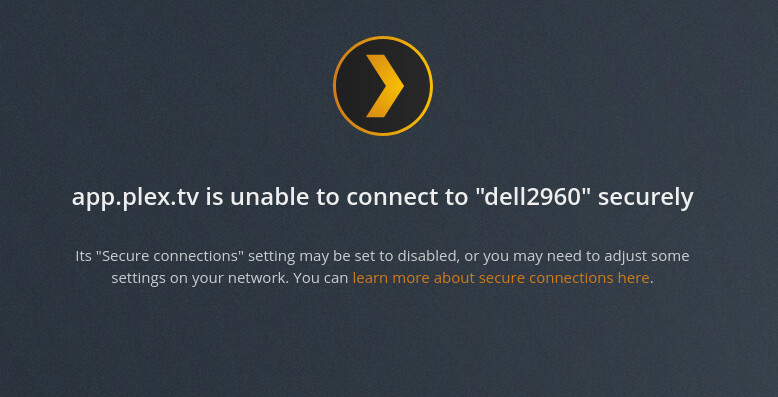
Also now getting
image

You have to log into the server directly, not with app.plex.tv. Try http instead of https.

I am now in from the LOCAL ip address and get this :
image

Try clicking allow insecure connection. Did you happen to remove the server from authorized devices? Did you change your password recently? Kinda need a little more info on what you did before this happened…

I tried to allow insecure connections that did not work, I did not remove the server and did not change any passwords. Only Rebooted the server…

Is this server on your LAN? Does the server have internet access still? Might need to reload PMS and then grab the log files and post here for someone to look at. It should tell you in the log files why it’s not connecting. Otherwise I’m just guessing.

RELOAD PMS?
Also the log files you are referring to DEBUG files?

"type": "info",
"host": "MYINTERNALIP:32400",
"userAgent": "Mozilla/5.0 (X11; Ubuntu; Linux x86_64; rv:91.0) Gecko/20100101 Firefox/91.0",
"browser": {
  "platformVersion": "0",
  "id": "firefox",
  "name": "Firefox",
  "version": "91.0",
  "gecko": true,
  "platform": "Linux",
  "platformID": "linux",
  "platformModifierKey": "ctrl"
},
"version": "4.57.4",
"username": "HIDDENFOR SECURITY ",
"cloudUrl": [
  {
    "scheme": "https",
    "address": "plex.tv",
    "uri": "https://plex.tv",
    "testState": "untested",
    "isBundled": false,
    "isFallback": false,
    "relay": false,
    "isUntested": true,
    "isPending": false,
    "isConnected": false,
    "isUnauthorized": false,
    "isUnavailable": false,
    "isFailed": false,
    "isAborted": false,
    "isLoopback": false,
    "isPrivate": false,
    "isHttps": true,
    "isSecure": true,
    "isPlexDirect": false,
    "sources": [
      {
        "id": "internal"
      }
    ]
  }
]

},
{
“type”: “log:message”,
“level”: 4,
“message”: “[UserManager] autoLogin false”,
“time”: “2021-08-26T01:33:11.977Z”
},
{
“type”: “log:message”,
“level”: 1,
“message”: “[Cast] API is not available”,
“time”: “2021-08-26T01:33:11.988Z”
},
{
“type”: “log:message”,
“level”: 4,
“message”: “[Sources] Initializing…”,
“time”: “2021-08-26T01:33:12.014Z”
},
{
“type”: “log:message”,
“level”: 4,
“message”: “[Sources] Finished initialization”,
“time”: “2021-08-26T01:33:12.014Z”
},
{
“type”: “log:message”,
“level”: 4,
“message”: “[Servers] Initializing…”,
“time”: “2021-08-26T01:33:12.015Z”
},
{
“type”: “log:message”,
“level”: 4,
“message”: “[Servers] Initialize server without token, [Bundled], http://MYIPINTERNAL:32400”,
“time”: “2021-08-26T01:33:12.039Z”
},
{
“type”: “log:message”,
“level”: 4,
“message”: “[Servers] Initialize server without token, [Loopback], http://127.0.0.1:32400”,
“time”: “2021-08-26T01:33:12.048Z”
},
{
“type”: “log:message”,
“level”: 4,
“message”: “[Servers] Waiting for initial servers = [Bundled], [Loopback], plex.tv”,
“time”: “2021-08-26T01:33:12.049Z”
},
{
“type”: “log:message”,
“level”: 4,
“message”: “[Primary Server] Waiting to set the primary server”,
“time”: “2021-08-26T01:33:12.055Z”
},
{
“type”: “log:message”,
“level”: 4,
“message”: “[Primary Server] Waiting for the last primary server, REDACTED FOR SECURITY, to connect”,
“time”: “2021-08-26T01:33:12.055Z”
},
{
“type”: “log:message”,
“level”: 4,
“message”: “[Commands] Executing testServerConnection”,
“time”: “2021-08-26T01:33:12.058Z”
},
{
“type”: “log:message”,
“level”: 4,
“message”: “[Commands] Executing testServerConnection”,
“time”: “2021-08-26T01:33:12.059Z”
},
{
“type”: “log:message”,
“level”: 4,
“message”: “[Commands] Executing testServerConnection”,
“time”: “2021-08-26T01:33:12.060Z”
},
{
“type”: “log:message”,
“level”: 1,
“message”: “[Companion] No companion found”,
“time”: “2021-08-26T01:33:12.061Z”
},
{
“type”: “log:message”,
“level”: 4,
“message”: “[Servers] Finished initialization”,
“time”: “2021-08-26T01:33:12.061Z”
hope that helps…

Are both the client and the server on the same local network?

If they are, try the instructions here. I’d recommend backing up the Preferences.xml file before making any of the suggested changes, just in case.

If they’re on different networks, can you describe your network in a bit more detail (see the questions below)?

In general, it could be helpful for you to provide some additional information as well, including:

  • What Linux distribution and version are you running?
  • What version of Plex Media Server are you running?
  • What does your network topology look like? Is it flat, or multiple LANs/VLANs? Does your LAN use RFC 1918 numbering?

@pshanew I have looked over the guide you put in the link and the file. It appears that everything in that file is as it should be. At least to me. Also the PLEXmedia server comes ONLINE and offline so I do not think it has anything to do with the USERID or PASSWORD also it shows on here:

image

but then also shows this status sometimes :

image

and then after about 1 min or less now shows this
image

I was lucky enough to just catch that screen grab with it online for you to see it does connect then stops. Not sure why its doing that or if the plex server keeps restarting or something. I have since this started NOT BEFORE attempted to apply the new update but it does not seem to have taken either. Using this link : Enable repository updating for supported Linux server distributions | Plex Support

But that did not seem to install and i used those direction via a SSH connection that was never interrupted while i was connected to it so. That tells me that the NETWORK and NETWORK CARD and router ect are connected properly. Since the server port is also forwarded for PLEX.
Maybe if i can get the updates for the new version to install it might work. Can someone provide me some help with that as well to see if that does anything

I am running Ubuntu Server, It is behind a ROUTER. But here is something that is even MORE interesting now… I can access the server and its online but when I go to SCAN FILES it pops up this

image

And since the last message I have done NOTHING at all with the server and I can access it from the PLEX.TV url but not from my smartphone that says the server is not available. Anyone else having this problem?

Re-configure your servers network interface and make sure it’s not sharing the same IP with any other devices. Make sure DNS is configured correctly.

# ifconfig eth0
# host google.com
# ping 8.8.8.8

There’s something wrong with your network configuration. I have my doubts that the issue has anything to do with Plex but how you have something else set up.