Thank you all, but just rolling back to 3252 made no difference. Still no subtitles detected.
What I discovered, though, was that when I switched the “Agent” from Plex Movie (Legacy) to Plex Movie, it works!
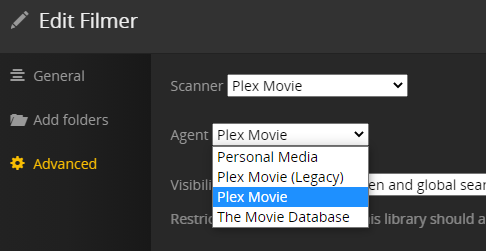
With the newer(?) Agent, refreshing the metadata brings back the subtitels. Yey! 
I must admit that I have not read up on these Agents… My Libraries has been around for a long time, I guess that is why they were on the Legacy agent?
However, if rolling back the server version to 3252 until the UNC issue gets fixed, there is no real need to switch to mapped drive letters, is there? Because then there would be no issues with the subtitels in the first place?
Or, if moving to mapped drive letters, there is no need to stay on an older version, because subtitles work when on mapped drives?
Or, is this agent issue I had the only problem? Does even UNC paths work in the latest release, just as long as you have the newer Agent? I have not had time to test that…
Also, refreshing metadata does luckily not affect the watched flag. And if you have made your own changes to metadata you should lock the data to prevent it from being overwritten. Some of my posters changed upon metadata refresh, though.

My first attempts where I created a new Library did of course affect the watched flag and lost any custom metadata…
BTW, there is (probably?) no need to download earlier server versions, as they all seem to exist in the “Updates” folder in the AppData of Plex Media Server. It can be found in C:\Users\<username>\AppData\Local\Plex Media Server
(or elsewhere, if you have moved it: https://forums.plex.tv/t/howto-an-extended-guide-on-how-to-move-the-plex-data-folder-on-windows )

 now we just wait til they fix the issu