Hello,
When a collection gets rather large, it starts to make sense to put the word ‘The’ at the end. Libraries do so they don’t end up with 10,000 books in the Th section. Example: The Quickening would be Quickening, The.
When Plex scans a library, it should be able to correctly ‘auto-tag’ titles in this format.
In my experience articles like “the”, “a”, “an”, etc. are ignored by Plex that is also true for most articles in other languages. That is “The Last Man on Earth” is sorted with the “Ls” and “Das Boot” is sorted with the “Bs.”
I think there is a configuration file somewhere that allows this default behavior to be overridden but I have never felt the need because I like Plex’s default sorting.
If you are not seeing the correct sorting then something is wrong somewhere.
When folders are named with “, The” at the end instead of the beginning. Such as
“End of the World, The”
…which is standard in any library index, the metadata matching and fetching needs to improve. I find Plex gets confused on titles like this a lot.
One other small detail, matching doesn’t work well (or at all) when the show title on The TVDB includes a colon, which we cannot use in filenames on Windows.
Libraries sort books that way, but they do not rename the books.
Like librarians, Plex expects files to have their original names.
Plex uses title sorting for display by default, and accommodates any article strings. You can customize the list of articles removed when sorting. Advanced, Hidden Server Settings | Plex Support
For show names with colons or other unprintable characters, your best bet is usually to just drop that character from the name. Don’t replace it with a different character.
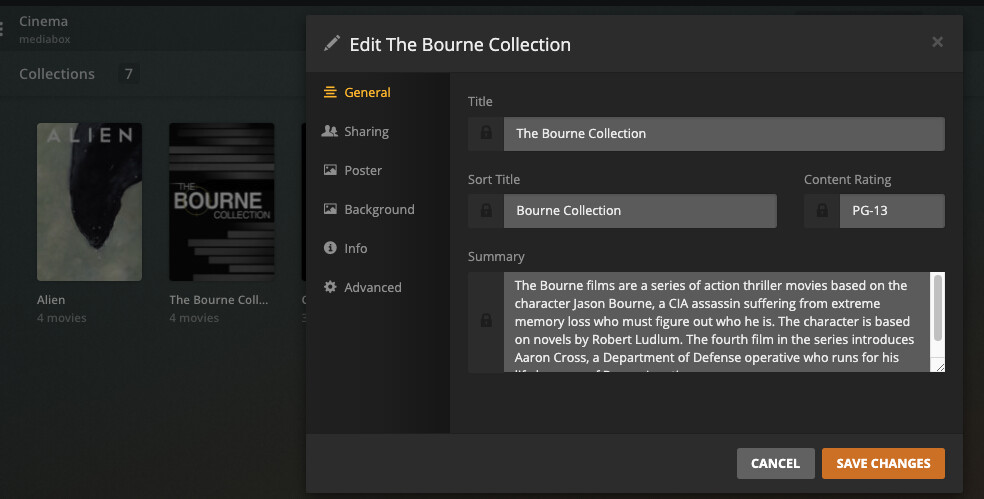
Plex already removes common articles from the sort title the same way it does in the regular library. In this example The Bourne Collection which was automatically created ends up in the B’s
If the filename is complete and perfect, it will still usually match correctly, despite an “incorrect” folder name.
My evidence is that many people have ridiculously named folders that don’t have anything to do with the movie name, and they still mostly work. As you said.
But it may be LESS reliable at matching. I just ran into a very similar issue; my file naming had worked for years, but I found an instance where it didn’t work.
And it’s completely unnecessary to name files & folders that way to get Plex to use article-sensitive “Title” sorting. Plex already does so by default.
“My evidence is that many people have ridiculously named folders that don’t have anything to do with the movie name, and they still mostly work. As you said.”
That’s me too haha. I’ll have folders titles “Chan, Jackie Franchise” with all my Jackie Chan movies in it, which each file in it’s own folder as listed above and rarely have issues.