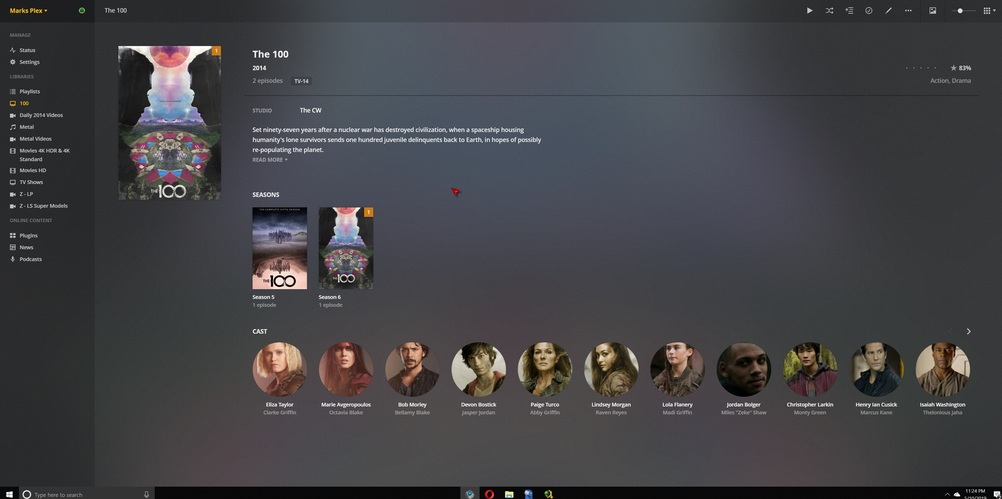
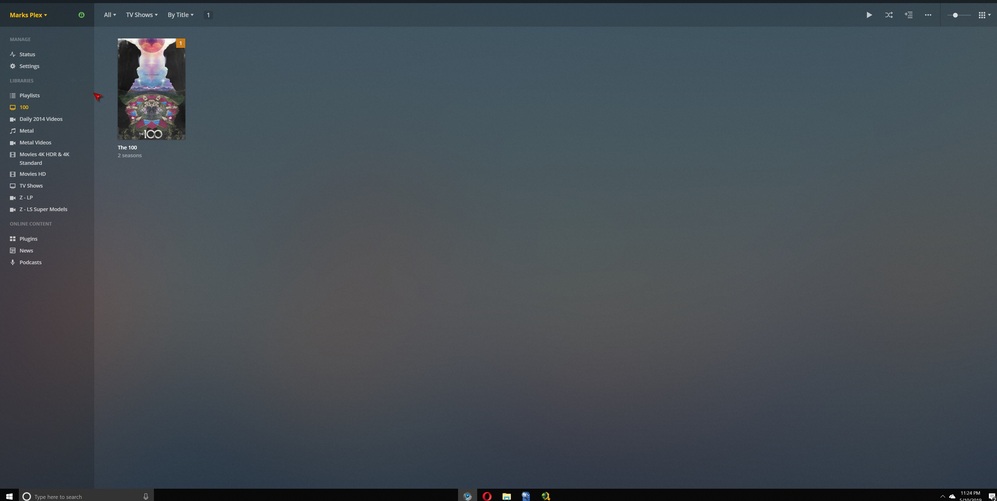
Server Version#: 1.15.4.993
For the past few weeks all my covers have been disappearing from my server display and reappear after a reload or refresh. I thought maybe the problem fix itself after an update but no such luck. Please help because I’m growing quite weary of problem after problem seemingly after every Plex update. I’ve been a Plex pass customer for YEARS an already wait a few months before I install new updates as it is and quite honesly and about to switch to Emby premium.
Which web browser are you using?
Which browser add-ons are activated?
Have you tried alternative browsers?
Is
Settings - Server - Library - ‘Empty trash automatically after every scan’
activated? If so, DISable it.
You should never activate it if your media is not stored inside your Plex server machine.
This isn’t necessarily a windows server problem as I have been seeing it in my linux install as well. The covers are there when you load the page but disappear after letting it sit idle for a while. It seems to be a caching issue with the latest web client. The same behavior happens also in the dashboard with the pictures on the what’s playing items
I have looked at the log to see if there are some clues to help with this.
Some feedback
The test library 100 was created at 23:23 pm on 10th May.
It was re-scanned at 23:48 pm
I do not know if that was when the metadata and extra info got lost.
You mentioned screenshots were taken about 10 minutes apart - to relate to logs, one needs to know exact times. I tried very hard to magnify the time showing in the bottom left of each image but to no avail - my eyesight is not that brilliant when we have such low res images
This is one magnified
Please could you tell me exactly when those screenshots were captured
The other feedback I have is that the logs were taken some 90 minutes later - by this time all the scanner logs have got recycled with new scans. I would have expected the logs to have been captured when the issue arose. (But we do have agent logs and plex media server logs - so there is info but i did not want spend hours looking at the wrong period of times in the logs - so please tell me when the extra info disappeared (your 2nd and 3rd screenshots) ) - i assume the first screenshot was at 23:24 ?
Regarding this warning
May 11, 2019 00:04:14.641 [15756] WARN - Skipping refresh of premium music section because we're signed out or offline.
Premium Music Library refresh needs the following:
internet availability (this is checked by periodic communication with plex pubsub servers)
server signed in to the account
there is an active Plex Pass subscription
It appears that there is no Plex Pass and that is why there are loads of these warnings
This shows there is no Plex Pass subscription - which you have already discovered
May 10, 2019 15:33:52.210 [8664] WARN - Sync: Couldn't get sync lists without subscription.
Sorry for the delay, I just had shoulder surgery and been a bit preoccupied. I took a look at the synology page and am confused. First of when I opened it to edit the was nothing about “H:\Convert Video”
This is what’s in the bat file:
FOR /r "Y:\Movies\1980-89\1989" %%I in (*.avi,*.mp4,*.mkv) DO (

Echo %%I >>error.log
ffmpeg.exe -v error -i "%%~fI" -f null - >>error.log 2>&1
I don’t mind telling you that entire Synology column is baffling to me.
And now to make matters worse I’ve had to completely shut Plex down because out of the clear blue sky the transcoder started using 95% of my cpu rendering everything useless. I’ve not messed with any settings or changed anything at all so now I’m really screwed.
Anything yet???
My covers are still gone after, even after a reinstall and update. I was a Plex Pass member for 5 years but until this issue is solved not a chance!