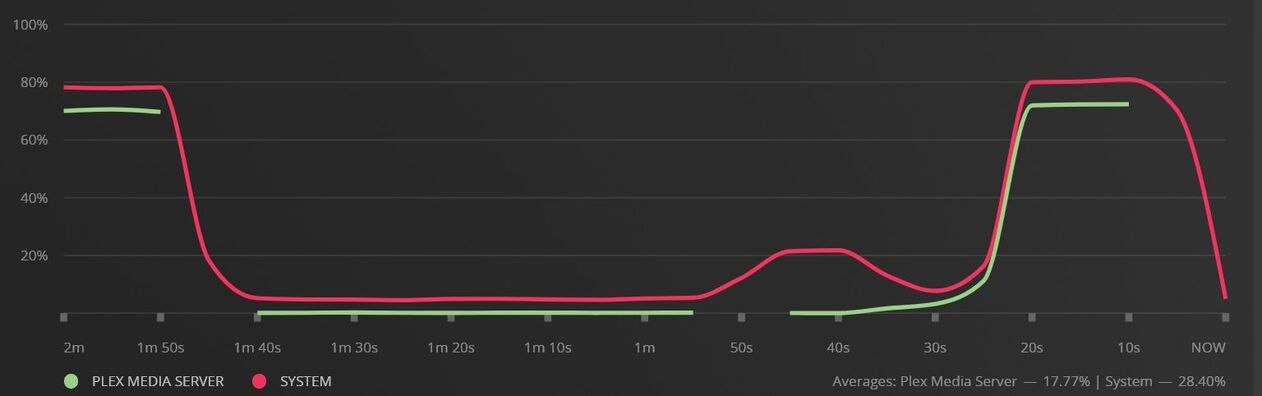
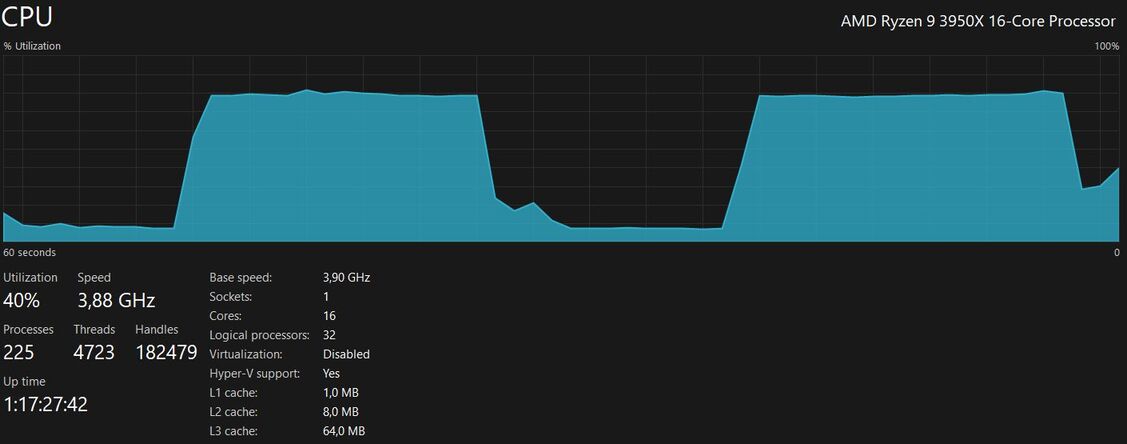
I’m experiencing some CPU overload issues with Plex Media Server. The issue is not just spikes in CPU usage, but prolonged overloads that last for around 30 seconds, drop down, and then rise back up to 70-80% (I have 16 cores, 32 threads), repeating this pattern.
This issue started occurring after a power outage in my home, and I’ve tried restarting the server and optimizing the media library, but the problem persists.
I’m not sure what else to try, so any suggestions for troubleshooting and resolving this issue would be greatly appreciated.
Sometimes a power outage can damage your database
The missing spaces in the green line associate with Plex are abnormal
At least on my systems I’ve never seen that before
Your database appears to be ok
I think what you’re seeing is some kind of problem with the new credit detection
WARN - [CreditsDetectionManager] Held transaction for too long (E:\jenkins\server\4152234412\Library\Scanner\CreditsDetector\CreditsDetectorManager.cpp:264): 0.281250 seconds
Feb 15, 2023 04:28:18.566 [28284] ERROR - [CreditsDetectionManager] PeekNamedPipe failed: 0x6d
Someone from Plex will have to look into this for you and give you some instruction
I think this was enabled by default, so you may have to find it in the server settings and turn it off for now
The CPU overload issue on my server seems to be resolved. Everything appears to be working normally again after 5-6 hours. Thanks anyway for being willing to offer help.
I wanted to update you on my previous post about the CPU overload issues with Plex Media Server. Unfortunately, the issue is still occurring after trying several solutions, including restarting the server and optimizing the media library.
I have reached out to Plex support for additional assistance and will update this thread if I receive any new information or solutions.
Analyzing the media for intro markers, credit markers, etc will hit the CPU. You can minimize things by reducing the priority, scheduling the analysis to occur during off hours, or simply disabling the feature if it is not desired.
To reduce / delay the CPU impact of various tasks:
Thanks, I’ll check these settings, but I’ve been using Plex server without any problems for 10 years, so it’s strange to experience this kind of behavior now.