I am certain it is not in my libraries. It is a Plex free on demand movie and I am also certain I did not start watching it. It does not show up on my Continue Watching list on any other of my clients signed in under the same admin credentials.
It’s really clunky and long winded to get to your own libraries. Can we have the option to make our own media more prominent and easier to access. Also seems very odd to have to press what appears to be a dropdown box at the top of the screen to switch library but then have the libraries appear at the bottom of the screen instead of ‘appearing’ from the drop down button
Yes, this is still clunky. It wasn’t much better, if not worse, in the current public app because it was hidden behind 3-bars. However, this need to double-tap “My Libraries” to see your “Favorite” libraries is not at all intuitive.
Also, this idea of moving to “favorites” vs “pinned” isn’t something I favor. It’s an organization of libraries and not so much a preference.
It would be nice if they allowed users to pin their favorite library to the bottom bar
Yeah, This would be very useful.

Currently, the player is barebones; it uses your device’s caption settings.
Okay. Thanks. 
Is there any plan to add Dolby Vision transcoding support to Android?
Can’t find the exact post to reference it, but Plex staff have stated that the licencing costs to be able to transcode Dolby Vision are prohibitively expensive (talking thousands of dollars per year per machine I think)
Currently Continue Watching row on home screen is limited to 20 items only… 
The expand function for continue watching in watchlist section isn’t working. It loads a blank screen.
Infact, all the expand functions from the watchlist section don’t work…
I seem to not be able to adjust the player like before with letterbox or zoom to fit or different settings.
Also the old app auto converted the audio stream to a compatible one if the need was detected. That is missing as well.
The auto quality adjustment that recently showed up on my Plex server seems to not be working.
When trying to watch TV from the DVR Guide tab it will close down the app when I click on a channel to stream it. I included logs shortly after it occurred.
1582842931911607.zip (3.8 MB)
Shuffle is still missing. Also going from episode view to show view takes way longer than the regular app dows.
“Mark as Unwatched” seems to be missing from the context menu on home screen items (and I can’t find it anywhere in the UI at all actually, unless I’m completely glossing over something?)
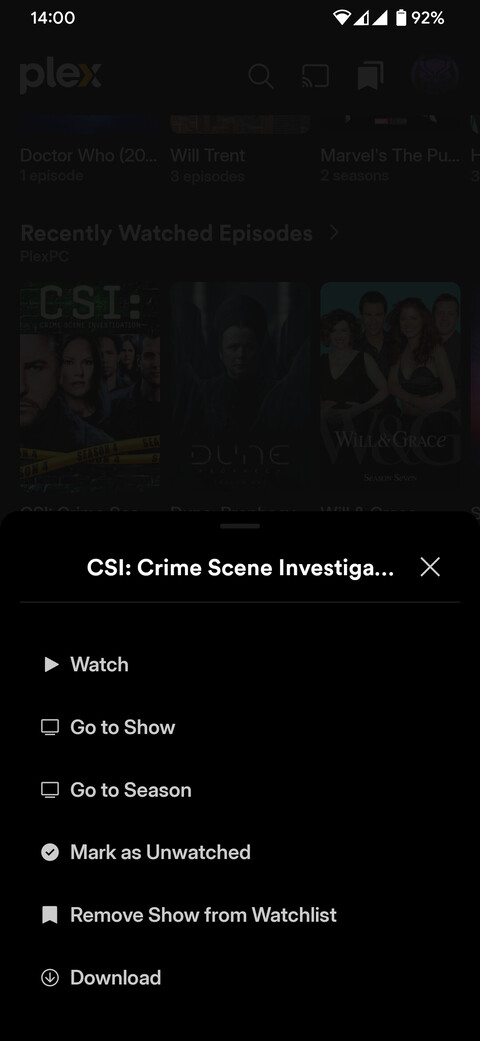
You’re right, thanks for catching that.
I had a bit more of a look between the current app vs. the preview, and the item I was attempting to ‘unwatch’ was partially viewed and present in the ‘Continue Watching’ section.
It appears as though the logic for the preview is to present the user with the option to ‘Mark as Watched’ for items that have never been completed, and ‘Mark as Unwatched’ only for items that have been completed in the past. Therefore, there is no way to remove a partially viewed item that has not been fully completed in the past from your ‘Continue Watching’ section, as there was in the current app.
Mark as Unwatched option for a partially viewed item that has completed play history in Continue Watching:

Only Mark as Watched option for a partially viewed item that has no prior play history from Continue Watching:
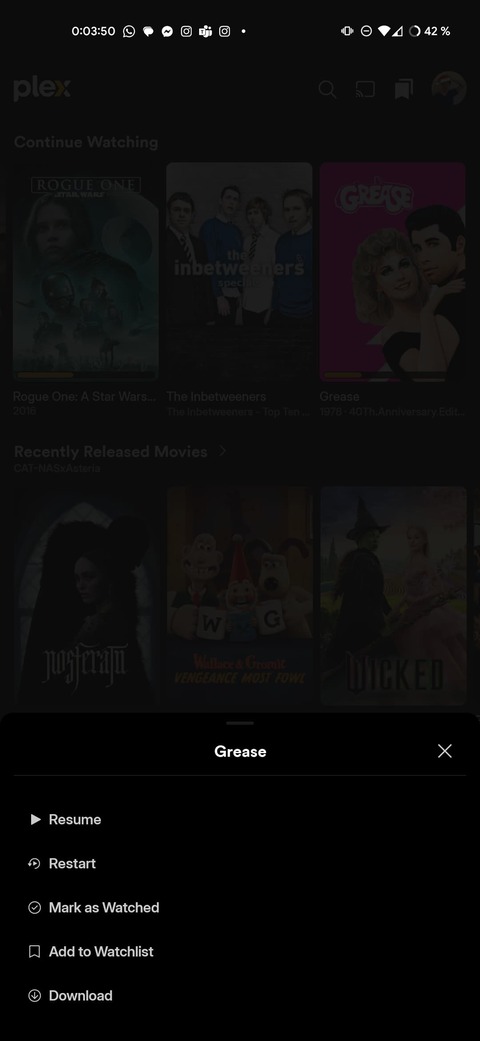
Behaviour of the current app, with Mark as Unwatched and Remove from Continue Watching for a partially viewed item that has no prior play history:
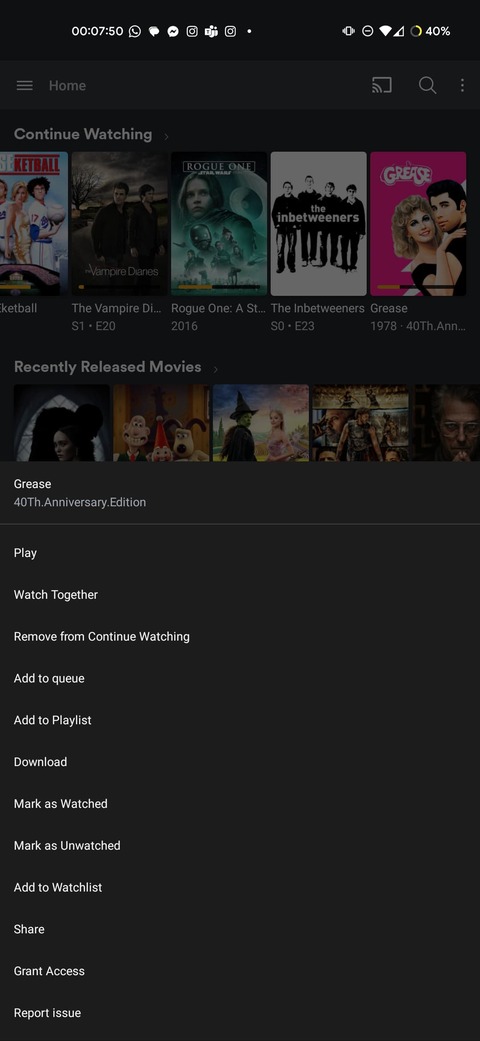
(Now that I’m looking at it side by side, there are a multitude of useful options missing from the new context menu)

Tried launching the app this morning on my Pixel 7 and it immediately took the server offline. Tried it again and confirmed.
Using the preview app is also making my server crash as of yesterday
