I keep dabbling with the (Android) Preview when there has been an update to it. I’d just like to report/add that it doesn’t seem possible to delete an item from the context menu like the current public/non-preview app can (I’m the server owner and I have ‘Allow media deletion’ enabled)
As the one hold out wanting it to work. Auto quality is missing.
It’s not in the current release app either. I believe the plan was to remove it because the quality suggestions feature was meant to replace it.

Ah. That’s funny as they removed the setting from Android TV, which is the same app.
I was looking for it the other day because someone had an edge case where it would have helped (admittedly only temporarily), but I wanted to confirm it was there before I said anything and I found that it was gone.
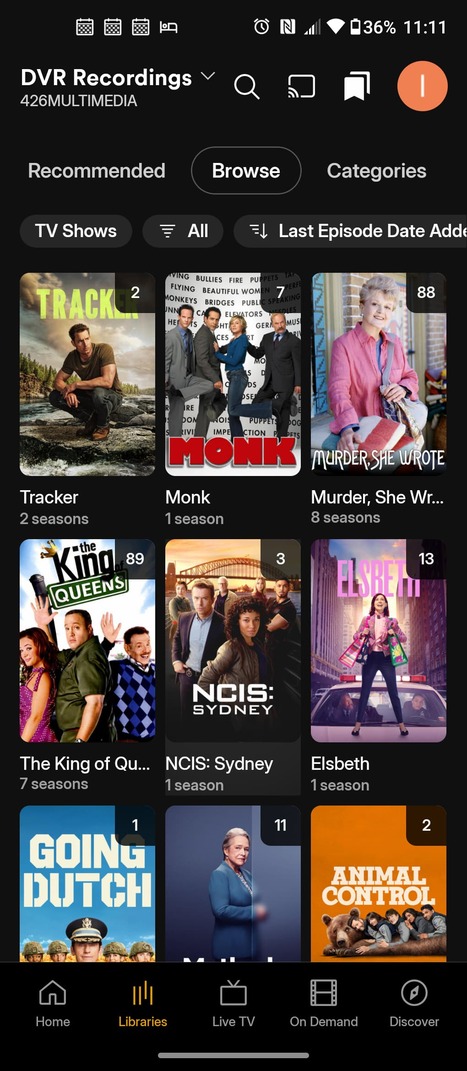

new app is missing feature from old app to remember last tab. i prefer always seeing the Browse listing layout. but I have to choose it again everytime I switch and switch back Libraries since it switches back to the Recommended tab.
really, i have no complaints about the old app except same one for each platform’s app and the web app, that i can’t skip forward a day at a time in the Guide info with the right jog-dial or the Fast Forward button. it seems like the new app is overly focused on the streaming media options Plex offers. which i can only assume is a big income-producer for Plex. but after watching one series with WAY TOO MANY ADS, i will never watch anything streaming on Plex ever again. someone else commented with a request to optionally focus the GUI toward personal media. i second that, for sure!! the way we can do that by pinning/unpinning each category on the old app is perfect for me. please don’t make the UI being so unfriendly toward personal media users a reason to leave the Plex ecosystem!!! it has so many good reasons to stay. but that to me is a red flag that the long-term plan for Plex is ad dollars. compared to no new revenue from lifetime Plex users. i understand the dilemma. but hope the origins will continue to be important to Plex.
Automatic Quality has not been removed from the current Android TV app. It’s where it always was. However it’s hidden when Quality Suggestions are enabled.
When clicking on an actor, it no longer shows which of their films are in your library/on your server? You have to select each movie and it then provides you an option to watch from these locations, which list your library/server.
The old app would list all their movies you had in your library/server and the desktop system would list their filmography, with your library/server next to the movies you had.
If the new app is going to have the desktop filmography approach, it should also tell you which ones are in your library/server.
The general search mechanism is also hit and miss. Search for someone, select them and it jumps back to the homepage sometimes?
Cheers
Yeah I noticed the same functionality about it showing all movies that an actor was in, instead of just the movies in your library. Not saying I don’t like that (it actually helps me think about other movies I want to (cough cough) “acquire”), but would be nice to immediately see which movies I have in my library already.
Maybe a filter could be added or something?
I’m having an issue where while in fullscreen, android’s status bar won’t disappear.
The scrolling is so laggy, the subtitles are not transparent anymore (black bars behind them) and the player crashes when I try to do PiP.
Huge step backward. This is NOT ready for prime time.
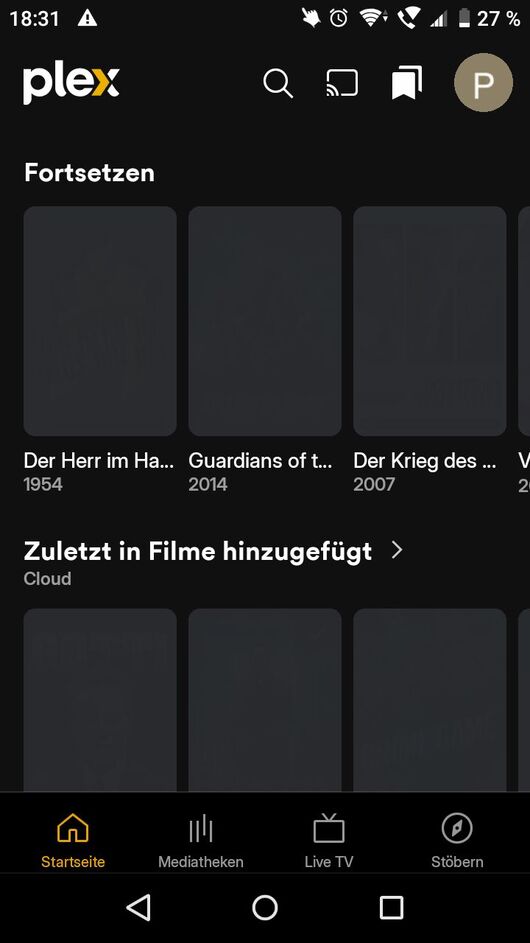
I have the same problem on the FireTV tablet on the cell phone but it works perfectly…and unfortunately no solution has been found so far except that the app is also very slow
My android app updated today to the latest version. I have 5 libraries total, and 2 of them are missing – both are from the “Music” category. I can still access them normally from my desktop app so I believe it’s an app-related bug. Spent an hour troubleshooting various things, but I can’t discover those libraries no matter what I do.
Music is not supported anymore on the Plex App, you need to use Plexamp for that.
It’s prominently (or maybe not that prominently) referenced and linked in the full library list.
Thank you! I read through all the updates and release notes, but somehow this didn’t register with me. Not too happy about needing a separate app for music…
Great compilation.. I have the same issue mentioned in item no.6. In addition, when I download video in İOS app, the video starts, but then the app shuts down!
Bug: While troubleshooting my Vizio issue (Incorrect Audio Plays for Selected Track on Movie) I had used the previous iteration of the app to cast to my TV which worked flawlessly. When continuing the troubleshooting I attempted to cast again with the new app that got pushed and it has garbled the audio (e.g. unintelligible/spikey/etc not playing a different track or some such).
