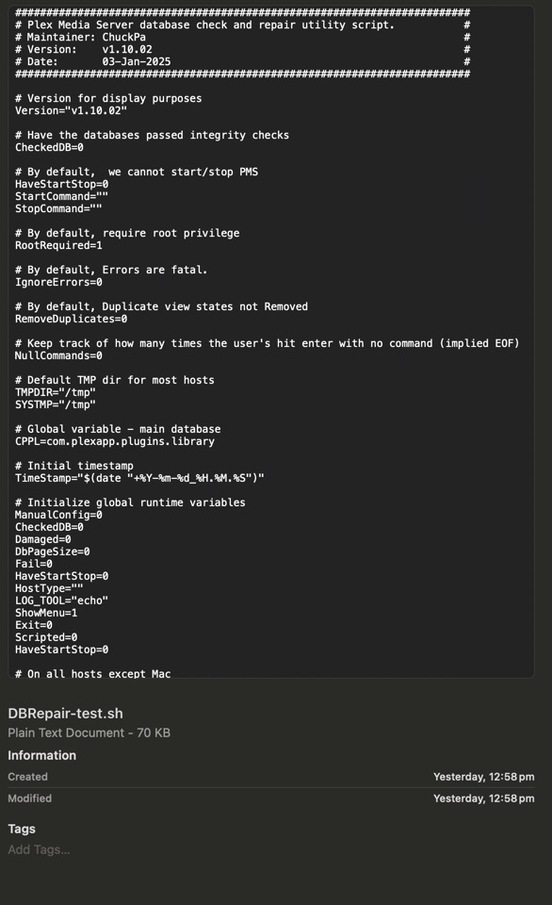
The correct command sequence, which you only need once.
tar xf PlexDBRepair-Test.tar.gz
chmod +x DBRepair-Test.sh
First command extracts everything from the tar.gz file
Second gives the file ( I only put one file in the tar.gz ) execute permission
and now you can run it.
this is DBRepair 1.10.03
Please confirm you see 1.10.03 with no errors reported
#########################################################################
# Plex Media Server database check and repair utility script.           #
# Maintainer: ChuckPa                                                   #
# Version:    v1.10.03                                                  #
# Date:       17-Mar-2025                                               #
#########################################################################
SE56
March 19, 2025, 1:33am
598
Osascript e ‘quit app “plex Media Server”’
No it is still showing 1.10.02
standby. I’ll spin it again
SE56
March 19, 2025, 1:38am
600
This is what i have unpacked.
DBRepair-Test.tar.gz (70 KB)
#!/bin/sh
#########################################################################
# Plex Media Server database check and repair utility script.           #
# Maintainer: ChuckPa                                                   #
# Version:    v1.10.03                                                  #
# Date:       17-Mar-2025                                               #
#########################################################################

# Version for display purposes
Version="v1.10.03"

# If LC_ALL is null,  default to C
[ "$LC_ALL" = "" ] && export LC_ALL=C
Should not see any RE errors like you previously showed
@SE56
So you can see what it’s doing, the v option in tar xvf will print every file it’s eXtracting.
[chuck@lizum tmp.2014]$ tar xvf DBRepair-Test.tar.gz
./DBRepair-Test.sh
[chuck@lizum tmp.2015]$
SE56
March 19, 2025, 1:49am
604
Ok here is what it is like now..
SE56
March 19, 2025, 1:52am
606
Happy camper, awesome Chuck, bit old to do the Toyota celebration.
Kilgry
March 19, 2025, 2:52pm
608
On the flip side, it currently appears to many of us that your DB tool is supporting
Thanks so much for adding the command line options. I’ve been using the menu ever since but the whole run takes like 20+ minutes and I’d like it to just do everything in one command, especially starting the server once it’s finished.
./DBRepair.sh stop auto start exit
You’re welcome!
They’ve been there for quite a while.
I added it so you could setup a scheduled task / cron job and never worry about it again.
SE56
March 22, 2025, 8:13am
611
So to achieve a auto PMS shut down with Terminal with PlexDPRepair. Is this now possible? Presently I need to manually shut down PMS, is my understanding that is what required for 1.10.03 MacOS?
@ChuckPa
Cheers
@SE56
on MacOS, it’s been there for quite a while. PMS must be shutdown for the tool to work.
[chuck@lizum Downloads.2009]$ sudo ../git/chuck/PlexDBRepair/DBRepair.sh stop auto start exit


      Plex Media Server Database Repair Utility (Ubuntu 22.04.5 LTS)
                       Version v1.10.03


[2025-03-22 13.46.08] Stopping PMS.
[2025-03-22 13.46.08] Stopped PMS.

[2025-03-22 13.46.08] Automatic Check,Repair,Index started.
[2025-03-22 13.46.08]
[2025-03-22 13.46.08] Checking the PMS databases
[2025-03-22 13.46.09] Check complete.  PMS main database is OK.
[2025-03-22 13.46.09] Check complete.  PMS blobs database is OK.
[2025-03-22 13.46.09]
[2025-03-22 13.46.09] Exporting current databases using timestamp: 2025-03-22_13.46.08
[2025-03-22 13.46.09] Exporting Main DB
[2025-03-22 13.46.10] Exporting Blobs DB
[2025-03-22 13.46.10] Successfully exported the main and blobs databases.
[2025-03-22 13.46.10] Start importing into new databases.
[2025-03-22 13.46.10] Importing Main DB.
[2025-03-22 13.46.14] Importing Blobs DB.
[2025-03-22 13.46.14] Successfully imported databases.
[2025-03-22 13.46.14] Verifying databases integrity after importing.
[2025-03-22 13.46.15] Verification complete.  PMS main database is OK.
[2025-03-22 13.46.15] Verification complete.  PMS blobs database is OK.
[2025-03-22 13.46.15] Saving current databases with '-BACKUP-2025-03-22_13.46.08'
[2025-03-22 13.46.15] Making repaired databases active
[2025-03-22 13.46.15] Repair complete. Please check your library settings and contents for completeness.
[2025-03-22 13.46.15] Recommend:  Scan Files and Refresh all metadata for each library section.
[2025-03-22 13.46.15]
[2025-03-22 13.46.15] Backing up of databases
[2025-03-22 13.46.15] Backup current databases with '-BACKUP-2025-03-22_13.46.15' timestamp.
[2025-03-22 13.46.15] Reindexing main database
[2025-03-22 13.46.16] Reindexing main database successful.
[2025-03-22 13.46.16] Reindexing blobs database
[2025-03-22 13.46.16] Reindexing blobs database successful.
[2025-03-22 13.46.16] Reindex complete.
[2025-03-22 13.46.16] Automatic Check, Repair/optimize, & Index successful.

[2025-03-22 13.46.16] Starting PMS.
[2025-03-22 13.46.16] Started PMS

[chuck@lizum Downloads.2010]$
SE56
March 22, 2025, 6:30pm
613
Oh, so simple. Works an absolute treat