I assume this would be dependent mostly on the client side, but what version of a file plays by default if 2160p and 720p/1080p files are present (for example, two versions of the same TV episode)? Ideally, for my remote users I would prefer them to use the 720p/1080p file as default and then transcode that as necessary. However, for my local devices, I only have three devices where I have a hard wired LAN connection, so I would prefer them to use the 4K version and the devices connecting over WiFi to use the non-4K version.
The clients pick the version based on the bitrate setting in the client and the bitrate of the file. It is not based on resolution.
The clients pick the version based on the bitrate setting in the client and the bitrate of the file. It is not based on resolution.
Ok, thanks.
Oh, thats news to me.
I have all my devices set to unrestricted, yet Plex selects the 1080p version over the 4K version on 1080p-only devices and I would also expect exactly that behavior.
Are you telling me, thats NOT intended behavior?
EDIT: Additionally a 720p transcode also chooses the 1080p version to transcode from, and not the 4K one (that also matches my expectation).
Sorry. It will pick the highest bitrate that fits the quality setting. If there are 2 versions that are close, it will prefer one that can be direct played over the other.
For example, if you have a 4K HDR10 and a 1080 SDR movie, and you are playing on an SDR TV, the 1080p will be preferred.
Transcodes are similar but it depends on the client. This is something sort of new and not all clients support this. If a transcode is needed, the client can tell your server to use the file that has the bitrate closest to the chosen quality as the source. If a client does not support this, it will default to choosing the highest bitrate file.
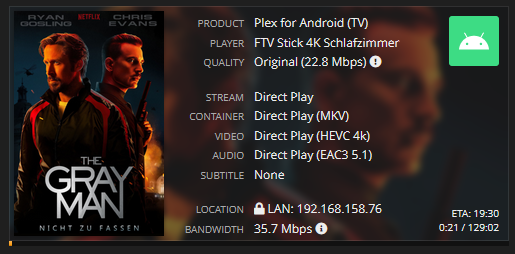
Ok, I played around a bit and got indeed mixed results on a Fire TV Stick 4K and an SDR TV. Sometimes it chooses the 1080p SDR Version, sometimes it chooses the 4K HDR version.
Everything direct plays (if I avoid the transcoding bug with framrate matching I recently reported).
Thats a little bit unfortunate to be honest, as I assumed all my users with only SDR hardware will always get served the 1080p versions, and don’t clogging the bandwith unnecessarily with 4K files they don’t need. Up until now I got exactly that impression watching the Tautulli logs, but obviously that was just by chance?
Can you provide the XML info for the videos that didn’t play the version you expected. Let me know which played and which you expected.
Ok, I think I found the issue.
XML-1.txt (59 KB)

XML-2.txt (42.6 KB)

XML-6.txt (50.4 KB)
The resolution does not seem to matter, it only comes down to HDR vs SDR.
Note, that it chooses 4K SDR over 1080p SDR in the first entry, 1080p SDR over 4K HDR in the second and 1080p SDR over 1080p HDR in the third.
I think it works as intended that way?
EDIT: Addition here, 4K HDR gets flawless direct played with local tonemapping on Fire TV Stick 4K when that version gets selected manually.

Does the TV you have the Fire TV Stick connected to support HDR? If not, then the app will prefer SDR content. You can of course choose the HDR version to play manually. The Fire TV Stick does not do local tone mapping so it will output the HDR colors to the SDR TV. The colors just might be in a range that it’s not too noticeable. If you watch a dark scene or a very colorful scene where HDR really makes a difference you may notice the colors look off.
