Hi,
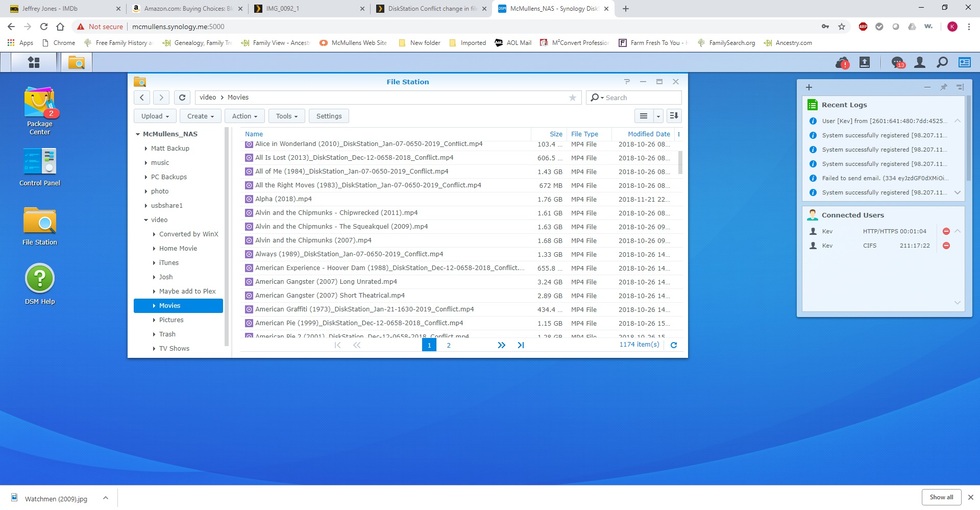
I have approximately 1200 movies that I’ve added to my Plex server which is running on a Synology NAS. I have my movie files in the Plex required /Movies folder and have then named in the proper format of (year). For example, “Apollo 13 (1995)”. However, for some reason, the Plex server has added some additional information to some of the file names. For example, the file name has the movie name and year of release, but has something like “_DiskStation_Jan-26-1200-2019_Conflict”. appended to the movie name and year. The date information may be different, but it always has “_DiskStation” just after the year of release and “_Conflict” at the end. Does anyone know why this is being appended to the file names. It’s really causing me some grief because I have to spend hours manually going through Windows Explorer and removing this text from the file name so Plex and iTunes can find the movie.
Plex or Linux / DSM doesn’t do that.
However the file got onto the Syno is the root cause.
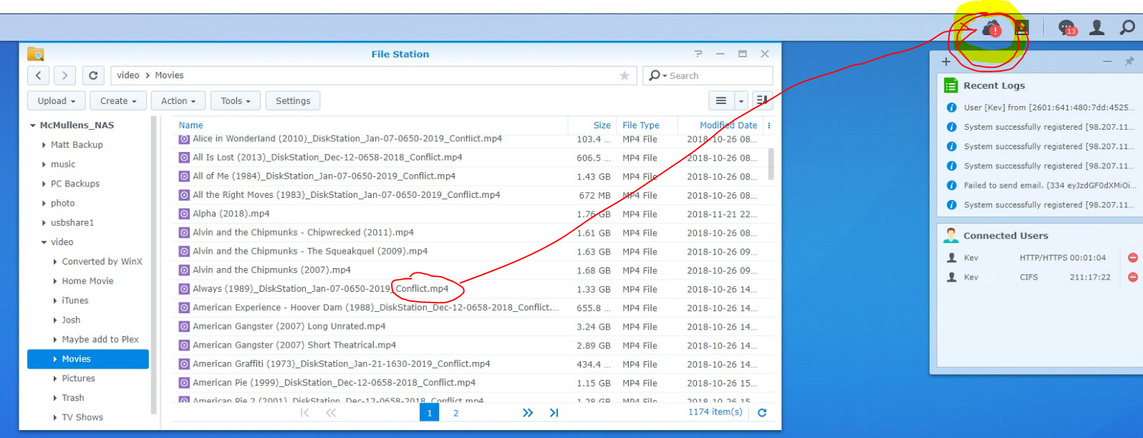
I would need to see the exact names to perhaps help identify further. Also, a quick little screenshot from DSM’s FileStation shows me a great deal.
Here’s a Windows Explorer screenshot of my Movies directory. You can see that a number of the files have the DiskStation Conflict added to my original Movie Name and Release Year file name. I have hundreds of the movies that have this appended to the file name.
Here’s the DSM FileStation snapshot.
This is definitely not related to Plex
But with Cloudsync from DSM (Drive sync)
Check you DSM cloud configuration, it seem to be broken after playing with entire folder movie place that are sync with other machine.
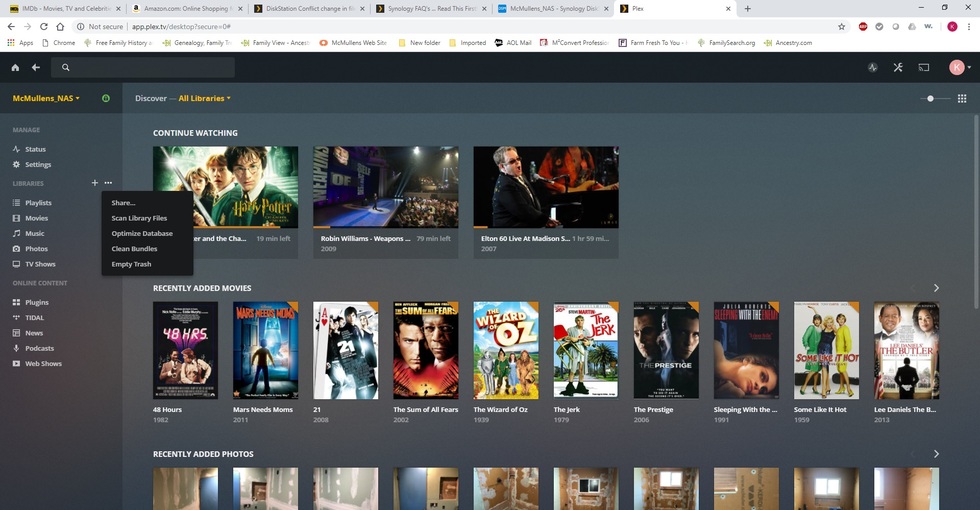
Okay, I read your Q5 on the Synology FAQ page and have created a root folder called Media. I’ve moved my Movies folder from the Video folder to the Media folder, as well as my Music and Pictures folders which have also been moved to the newly created Media folder. How do I tell Plex that my movies, pictures and music are now under Media instead of where they used to be? Plex is still looking for my media in the old folder locations.
Sorry, as you’ll see from my screenshot, Edit is not an option.
Gee, don’t I feel stupid. In any case, I seem to have Plex working up a storm. All of my movies now have red trash cans on them meaning they’re being updated. Since I have 1100+ movies, I’m sure it’s going to crank a while on them. I’ll check on them in the morning. Thank you so much for your help on this. I’m assuming that you had me read Q5 because my Movies folder was in the Video folder rather than in a Media folder. Now that that’s fixed, and I have removed the “_DiskStation…conflict” text from several hundred of my movie file names, is there anything else I need to do so that CloudSync doesn’t do this again? I don’t know what caused it in the first place.