Due to my large library, my Plex Server can run very sluggish after the service has been up for a while. If it gets bad, I usually find restarting the service makes things run super fast again.
I’m considering a weekly cron job to restart the service overnight and keep things running nice and smooth, but I’m aware some of Plex’s scheduling (i.e. library scans) is done based on the time the Plex service started.
Therefore, if I were restarting the service more than once a week would this interfere with the scheduled tasks (i.e. weekly maintenance) being completed (as each service restart would delay it another week)?
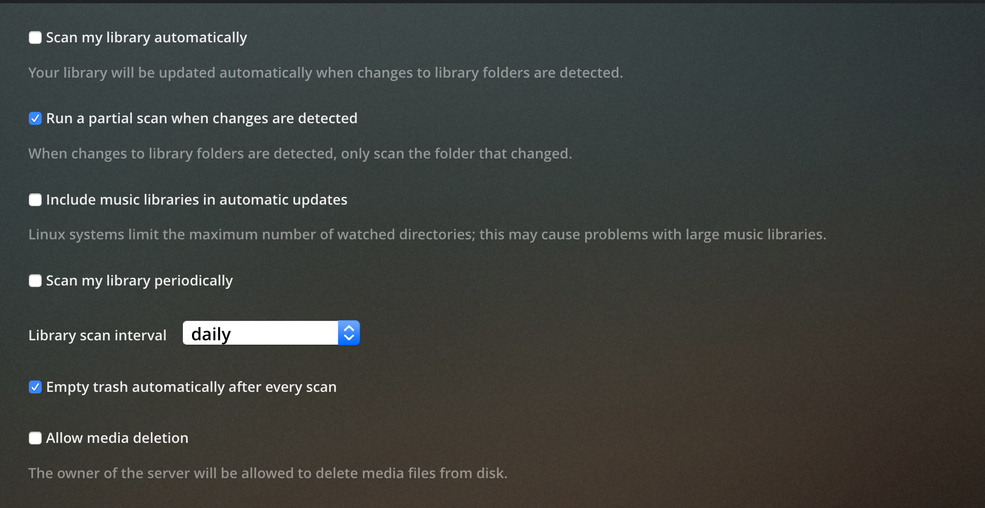
Also any general tips for settings to deal with large libraries would be appreciated. Currently set to daily library scans, partial turned off as using external RAID array.
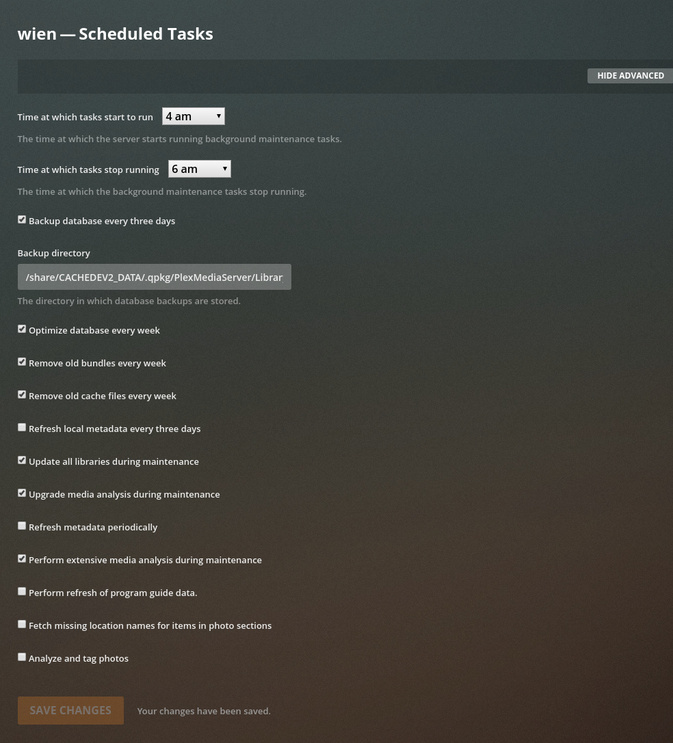
You can change the scheduled tasks Start & Stop time.
The butler (what does the work) maintains a list of things to do. Anything not completed in the allotted time will be held until the next nightly maintenance interval.
Regarding your library scans;
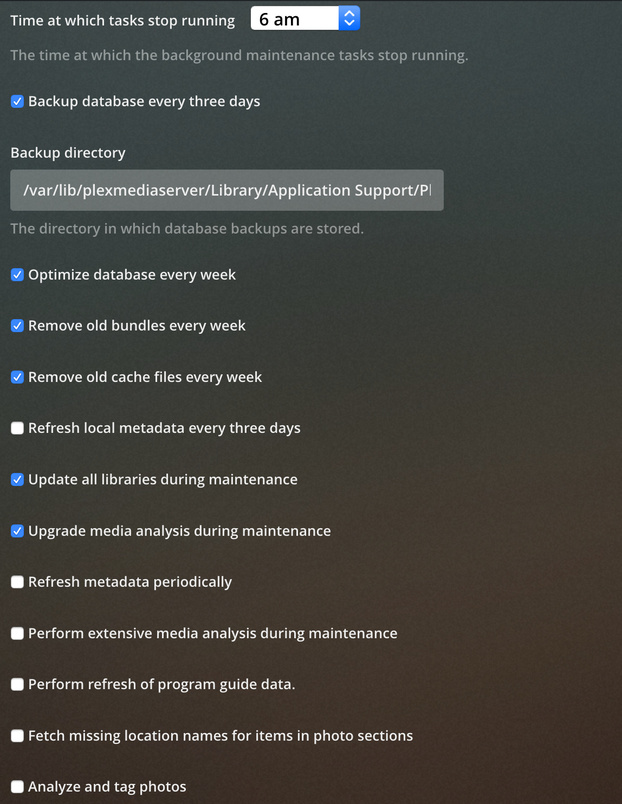
Metadata rarely changes. Are you refreshing it unnecessarily?
I recommend turning Partial back on. PMS will look at the time last scanned and only process those items with a newer timestamp. With partial off, it will do everything all over again (which takes time)
Thanks for your reply - makes sense.
I’ll hold off on the period service restart for now though because the point on partial is a very good one… I’d been thinking that needed to be turned off for external storage but it was auto scans I’m thinking of. I have turned partial back on as that definitely won’t be helping.
When you mention metadata refreshing can I reduce the frequency of this? I have daily library scans but the only thing metadata-specific I see is in scheduled tasks and just says ‘periodic’.
So having observed my Plex server running a scan, I can see that it takes around 10 hours to complete a full scan.
Given this; what I would like to achieve is have my Plex server do a full scan every night. My scheduled tasks start at 1am and finish at 6am - but I can change the end time to be later if that would be best.
To try and achieve this I have set up the following:
I’ve had these settings running for a few weeks now and it actually seemed to work well at first, but I’m still finding that I can load up Plex web at random times of day (i.e. just now at 5:30pm UK time) and it is busy scanning. I find this impacts performance so would really like to avoid it in the evenings when we’re watching stuff if possible.
Would appreciate any help you can offer with how I can make sure Plex runs a scan at a specific time (say after midnight) and does not do any other full scans during the day.