Server Version#: 1.25.2.5319
Player Version#: 7.26
Hi everyone!
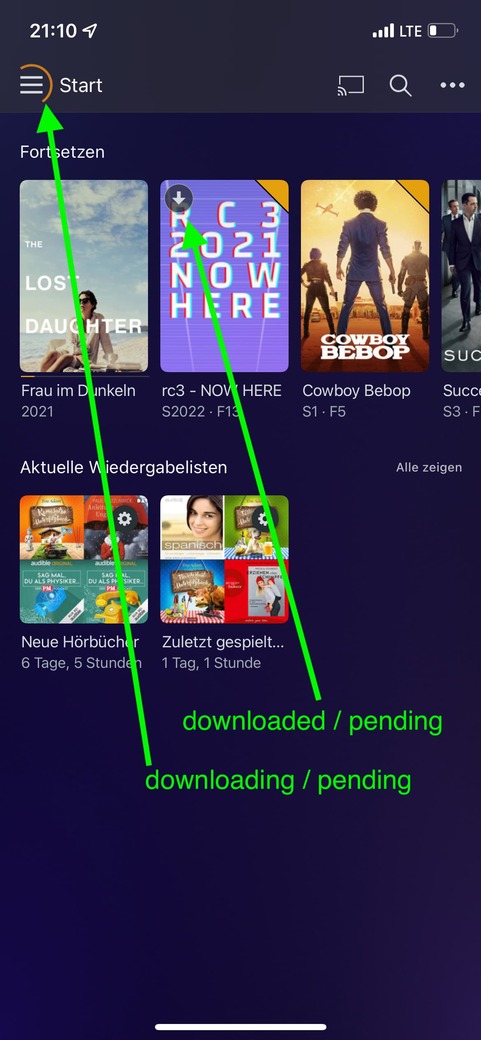
Whats wrong and what I mean you can see in the picture.
The Problem with the arrow down is, if your are outside your network you could think the file is downloaded, but if not, playback starts and you use your mobile data. worst case is a big video and your monthly data is gone.
please remove this arrow, if file is not already downloaded.
The spinning circle is not a real problem, but it irritates and make me nervous on the go.
it spins if download is in progress or its pending. the download function works correct.
setting is “download only on wifi”
but what if someone breaks something on further updates and plex ignore my my setting?
worst case: monthly data is gone.
please stop the spinning wheel if downloads are pending.
thank you
btw, please please please fix or add the function download in background! there are thousand apps which can do this. best example are podcast apps.