DSM 7 - Set Plex shared folder permissions
IF migration fails with System error: 0, perform these steps
-
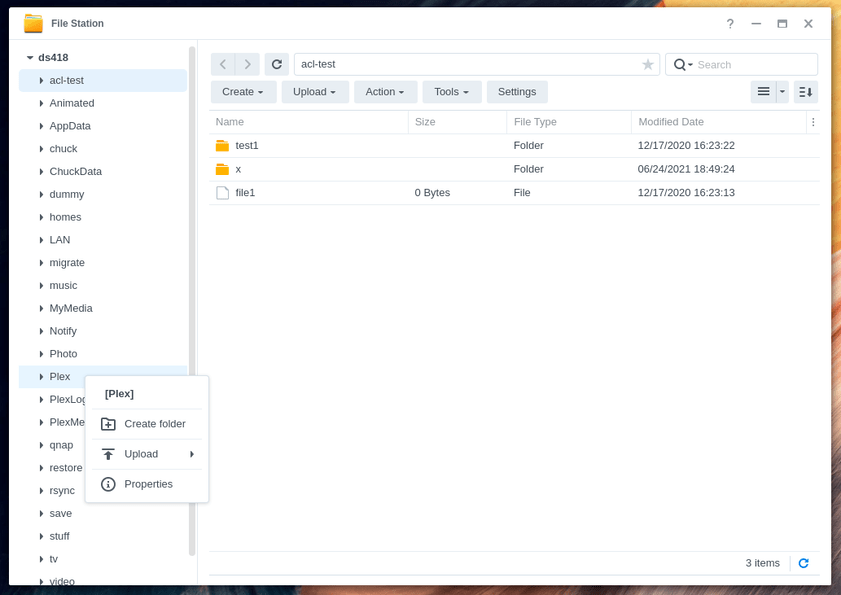
File Station → Right-click the “Plex” shared folder → Properties → Permissions
-
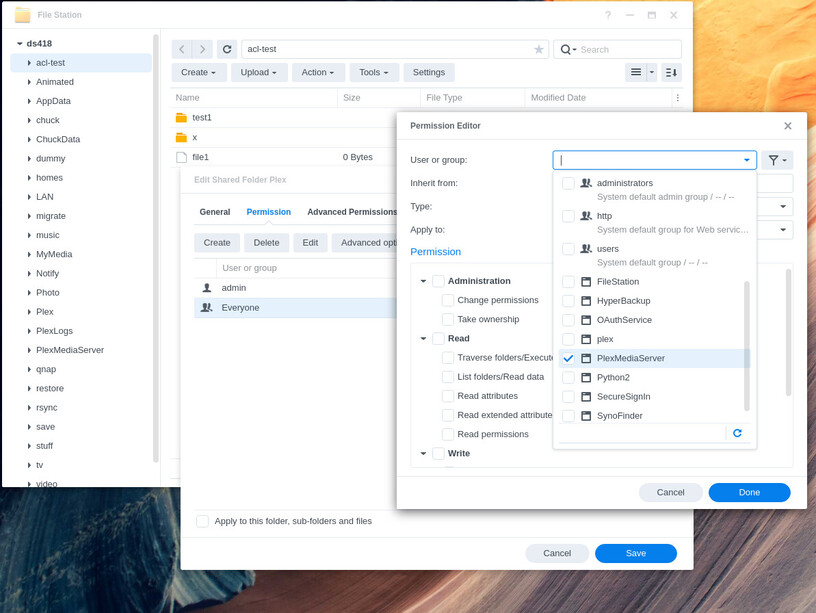
If no “PlexMediaServer” user is listed, Click CREATE
-
Scroll down the list of normal and system internal users to find PlexMediaServer
-
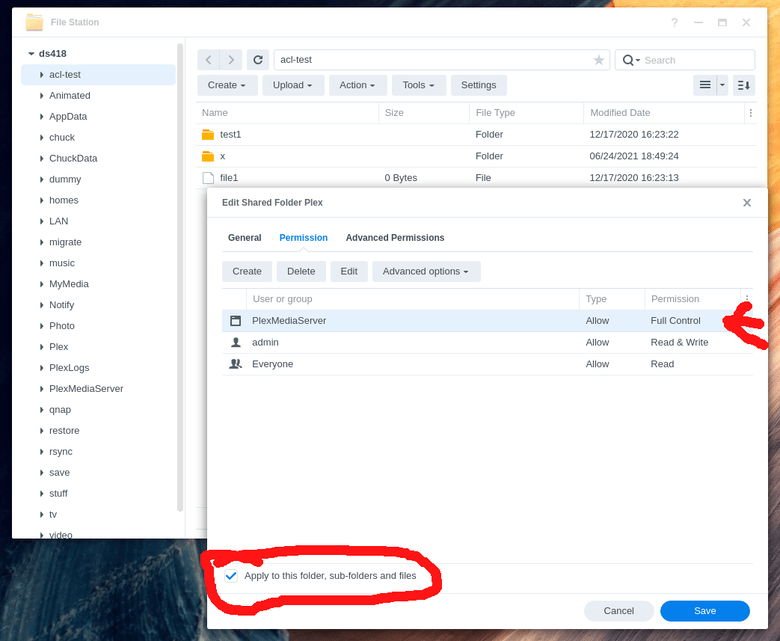
Give all Administration, Read, and Write permissions (Full Control)
-
Confirm “Full Control” and Apply to this folder, sub-folders and files.
-
Click SAVE. This may take a long time. Wait for it.