I’m a snowbird and spend 6 months down south and 6 at home up north. I keep a PC in each location and just transport my video files on an external drive. The problem is I need to re-establish which files have been viewed each time I do this. Since only one of the two locations is active at any one time, both computers have the same name: HPMMServer
Is there a way to copy the entire database? I know how to export it but not if it’s possible to ‘import’ it. Or can I just copy a couple directories and put them on the server on the other side along with the video files? Are there registry considerations?
Any suggestions to improve this process are appreciated.
Hi. You can copy the database back and forth, for the most part as long as PMS is kept up to date on both systems before moving databases - both same versions so DBs are compatible.
You want to make sure you update the Winter PLEX to the latest version before copying the DB. Once you get to the Spring PLEX, you want to make sure you update before copying the Winter DB on top of it.
Only copying the DB file will not copy all the external metadata, like video preview pictures, loudness analysis, intro detections, manually added posters and the like.
If you want to do it right, copy the whole Plex data folder.
While doing the copy, the source and the destination Plex server must be not running. If they do, you’ll end up with a destroyed main database file.
You could copy just the main DB file.
However, by doing so you’d leave behind many things, like custom posters, intro detections for tv shows, video preview thumbnails for videos etc.
If you want to move everything from one machine to the other and continue using Plex as if nothing happened, you’ll need to copy the whole Plex data folder, which can be several hundred thousands of files and folders.
I see now there is no export/import. I was confusing it with the Download Database under Manage - Troubleshooting.
I tried the method documented in the link you provided when I came to my winter place. It didn’t work. I had a b!#ch of a time stopping all the processes so the files in this folder would close. It would be very helpful if that were documented. But there must be something else missing as following these directions verbatim did not work. I’m guessing they assume the reader knows something that I don’t know. But I’ll try this way again. Stay tuned.
In theory, there are 2 things to be stopped.
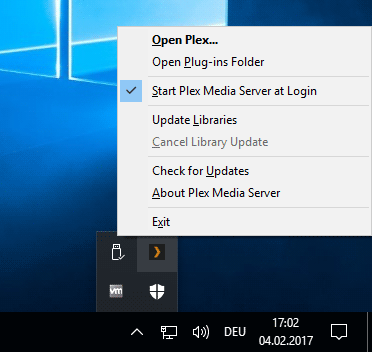
But in reality you only need to stop 1 thing: the plex server itself, using its tray icon.
The other thing is just the “Plex Updater Service”. The only thing it holds onto is its own log file, which won’t produce any errors when it’s omitted in the copy.