Server Version#: Version 1.42.2.10156
Player Version#: Version 4.147.1
On Linux Leap 15.6 and the OS crashed after a peripheral drive failed.
Not too daunting, yanked the failed disc drive (a backup path) and the system balked.
So I had to reinstall the OS but failed to back up the PMS files.
All the data, is safe. Just not the installation.
So I reinstalled PMS but I couldn’t claim my old server.
Somehow I ended up with a server called localhostdomain. ugh.
I’ve tried to disengage that and make it go away to no avail.
Been doing reviews of ChuckPA’s always helpful stuff but nothing I’ve done yet has worked.
HOWEVER I seem to have noted that I have 2 paths with a PMS on it somehow.
I’m not sure it’s WRONG but I think so. The file tree under this path:
/var/lib/plexmediaserver/
seems exactly the same file tree as here:
/var/lib/plexmediaserver/Library/Application Support/Plex Media Server/
Thinking I should just wipe them both out and then reinstall PMS which should kill the unwanted server localhostdomain and THEN try to claim the old server.
Team I’m aware that ChuckPA may be unavailable so I hope it’s not an offense to ask for another to review this issue?
I have gone to https://app.plex.tv/desktop/#!/settings/devices/pms and I don’t see any path to reclaiming my original server.
I opened Preferences.xml and removed these Name=“Value” pairs:
– PlexOnlineUsername
– PlexOnlineMail
– PlexOnlineToken
– PlexOnlineHome
Then saved as Preferences.xml
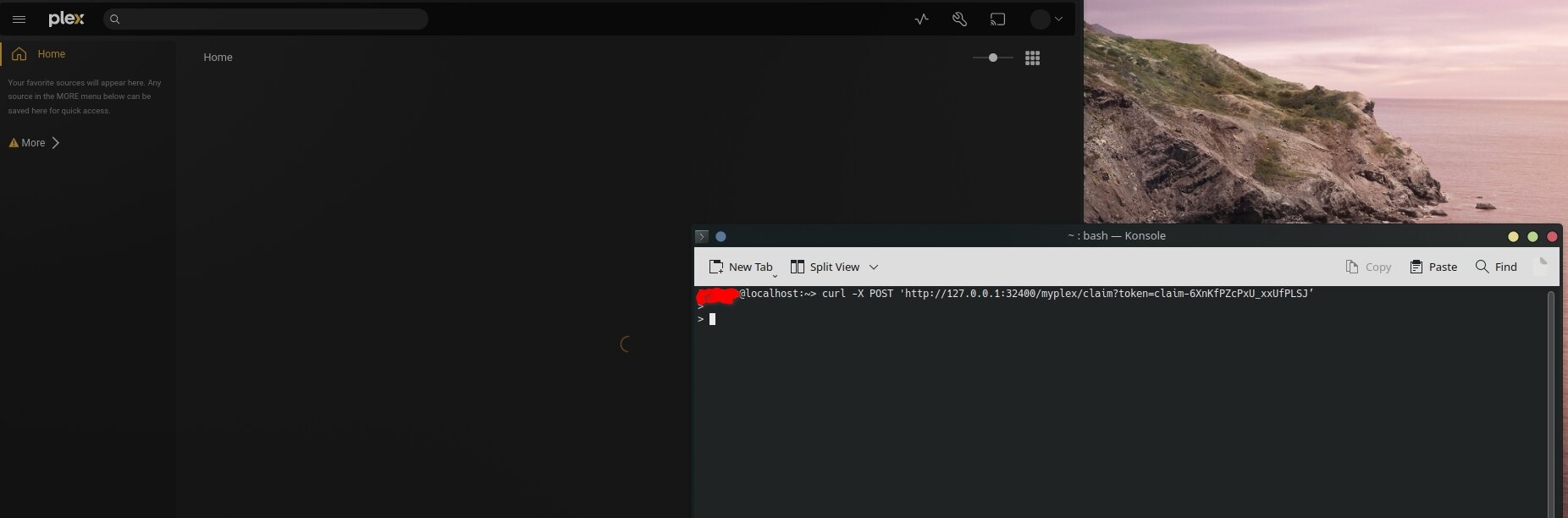
I opened a browser window to Claim|PLEX (https://plex.tv/claim) and itt presented a claim token. claim-numbers and letters….
Hit enter and was supposed to wait 15-20 seconds for PMS and Plex.tv to negotiate using the claim token. HOWEVER ::: When complete, it was supposed to respond with a bunch of feature flags , ending in This signifies success
This did not happen. It never “completed”. Icons spinning still / no activity in Console…
I still do see an erroneously created server that I would like to get rid of. It might go away once I claim the legit server. But I don’t know for sure obviously.
So I’ve gone through the process, ran the script and it appeared to be successful.
But when I opened the PMS in the browser… the UNWANTED and empty server is still showing up. (localhostdomain). The legit should be PopeyesSeabag.
I went back to https://app.plex.tv/desktop/#!/settings/devices/pms and deleted the localhostdomain server. Reworked the process with a new claim code and when I went back to authorized devices but the only thing showing is again localhostdomain server.
How can I reject that thing permanently and get back the Seabag server?
In the first post you said you failed to backup the Plex data folder (/var/lib/plexmediaserver).
So everything in that folder was lost, correct?
If so, that is why the server is empty - no libraries, etc. Such information is contained in the Plex database, which is in that folder.
You will need to re-create the libraries, re-share with others, etc.
Let me know if I am misunderstanding things.
For a new installation, Plex uses the system hostname as the server name. It should be the same as if you ssh to the system and enter the hostname command.
You can also set the server name in Settings → server_name → General → Friendly Name.