Server Version#: 1.20.1.3252
Player Version#: any (web or ios, doesnt matter)
Tuner Make/Model: hdhomerun connect
Guide/Lineup name:
Using XMLTV?: yes
Channel number/Name: pac-12 network,pac-12 oregon,pac-12 washington, pac-12 montain, pac-12 california etc.
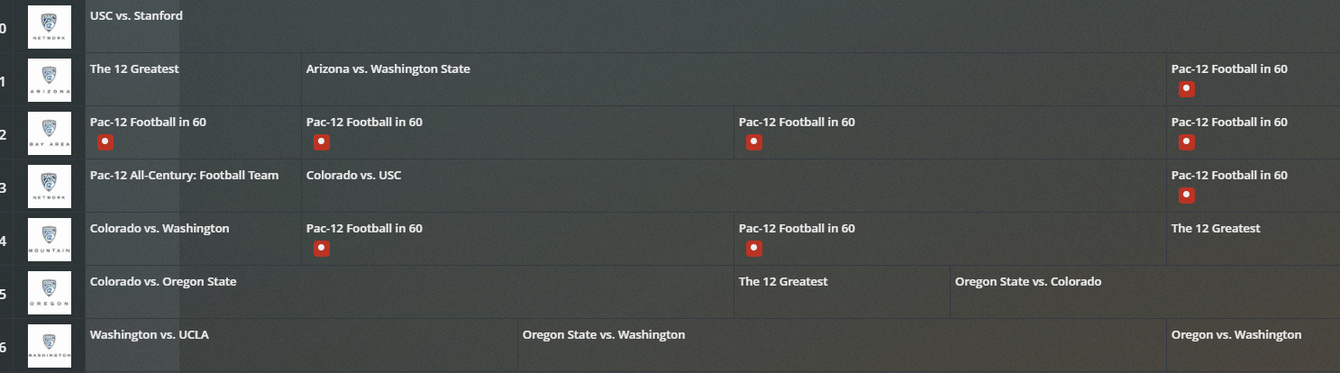
Basically, if I choose a recording of a show, go to advanced and set the channel to a specific channel (pac-12 oregon) and save the dvr it shows that it is going to record all programs titled football in 60 from all the pac-12 channels.
In the dropdown they are detected as individual channels, and regardless of which one I choose, it looks as if it is trying to record every football in 60 show from all of the channels vs the one I selected.
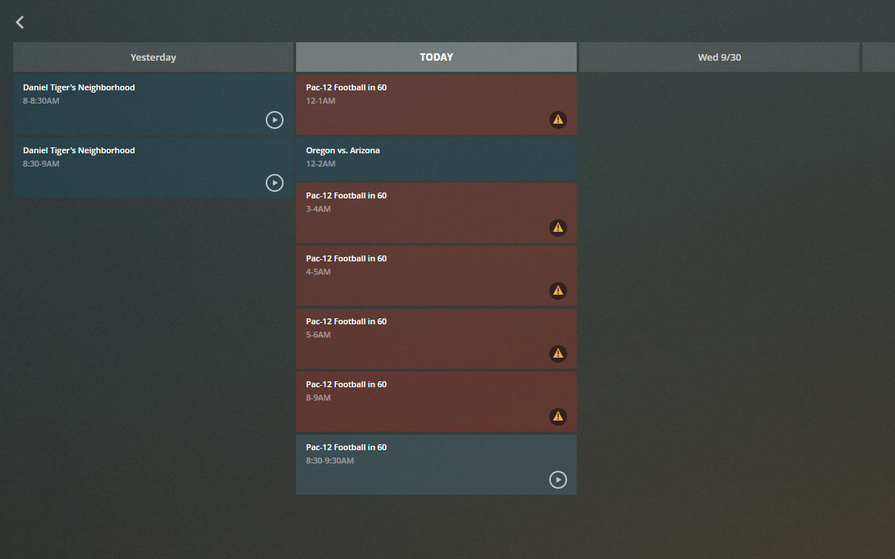
Where are you checking this, in the guide or DVR schedule? If the guide, this is somewhat expected, or at least known, behavior. However, in the DVR schedule tab of your browser, it should show only the airings it is actually going to record.
As an example, I have my DVR set up to record The Andy Griffith Show, but only its airings on channel 4.2. However, the guide shows me this:
I cleared out the recording schedule this morning. The exclamation is because I created a new folder “sports” to save to, but I forgot to give plex permission.
I will have to check later to see if other recording would show up, unless I would already see them.
I’m a bit of a newbie so take it with a pinch of salt, I think the following:
if you change the setting of a recording (i.e. it’s not a totally new recording request) it will not change anything that it has already chosen to record in the near future. However anything that hasn’t been scanned by the EPG, in the further future, will abide by the change in the rule.
So you can say it’s not fully dynamic. If it’s the case, I have no idea if it’s by design or not. I was like you in thinking it would dynamically recheck all the schedules to change to the new filter/settings. You will have to remove those you don’t yourself. I guess cancelling the show recording and making a new one would work?