Version 1.13.9.5439 and just previous release as well
Web Client :3.69.1
Running on Windows 10 10.0.16299 Build 16299
DVR has recorded to a folder @ C:\Plex TV Recordings for almost a year. As of above versions, I experience two undesirable behaviors.
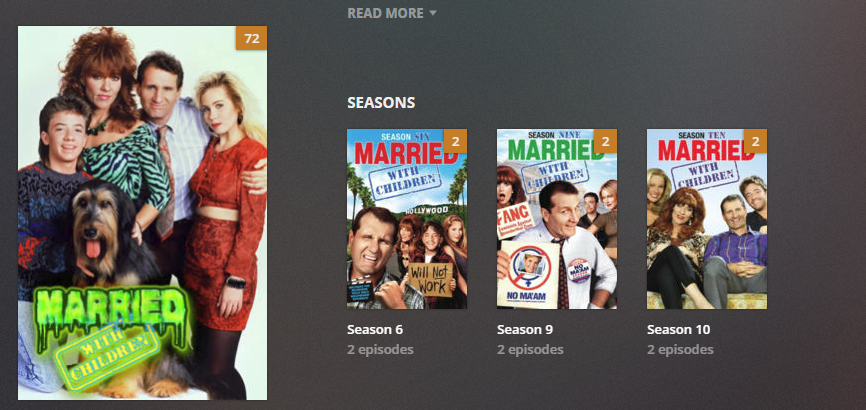
When I use the Web Client from any PC local or remote, and access the TV Shows library (c:\Plex TV Recordings), each show indicates the correct number of episodes +1. I counted folders and files and each folder has the correct number of episodes. Otherwise, everything works as expected.
Using two different Samsung Smart TVs (been in use for close to a year) when I access TV Shows from Home, I get “A Network error occurred; Status:: 200.” I click Select and I get the same message then a blank screen. However, I can view all recordings in the Library via On Deck or Recently Added with no playback or delete issues.
As mysterious, if I copy the folders from c:\Plex TV Recordings to any other folder/library of TV shows, none of the above listed oddities is true. All is good!
I also find that If I delete the c:\Plex Recordings folder, it comes back at the next recording with the same issues. If I rename it - same. If I rename it record do to it then delete it, same.
Anybody know what’s up and ow to fix it? Is there a way to tell DVR where to put recordings?
+1 - I have see the same since the last update as well. With a little change in your point #1, it shows the total count of items in the folder rather than unwatched.
None of the other folders have the issue just the dvr folder.
Also tried renaming the recording folder and moving it as above but with the same outcome.
I am running PMS on QNAP and using @Orca client for earlier version Samsung TV’s.
I have tried the latest three versions with the same issue (1.13.9.5439 1.13.8.5395, 1.13.8.5388)
Yesterday, my TV Shows recording folder was empty. Last evening, I recorded one episode of “Alaska the Last Frontier” and one episode of "NCIS Los Angeles. This morning…
When I use the web client from a PC:
When I click on the TV Shows Library, Alaska indicates 21 unwatched episodes and NCIS indicates 19
The folders each have one episode.
When I use the Samsung TV…
When I navigate to the TV Shows Library, I get Network Error Status 200 for about three seconds then it goes away and presents Alaska and NCIS each with one I watched episode
When I select the TV Shows Library, I get Network Error Status 200 for about three seconds then it goes away leaving a (mostly) blank screen. Note that the Alpha Select bar indicates “A” and “N”.
When I “Toggle View” I get the Network Error in both directions.
When I back out I get the two shows listed and I can Select them with no issues. However when I Play either of them, I get the Network Error as above after which I can Play without issue.
Note that using the trash can to delete an episode I have no issue.
I get similar, however with a slight difference.
On Samsung TV, symptoms as above except when filtering by all shows, then none of the shows are displayed.
Hello all. There are several threads discussing this issue, initially within the groups for the players affected. Based on the discussion, the error lies in the server and as noted by many that fact that the “series” level count for shows is not correctly calculated and/or maintained by PMS. It looks like the season level info and the episode level info are properly maintained, but not the series level. All of this info is stored is separate XML files in the “Plex Media Server\Metadata\TV Shows” folder and subfolders. So, you have series/season/episodes data all maintained in separate files that need to be properly sync’d. Any errors will cause bad data to be sent to the Roku, Smart TV and IOS clients and guess what - grey boxes. This is a significant and wide ranging issue affecting most who record and watch TV shows. Let’s hope the Plexgineers are listening (reading) and working towards a fix. I wonder if any of them are using the product like we are?