Edit Music no longer has choice to Change Poster art

Server Version#: 1.23.2.4656
Player Version#: Plex Web 4.57.4

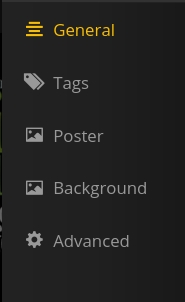
Hi…when trying to Edit single Track or Whole album there are now only three options…
**General
**Tags
**Info
Poster art and the other choices that were there before are gone…Has the last update moved this somewhere else…???..or is this another case where a Plex update has broken something…Have the same Issue with the 64 bit App…

There’s never been more than those three options when editing individual tracks, but editing an album or artist still shows all the options for me. I have the same builds as you.

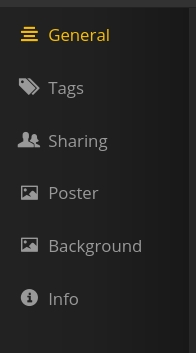
Edit Track:
image

Edit Album:
image

Edit Artist:
image

Hi…things have changed…I have my media organize by Folder…I am always in “Library/Folder” view…Folders organized as…

Genre (Folder)
Artist(Folder)
Album (Folder)

and was able to edit following these steps

  • Select Album (Folder)
  • Track list would display
  • Clicked on the Selection button for One or all tracks
  • clicking on the Edit Icon and the Edit dialog would display editing options including Poster…

This was fast and easy for the way I organize and use my media when wanting to make changes…

I can still go directly to Edit Poster Art from the home screen when it displays Recently added media…Edit button shows full Edit Dialog…

Oh, I can’t say much about Folder view - never use it, unless I’m troubleshooting something.

This topic was automatically closed 90 days after the last reply. New replies are no longer allowed.