Edit specific TV show details - advanced button is nowhere to be found

Still new to PLEX but I am having trouble finding this solution on the forums. If this has already been asked I apologize.

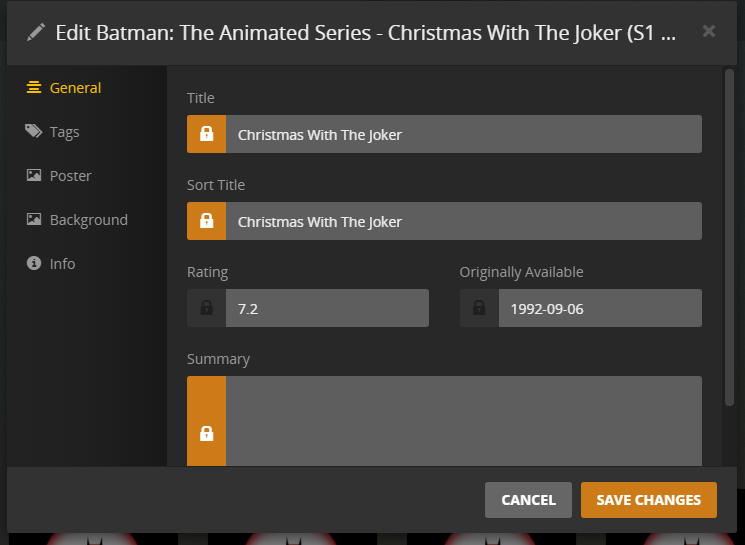
My Version Is This:

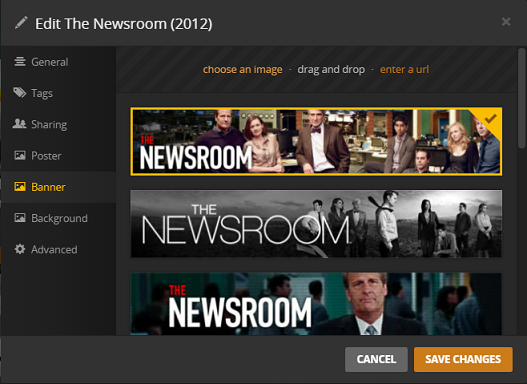
Correct Version Is This:
mceclip5-4

How do I enable all of these other buttons when I want to edit a specific TV Show, NOT the entire library advanced settings button, but of each specific TV show, those buttons are nowhere to be found.

the 1st screenshot seems to be from an individual episode (or season) while the 2nd one is from the tv show itself.

You only have those additional information on the tv show level as those information apply to the show in total.

AH after digging around more I figured it out finally. Only under the “LIBRARY” tab can I see all of the edit options, not the “RECOMMENDED” tab which it keeps defaulting to.

Found it, thanks for your help.

That’s probably because the entries on the Recommended tab are representing individual episodes or seasons. If you recently added a multi-season show, the entire show should be listed under “recently added”.
This topic was automatically closed 90 days after the last reply. New replies are no longer allowed.
