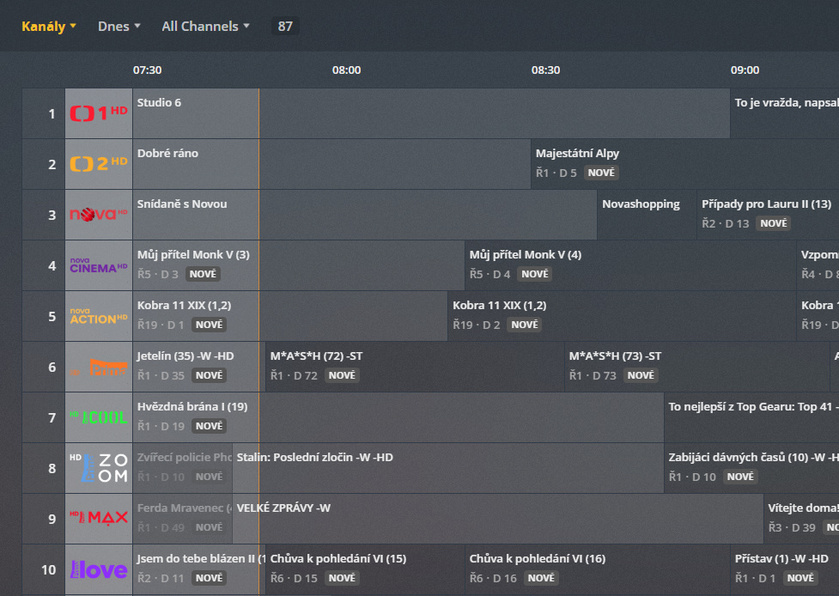
I tried watching two channels at a time. No problem.
Don’t now anything about webinterface api.
Not at all.
Yes.
No, I added support myself.
You can create new/special bouquet for you plex or you can use default. You can disable channels you want. I’m using my Favourites (TV) bouquet and cherry pick channels I want in plex.
To get your bouquet url you can use F12 developer tools in your browser. Select your bouquet and copy url. I have
I know when i create there is the option, but do you let the xml file on the receiver? How do you get the updated xml in plex? Does the plex update it automatically when you replace it?
No xml file is on the plex server.
Plex is downloading xml from reciever with that script every day and replace it.
Plex update epg during maintenance hours. Check plex settings.
okay im so broke i did check your script again now its clear. ^^ Ah so during maintenance hours…ok i will check that in the settings. I am on windows with my plex but i think i can get it working also with wget for windows. I think i will try next weekend as i am abroad for a week. i will let you know then and would be happy for asisstance with channel id and Picons.
This works great, thanks a ton for the tips ! Was waiting for a way to import EPG from enigma2 receiver in XMLTV format, this is just awesome.
Now I get channel names in the "channel id=“1:0:19:7532:426:1:C00000:0:0:0:” format, which is not the most comfortable for the viewer. Any tip to share to make the Channel name nicely appear in Plex ?
Can you share a screenshot to see how it looks on your side currently ? Thanks again !
For my personal need I’m parsing TV shows name to obtain series and episodes numbers. I don’t know if the same notation of the name is in your country.
I can put related files in zip so you can try it, but picons are only for my provider and run on my webserver. But i’m stuck with OpenWebif 1.3.2 and don’t know, if you replace these files, that OpenWebif will run without problems.
Location of OpenWebif is “/usr/lib/enigma2/python/Plugins/Extensions/OpenWebif”.
Replace files in ZIP and delete theirs .pyc and .pyo versions and restart enigma, ofcourse xmltv.zip (20.7 KB)
I managed to get this to the last screenshot point, chose the bouquet etc and clicked save; then got an error and the box rebooted. After rebooting i now get the error
“Some plugins are not available: SystemPlugins/HRTunerProxy (No JSON object could be decoded)”
I have deleted the plugin, rebooted, tried the whole process again and continue to get this same error.
Thanks for your suggestion, i have done that and rebooted but when going into plugins the same error appears. Is there a config file somewhere i can refresh or delete or edit; i don’t want to reinstall blackhole just to try editing the value again to be locked out.
Since i changed to openpli 6.2 i cannot change the channels anymore in Plex. I can setup the vu+ once and after that i always get the error: Device not found. Check if the device is turned on…How can i fix that? Otherwise i have to delete it and start from scratch, just because i want to change or add a channel.
@andyblac1974 Do you use emby now for your Live tv? Is it better with the EPG? I read somewhere you are using schedulesdirect in emby and you need a way to choose audio track for live tv.
In Plex is also not supported to choose audio track for live tv right?
I have to try now what Miky suggested with xml and epg from enigma2, but first wanna sort out the “device not found” issue in Plex. If the EPG data is enough and look good it will be the perfect solution to me.
Sad that Plex isnt listening to the comunity and is just bringing new features without fixing the needed and old features.
Hi, I did try Emby with SchedulesDirect, it was slightly better than plex for livetv at that time, Emby where working livetv audio selection, it may now support it, the last I herd it was ready for Android and they where working on AppleTV/iOS, but I have since ditched both Plex And Emby, I have given up on LiveTV. I am now just using iTunes, Amazon Prime, NetFlix, and catchup OnDemand for my needs.
I was finding it was taking far to much time managing a media server, and can sell my DVD’s and just buy stuff from iTunes from 99p to £3.99 for 4K, when deals are on, good enough for my need now,
If you can post a clean Plex log and a debug log for my plugin from E2 (/tmp/HRTunerProxy), I’ll try to help you.
here are the log files…i was not at home before. I did a restart and deleted the logs before i started again. Now its just one file and the log from your Plugin on Enigma2.