Server Version#: latest
Player Version#: latest
Not sure why, I tried editing the share Permissions and restarted plex and my computer.
I had it working on my laptop then I plugged in the external to my new computer and plex only shows C:/ drive. The external is connected as I can access from explorer.
I tried to plug the external back into my laptop and now it doesn’t show there either.
Hi stelliogd,
what you can do is go to disk management (included in compmgmt.msc, Enterprise Users usually know how to get there) and take a close look at you disk and it’s partitions (anything unusual compared to working disk, write-protection?). Next thing you can do is the famous chkdsk /f X: command, if there had been issues, it should work after that.
After adding or removing drive letters, you might have to stop and restart Plex server.
I will give it a g and report back! Thanks
How do I fully reset the plex server
No luck with chkdsk and disk management …
not sure what to do 
What did they say, any screenshots or anything? Does no luck mean everything is normal (–> Plex issue) or drives won’t show up / errors (–> Drive failure / Windows issue)
Disk Management showed no issues, all healthy and running as normal.
My only external drive wont show in add folders at all.
It only shows C:/ Drive
https://paste.pics/8V29J
Here is chkdsk command not sure what it means but i dont see any errors?
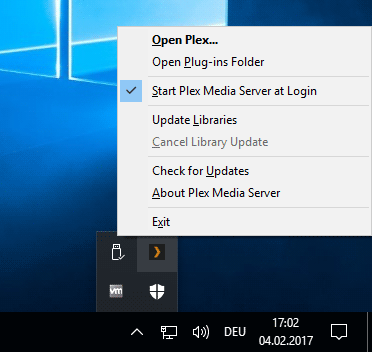
You quit the server using its task tray icon. Right-click on it - “Quit”
There is no tray icon ? Im not sure why it isnt showing up either :S
I removed plex and downloaded another copy off the website.
I setup a new server and it showed my drive.
I then selected the folder i wish to add in to my library then as soon as it added it said there was an error and to come to the forums to ask.
Update: Never mind, seems to be working now 
Thanks everyone
You may need to click on the upward chevron first