Server Version#: 1.32.6.7468 (running on Synology NAS)
Tuner Make/Model: EyeTV Netstream 4Sat
Guide/Lineup name: UK Freesat
Using XMLTV?: No
Hi Folks!
Longtime Plexpass user and I had been using the VBOX network sat tuner for ages (until it died and VBOX refused to support).
So I have purchased the EyeTV Netstream 4Sat Network tuner to get my LiveTV/DVR back and working.
I have been through all the previous forum posts here, and tried all solutions. However, nothing seems to be working. The tuner is dedicated, the scan works fine, all the EPG data loads too - all looks really cool, except when I try to play back I get the dreaded error:
Playback Error
Could not tune channel. Please check your tuner or antenna.
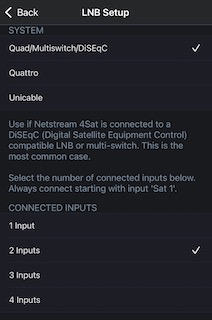
I have a QUAD LNB - 2 feeds go to a Humax Set Top Box in the living room, and 2 feeds down to my basement where the Netstream 4Sat is plugged into the network via ethernet.
I have tried all the combinations - only plugging in inputs 1 & 3 on the Netstream4Sat box - or only connecting to input 3 (as I read this is the first input Plex starts from)
I have tried lots of combinations of things, but just can’t get the playback to work in Plex !
It seems to be all ok in Plex.

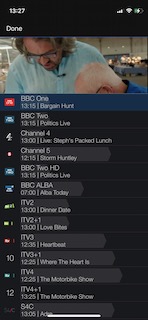
In the eyeTV iOS app, the channels are there, and can stream just fine!
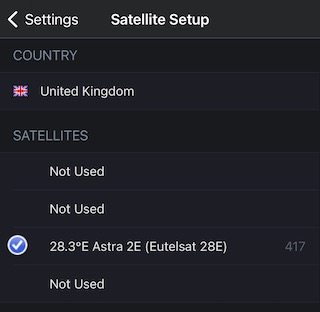
The Satellite is configured (it’s in position 3 as I thought that might help with Plex)
And you can see it streams no probs:
I just don’t know what else to try to see if I can get this to work in my setup?!
Is it permissions on a folder somewhere on the Plex install on the Synology NAS?
Is it to do with the correct input on the EyeTV netstream 4Sat ?
Is there a way to disable 3 of the 4 tuners in the EyeTV so Plex only sees one?
I’d appreciate any advice or tips please!
Thanks!
Alessandro
