Server Version#: 1.32.8.7639
NAS Version#: TrueNAS Core13.0-U6.1
Player Version#: N/A
Hi guys,
I apologise if this has already been asked, but i am too tired to check.
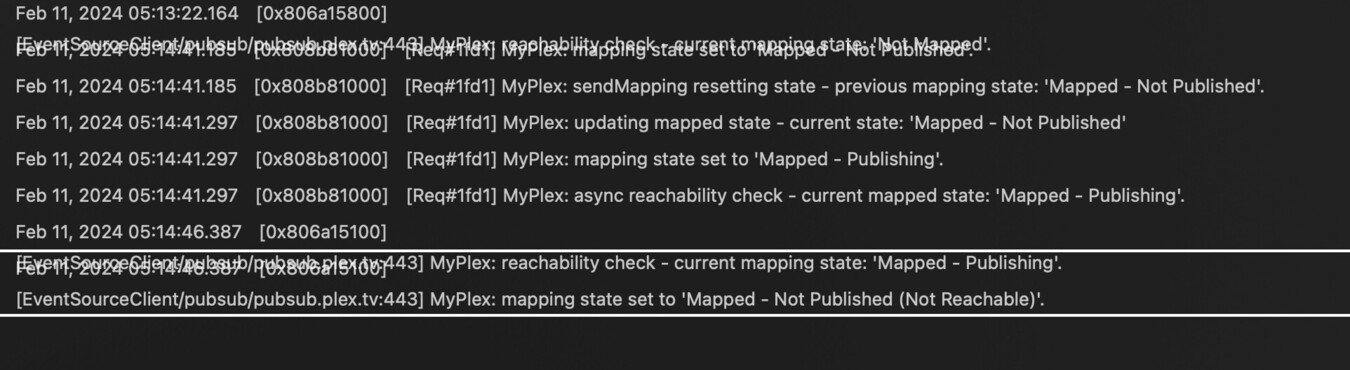
I have checked the logs of the server and its going online and then offline for remote access.
With my broadband router/hub its the VirginMedia Ireland Hub 6, where it is not possible to setup port forwarding, uPnP, Firewall settings or anything else like this, so i cant manually specify a port for it to work.
I dont know what I am doing wrong here and i am exhausted my options too.
To complicate things a bit, i did have it run on my MacBook and while it reports that it is available outside the network, it couldnt be accessed at all.
Ive attached a screenshot for you. For readability on the top line it says:
[EventSourceClient/pubsub/pubsub.plex.tv:443] MyPlex: reachability check - current mapping state: ‘Not Mapped’.
[Req#1fd1] MyPlex: mapping state set to ‘Mapped - Not Published’.
The second screenshot is from the “Remote acces” menu

I hope you can help. If you need more screenshots, please let me know.
Kindest,
Alex
