image removed
Thx. Can you grab the server log as well.
Do you know what you have at address 192.168.100.3 There are a lot of errors filling up logs about it. I am guessing maybe DLNA, which if you are not using, you can turn off in settings,
Unless it was an ipad or cell phone, there was nothing on 100.3. I did have another PC on 0.3, but I have turned that off now. Anyway, I still have the same issue.
Exactly same issue, I see it repeated often here. I’ve tried all fixes. LAN works great, WAN shows in Plex as “open to all users” but no connection is allowed on WAN. This has to be an update issue…what’s up PLEX?
1 Like
This is what I’m seeing if I’m not on my network and trying to access it. The server is up and running but will not grant access. Remote access is set up as it always has been. This leaves the issues on PLEX not my server. Please fix this now

Plex Media Server Logs_2019-05-03_16-38-25.zip (2.7 MB)
Here is my server log. Let me know what you think is wrong.
@Zigfire66 do you know what is at 192.168.1.91 . Looks like it might be whatever this is Yamaha TSR-7810 (guessing your receiver). Do you have DLNA enabled? If you are not using it would you mind disabling and seeing if there is any change after a server restart.
Also are you using UPnP or manually port forwarding?
Manual port forwarding with TCP IP 32400 192.168.1.91 is our stereo downstairs that’s been active for 2 years. DLNA is not active. Switching to Beta and downloading the newest version and rebooting seems to have fixed the issue. Everything else has remained the same.
Please enable DEBUG logging on the server and get fresh evidence for the problem after restarting the server
Settings / Server / General / Show Advanced
enable debug logging, save changes and restart the server to get fresh log files
Wait 5 minutes after the restart and then try to test remote access and capture logs / screenshots etc
Thanks
Was that 4:23 pm on May 3rd ?
The server crashed at that time. I can see lots of crashes
These crashes are in the intel hardware transcoding driver which arise when Plex Media Server is run as a service
It crashed at 4:19pm and restarted at 4:23pm
The log actually shows the server available for remote access as from 16:23:26 with the connectivity test to manually set up port 32400 working ok
Did you try killing the ios app and relaunching it? I have seen cases where status remains showing as OFFLINE until the app is relaunched
With regards to the crashes in the mfx_mft_h264ve_32.dll you have 2 options
- either disable hardware acceleration within the server transcoder settings, or
- not to run Plex Media Server as a Service
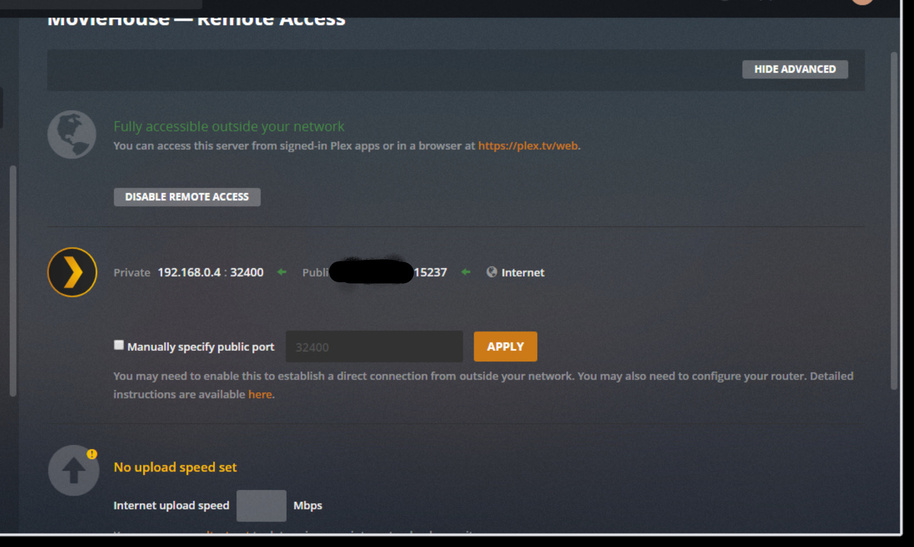
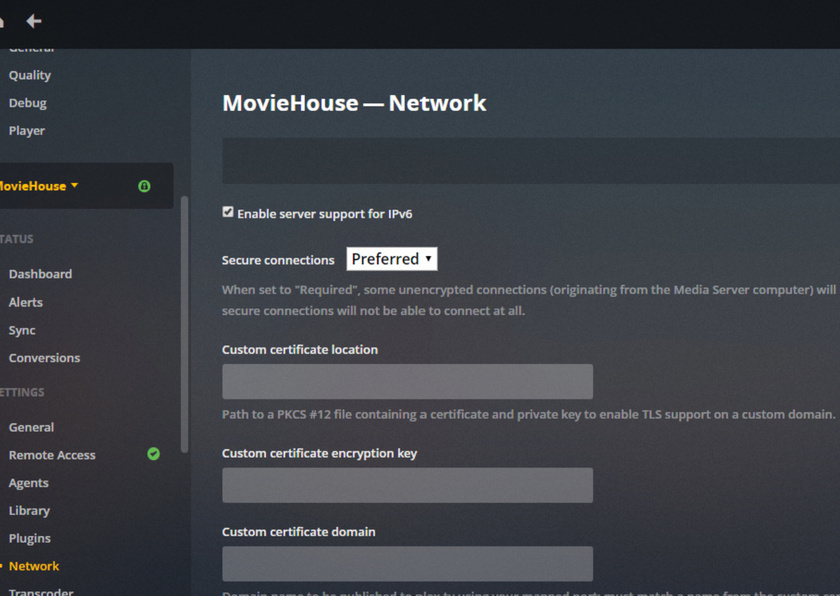


Uncheck the Enable support for IPV6.
Running vm, docker or a VPN? WiFi segregation, something is creating another network 192.168.100.xxx that is confusing things.
Thanks for the logs and screenshots. You have cropped the images and I cannot tell what time the error arose in relation to the provided logs. i have logs up to 07:33:28 am May 5th. Exactly what times were the Server Unavailable errors ? and from what Public IP address ? You can provide me with a partial IP address and i will compare to what is in the log.
I presume the screenshots from a local connection for the settings and from a remote WAN location for access to the server?
Also - what account was the Plex Web session logged into for the server unavailable error? (Top right corner shows the account)
Logs look good and do not show any issue. The connectivity test for remote access is successful each time reaching your 68.5.xx.xx public IP on port 15237
The server log did not show any wan remote connection reaching it - other than the internal connectivity tests for remote access that are done when you displayed the remote access settings page. In fact all requests are localhost ones on the server directly (unless you have a reverse proxy and they appear to be local)
So we need to look at the diagnostics now from the plex web side for the remote connection.
On plex web for the remote connection, go to settings / web / show advanced / debug and enable verbose web logging. Then try to connect to your server. Click on Home icon and refresh, capture screenshot (please do not crop) and note the time and then go to settings / web / show advanced / debug again and this time click on view log. Select all displayed text and copy to text file and save and upload together with fresh set of server logs (with debug logging still set please).
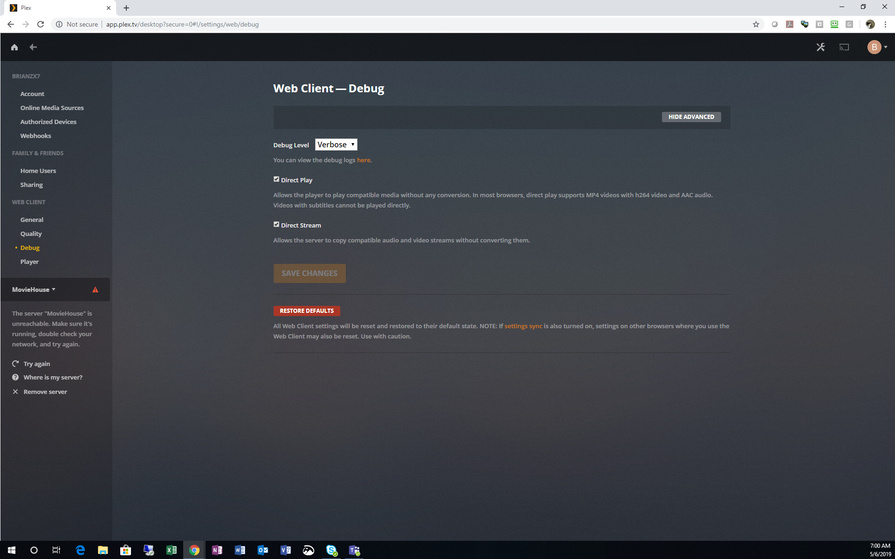
I only have one account that I log into with which is my own.
