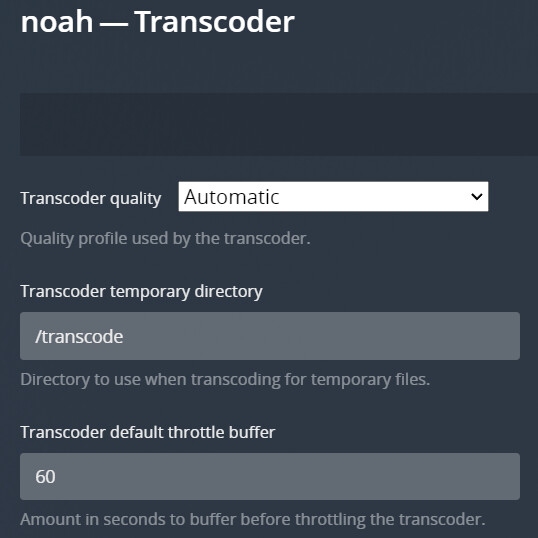
@gskellig thanks for chiming in. Honestly I do not understand that setting and what it does.
I tried anyways (updating the file /boot/syslinux/syslinux.cfg with either options you provided.
None seem to make any differences. And yes IOMMU was enabled as I can see multiple groups in Tools > System Devices. Also making any sort of config changes does not seem to impact groups at all - it is very possible that I am doing this wrong.
I continued digging into this, it seems the “stuttering” are actually extremely regular.
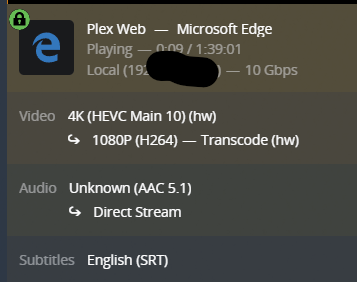
It buffers for ~13 seconds, then plays for ~40s, then buffers for ~13s, and it continues the cycle. I only testing on one file for consistency (4k HDR HEVC => 1080p 20mbit).
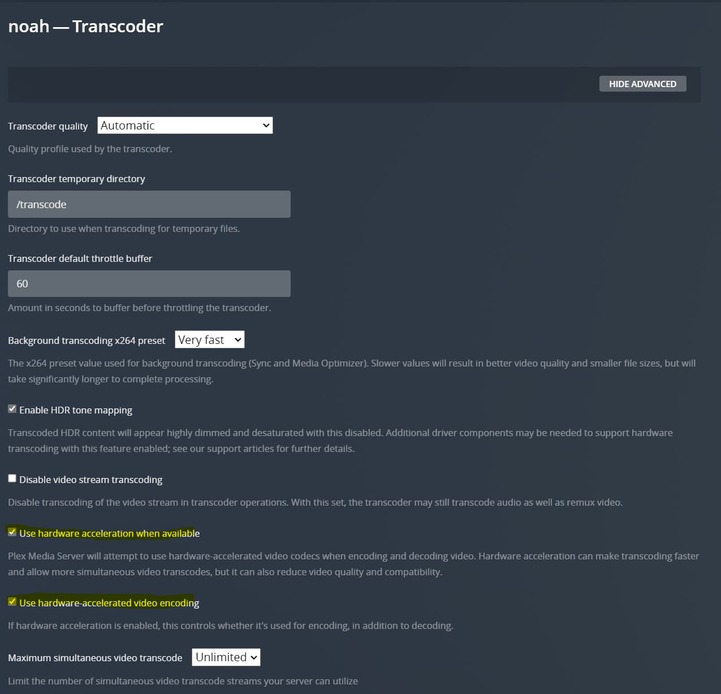
I also playing with the setting: Transcoder default throttle buffer anywhere from 15s to 300s and it seems to have no effects whatsoever.
Final point of not also, is that during buffering or playing phases the radeon top shows no differences between GPU load… always hovering somewhere between 6-10% (only 1 stream).
I also tried to change the audio track 7.1 => 5.1 to see if that transcoding had anything to do with the video transcoding… but no changes… I am out of ideas.
It just feels way to regular to be actually performance related…
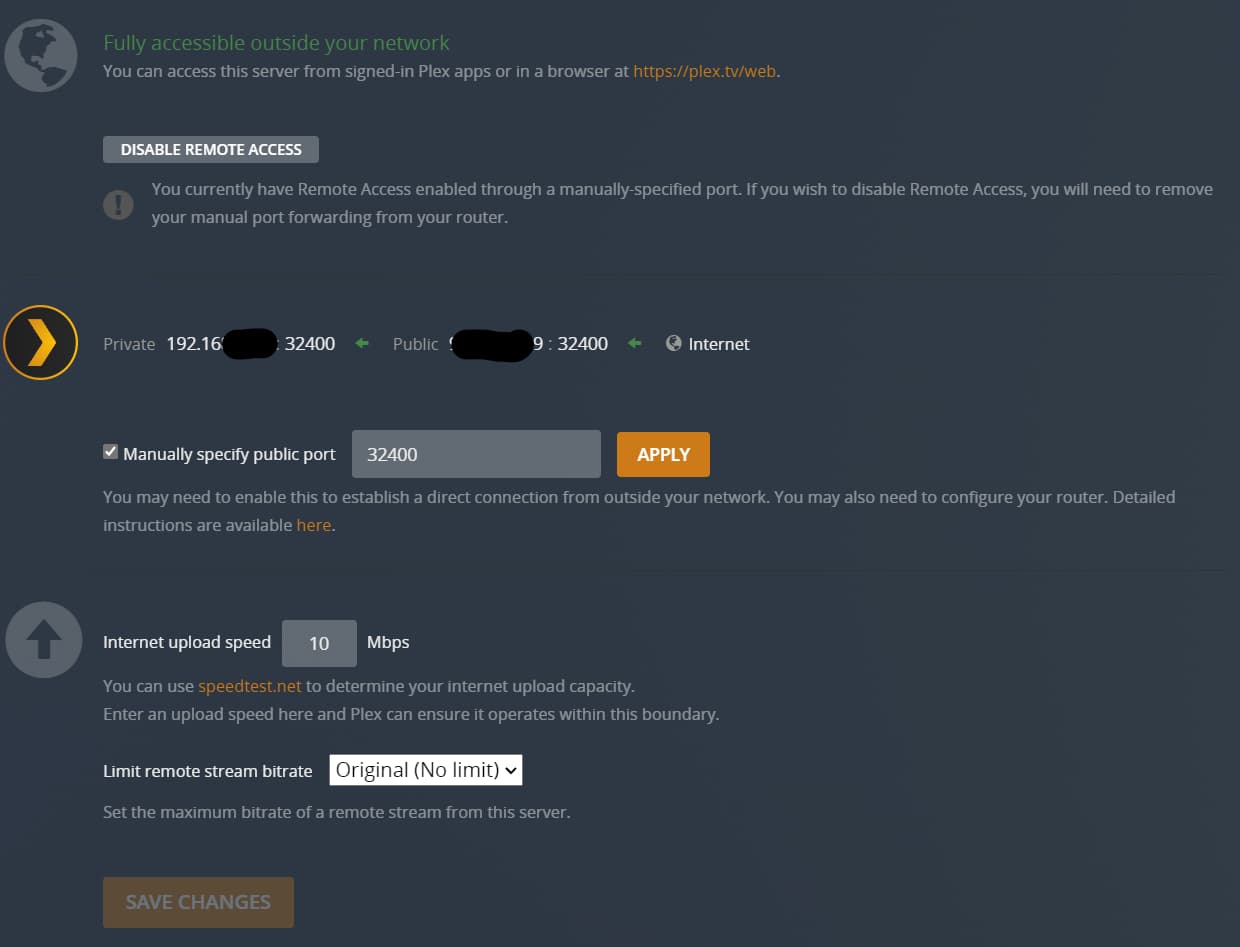
Ok, on a completely different topic… since I installed that new container, it seems that my connection from outside on my personal network is no longer working.
Throughout my testing - when I re-started - plex’s official docker, connections from the outside seems to re-work normally.
I don’t get what I configured wrongly. There is obviously a whole bunch of ports that are not mapped from this container compared to plex’s official one. But I had never added those ports manually… they are just there ? Could that be it ? How do I add them ? Why would I need to add them manually - specifically since I am using the same template.
Also, I am trying to “share” plex’s library between the 2 docker containers… but I am running into all sorts of issues…
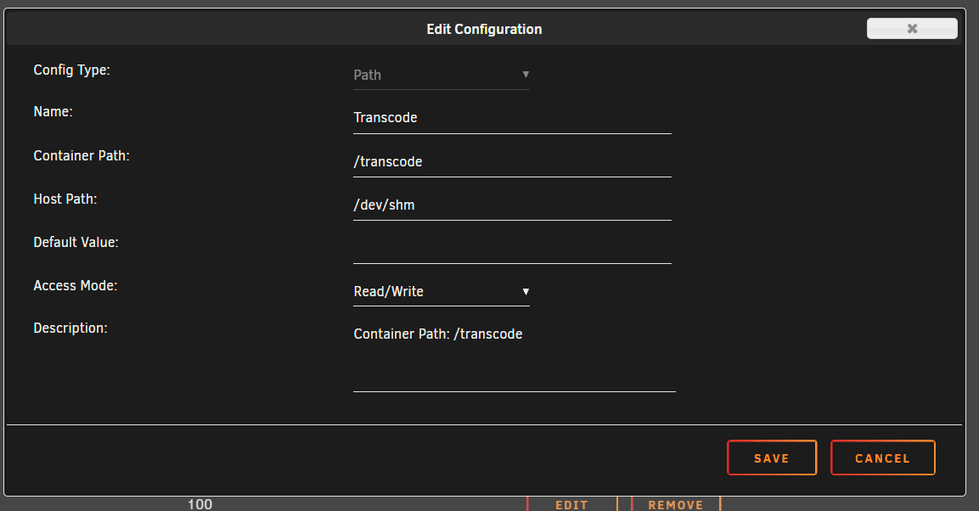
first, the config path the container is looking for seems to be different, official container looks for stuff in /Library/Application Support/Plex Media Server whereas this container looks for things directly at the root. That can be easily “tricked” by some proper path organization (see the screen
shot)
but when I manage to share the same config folder, when starting this container I get a message saying: “settings not available”, but everything just “works”.
As I am running a lot of tests at the moment, I am simply trying not to have to maintain 2 libraries and duplicate a lot of Gigs… so sharing the library data between the 2 containers feels ideal… but maybe sharing the Preferences.xml is not the smartest ideas…
All of that has been done. And I know it works because it works with the other container (plex official).
There has to be something I am not doing right at the container configuration level… but I can’t figure it out, do you mind showing which ports are mapped at this level ?
thx.
Initially I used the Linuxserver template, then before hitting “install” to start the download/install, I changed the repository path to: mauimauer/spritsail-plex, added my own unique Plex CLAIM_CODE, and changed the values of PLEX_UID and PLEX_GID to instead be PUID and PGID. Added my transcode to mem path, and of course made sure my go file has modprode amdgpu and added the device of /dev/dri.
This is a hard prerequisite for you to have HW accel enabled for an AMD/Intel GPU to be able to transcode off of it. Device /dev/dri will not be available at the OS layer to be able to then be passed through with out, so Plex can then use it.
Modify the “go” file on your Unraid USB drive (/boot/config/go) and at the bottom add:
Keep in mind, not EVERY stream will be HW transcoded. You will likely get a lot of Direct Stream, where no transcoding is taking place. But things like 4K to 1080p should transcode fine.
Thx for the details explanation.
It’s very weird, as I did not have that configuration in my go file, but I had the /dev/dri devices accessible and usable by Plex. I was seeing the (hw) transcoding option. However I am seeing limited performance and stuttering. I’ll try your way and report back.
Looking at your screenshots, your transcode path seems wrong. You should be transcoding into Memory (much faster than disk) for optimal performance, granted you have enough RAM 32+ GB should be okay (I run 64GB).
I use a shared memory setup in unraid and I have no stuttering issues at all (never did).
Not trying to police this thread by any means, but maybe you want to start your own thread to see more indirect help with config items? I don’t think your issues are related to the container per se?
I can change it. But it’s not the culprit, especially since I am able to transcode perfectly and without stuttering using CPU.
But if you look at the extra parameters section, you’ll see that I create a tmp folder of 30g and mount it to /tmp in the container, which I then configure my plex server to use (/tmp instead of /transcode) in the end it is all the same.
But for the sake of trying everything, I’ll try that as well