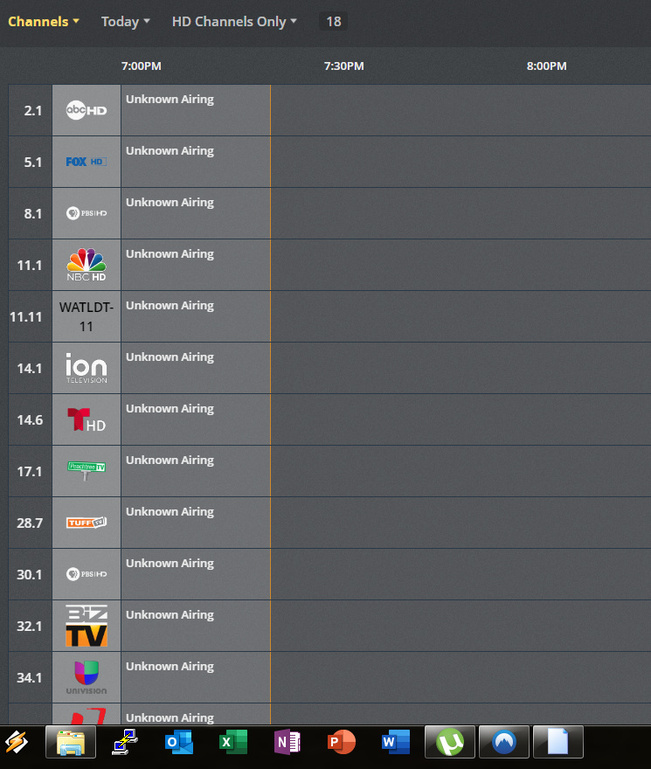
Since reinstalling Plex on my QNAP NAS that was reset to factory defaults, the Guide to Live TV and DVR will not update. I can refresh it, and it appears to download over several minutes, but when it’s done, there is still no TV info. Because of this, I cannot select and channels to watch when in Live TV mode.
Delete your DVR in Plex,
restart the server,
create a new DVR
Thanks for the help. I followed the steps. Unfortunately, there’s been no change in the problem.
Are the any troubleshooting steps I can take? I really want to get this fixed since Live TV doesn’t work while it’s broken.
In which country are you located?
Is your country on the updated list of supported countries?
https://support.plex.tv/articles/226463767-frequently-asked-questions-dvr-live-tv#toc-17
Thank you for the response. I’m in the US. 30062 zip code.
Forgive me the probably stupid question:
Are you aware that a newly created DVR is not appearing by default on the home page?
After re-creating the DVR, go on the left sidebar to the very bottom, to ‘More…’
After diving into it, you should see the link ‘Live TV & DVR’ under the “friendly name” of your Plex server somewhere.
You can ‘pin’ it back to the sidebar on the home page.
yep, I can browse to the Live TV & DVR. Here’s a pic of what I see. No matter how many times I go the the DVR settings and Refresh Guide, nothing really changes. And the refresh does actually appear to be downloading something since it takes several minutes.
Is there a specific folder or file somewhere in the Plex install directory which contains the guide data? Perhaps manually deleting it and refreshing will work.
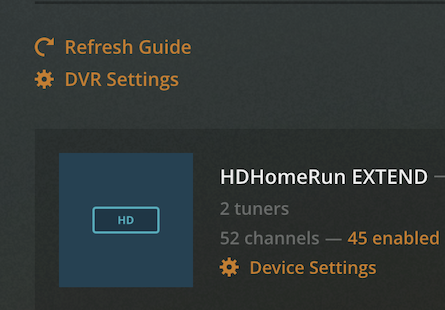
You can manually refresh the guide by going to the Plex server (through the web), clicking on the settings icon in the upper right part of the page, then on the left, scroll all the way down and under Manage, click on Live TV & DVR.
Thanks for the reply, Darcilicious. Yes, I have been refreshing. I’ve done it many times now and it appears to actually download data but it doesn’t display the shows in the guide. I’ve also deleted the DVR twice and rebooted the NAS on which Plex is installed before each re-install. This all began after resetting my Qnap NAS to factory defaults. I reinstalled Plex after the factory reset, and it seemed that all my Plex configs where still there since I had to do almost nothing to set Plex back up, except that Guide doesn’t work. So that’s why I was asking about what specific Guide files there may be–perhaps there’s ‘stale’ files that I can manually delete.

1 Like
This topic was automatically closed 90 days after the last reply. New replies are no longer allowed.
