Server Version#: Plex 1.29.2.6364-7000
Synology#: DS1821+
DSM Version# 7.1.1.42962 Update 2
Player Version#: Web player launched from Synology (Windows 10)
Player Version# Roku current
Player Version# iPhone current (iOS)
Hi… I’m new to Plex and this forum, but have a strong background in IT, just so you know where I’m coming from. I have used the search function and have found no appropriate reference here, hence this post and query.
I have a number of movies, some with “extra content” that I’ve put on the server… those with extra content in their own sub directories with the extra stuff, and all show up just fine on the movie selection display with “Library” selected. If I select “Collections” all is fine, as well. However, I wish to hide all of the movies and extras from the general “Library” view. I have edited the libraries and selected [Edit Library] [Advanced] and set to “Hide items which are in collections”.
I have subsequently optimized the library, in case that is what was needed.
. On all the players that I own, I still see all of the individual items in the “Library” view, so it appears that this selection isn’t working.
I’m willing to believe that I’ve made an error here somewhere, but I sure don’t know what it might be. I snagged the log, so will attempt to attach here.
Extras need to have specific words at the end of the file name indicating their type (-featurette, etc) or be placed in a subfolder indicating their type.
See the documentation linked above.
Dec 04, 2022 11:43:05.548 [0x7f570b14bb38] DEBUG - Looking for path match for [/volume1/videos-movies/Brazil and Extras (1985)/Brazil (1985).m4v]
Dec 04, 2022 11:43:05.550 [0x7f570ac32b38] DEBUG - Looking for path match for [/volume1/videos-movies/Brazil and Extras (1985)/Brzail Storyboards (1985).m4v]
Dec 04, 2022 11:43:05.551 [0x7f570a82cb38] DEBUG - Looking for path match for [/volume1/videos-movies/Brazil and Extras (1985)/Designing Brazil (1985).m4v]
Dec 04, 2022 11:43:05.554 [0x7f570aa2fb38] DEBUG - Looking for path match for [/volume1/videos-movies/Brazil and Extras (1985)/What Is Brazil (1985).m4v]
Example using subfolders:
/volume1/videos-movies <-- Folder added to movie library
../Brazil (1985) <-- MovieName (year)
..../Brazil (1985).m4v <-- MovieName (year).ext
..../Featurettes <-- Extra Type. Must be from list of supported folder names
....../What is Brazil.m4v <-- ExtraName.ext
I appreciate your reply, FordGuy61. This is something I will look at for the extras, but “Extras” was just one example, and I’m not concerned about the matching for them, but the fact that I have those videos in a collection and they still show up in the general movie index, even though I’ve told them not to, because they’re members of a collection.
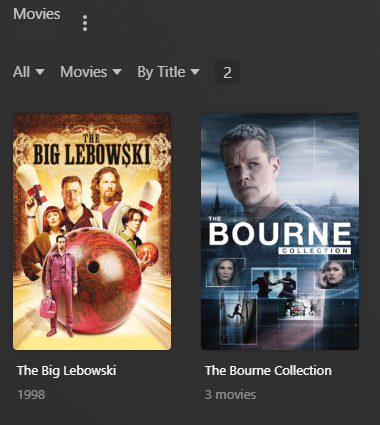
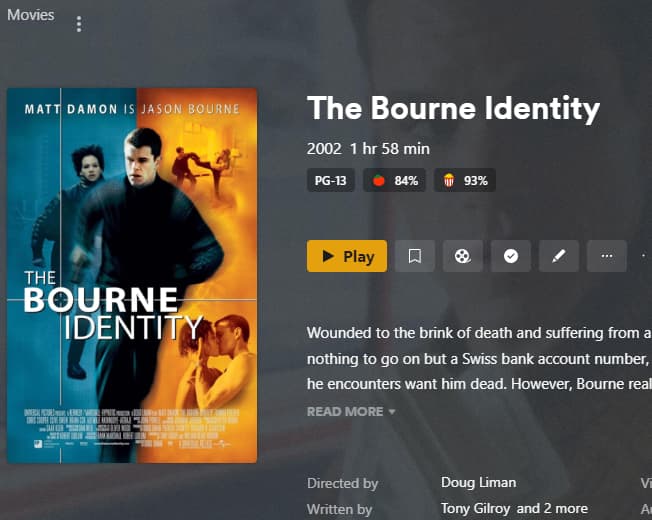
A better example would be that I’ve taken all the Jason Bourne movies and put them in a single “Jason Bourne Collection,” yet all of the movies still show up on the selection screen. Another would be all the Marx Bros. movies are in a collection, yet they still show up as separate entities on the movie selection screen. They are isolated in their own directory, but that doesn’t seem to matter.
JaysPlex7… um… thank you! Big d’oh on my part. They’re not all perfect, but that might be because of my naming structure for a couple of them. Some days, I feel like such a noob. LOL
I truly appreciate all the quick responses! Thank you again!
…Darryl
Collections
One more setting to check: Edit the Library → Advanced → Minimum automatic collection size.
If set to Disabled, Plex will not create collections. Set it to the desired value and save changes. You may need to re-scan the library and refresh the metadata for it to take effect.
Extras
Extras, when properly configured, do not appear in the listing with your movies. They appear on the movie pre-play page.
Also, if you have more than one movie in a folder, such as you are doing with Bourne, extras will not appear with any movie.
That is another reason to place movies in individual folders.
Example:
Given the following file structure, Plex will display the trailer for The Big Lebowski. Plex will not display the trailers for any of the Bourne movies. The only way to have extras for the Bourne movies is to place the movies in separate folders, with desired extras in each movie folder.
FordGuy61 … Thanks, got it! If I have a movie with extras, it does get its own directory, I just don’t grab the “extras” from many movies just for myself.