Greetings all,
I have a recent new plex install on a Windows 7 box. It’s running an Intel(R) Xeon(R) CPU E5-2630 CPU with 32GB of RAM. Plex version is 1.15.4.919. I also have an HD Homerun Extend running latest firmware.
What I have happening is that it seems no matter which configuration I choose, if I try to access live channels from a remote location (from another plex install, could be via Roku, my iPhone on wifi, iPad on wifi from my friends house lets say) it stutters something awful, and in the case of the Roku, it sometimes throws an error saying the signal is not good enough.
My first inclination is that perhaps the internet was a bottleneck. I tested speed, and it is 60/10, and from the status page it does not appear to be hitting anything over 6 mbps. CPU and RAM utilization also appear to be quite low as well. I will attach an example screenshot here to show what I mean. One thing that seems odd is that the bandwidth meter shows a sine wave of sorts - it is not constant as you would expect with streaming.
One thing that is worth mentioning is that this computer does not have a GPU. Its using the graphics built in, and for whatever reason I have never been able to find an accelerated driver for it - so its configured as “Standard VGA” or whatever. I don’t know if this is related or not - but thought I’d mention it. I don’t have the model handy but it is the built in Matrox video you find on some of the Supermicro boads from a few years ago. Aside from Plex, I have had no need to worry about a video driver - it has served just fine without.
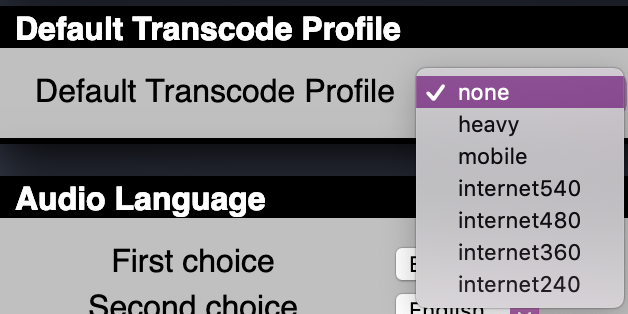
Right now, the transcoder quality settings in plex for the dvr are set to ‘original format’ and the default transcode profile in the hd homerun itself is set to ‘none’. HDHomeRun also reports modulation lock qam256, signal strength 86%, signal quality 90%, and symbol quality 66%. Streaming rate says 2.569 Mbps as well.
Looking for some help if you can.
Thanks,

Plex Media (2.6 MB)