@ChuckPa the instructions for the docker container state that you can only use the host network but i run all of my containers on a bridged network. What is the reason that it must be on the host network?
The How-To which I created is configured to be a complete replacement for the native application which itself runs using the host network and therefore is completely compatible with the home LAN without any network complexities
If you want to adapt it for your use, that’s fine.
understood. Thanks for the info.
@ChuckPa i am getting the follow errors. Not sure what is wrong.
Current status: 127 (Interrupted)
Standard output/error:
docker: invalid reference format.
See ‘docker run --help’.
/bin/bash: line 4: -e: command not found
/bin/bash: line 11: -v: command not found
/bin/bash: line 17: --device=/dev/dri:/dev/dri: No such file or directory
I found some spaces in the code from when i copied it from the how to and made TZ America/New_York and all seems working now. So i am good. Thanks.
@ChuckPa i am having an issue with the docker container that i can’t figure out. Running the script creates the container but if i stop the container or reboot the NAS the container no longer will start. gives me the following error. only solution is to delete and re run the script. thanks.
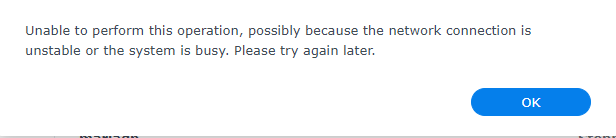
show me your container definition please ?
Use code </> formatting button so it’s not reformatted by the forum.
docker run \
-d \
--name Plex \
--network=host \
-e TZ=America/New_York \
-e LANG="en_US.UTF-8" \
-e PUID=297536 \
-e PGID=297536 \
-e PLEX_UID=297536 \
-e PLEX_GID=297536 \
-h syno \
-v /volume1/PlexMediaServer/AppData:"/config/Library/Application Support" \
-v /volume1/PlexMediaServer/AppData/tmp:/tmp \
-v /volume1/PlexMediaServer/AppData/tmp:/transcode \
-v /volume1:/volume1 \
--device=/dev/dri:/dev/dri \
plexinc/pms-docker:plexpass
That’s as it should be.
In the Synology Docker control. did you set any other container options?
No. I can run the script. See it in docker. Stop it from running. Try to start it again. And i get that error. I have had to delete and rerun the script three times now.
The email i get when the script run does have an output of a bunch of numbers and letters (not sure if it is supposed to). It isn’t that big of a deal honestly as it doesn’t doesn’t require that much additional effort but i figured i’d ping you about it in case there was something simple i was missing.
