So I’ve got some time and money to get an antenna and a HDHomeRun. I’ve determined that a 35mile multi-directional antenna should get me a decent offering of OTA channels, if I go with the 2019 Cord Cutters top recommendation. The antenna seems like the easy part.
I’m trying to figure out what HDHomeRun device to get. I’d like to get it through BestBuy if possible, as I’ve got funding locked in there through some rewards. However, they only offer 3 models. Two of which have DVR which I don’t need. So that leaves the EXTEND model.
Info that would maybe help in determining what model I need:
Only two people with access to this account.
Max of two streams from the two of us if we ever wanted to watch something different.
Server OS - Windows Server 2012r2
Processor - XEON x3470
Streaming from: Android, iPhone, PMP, Web, Chromecast, Firestick
Do I get the EXTEND model at BestBuy or is there something else I should look at?
I have the Extend unit and it is OK. Sometimes I get a bad save/transcode that is glitchy. Seems, according to the Silicon Dust web page, that the Extend is no longer available. I was actually thinking about picking up a newer model to resolve my occasional issue.
With that, I cannot recommend the Extend, yet some of my issues may be user error.
I do have to note, that cpu is getting very old and may not have sufficient processing power to handle the transcoding of the mpeg2 recordings you will get from any tuner other than the extend (which has it’s own internal converter).
Even with the extend, I suspect your system is going to have marginal performance as a dvr.
I have the dual EXTEND and love it. It will do hardware transcoding to H.264 on the fly which makes it great for just about every (if not all) Plex clients out there. If you’re able to watch H.264 / 5.1 videos now on your Plex system, the EXTEND will be fine.
It has two tuners so if you need to watch two channels AND record something else at the same time, you better splurge and get two EXTENDS
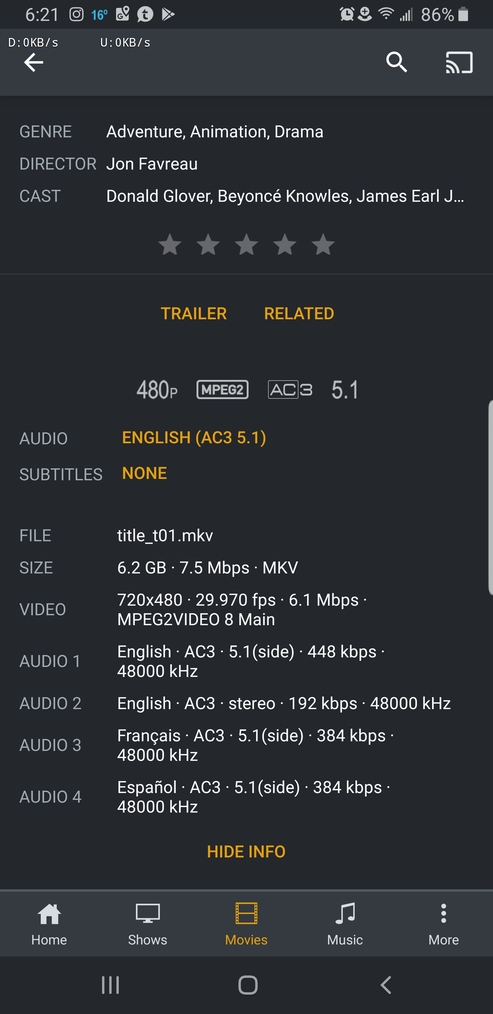
All my content is DVD rips straight to MKV. I haven’t ever done any H.264 that I am aware of. I will have to check my library to see.
Yep, I know the processor and rig are old. But at the price of free, beggars can’t be choosers. 5 drive bays, and it has been a rock solid server for me and those I share with.
I do have 45mbit upload, so that could help when remotely streaming. Reduce the stress of having to drastically reduce the bitrate.
Just to clarify, “mkv” is just the container for the video; “H.264” (or mpeg2, etc) is how the video is actually encoded or the video format if you like.
H.264 videos are most often in “mkv” files/containers. To learn more about your video format, review this support article:
I have both the Extend and the Quattro (both bought from SiliconDust Refurbish Section of their site, but understand your need with going to BB)
I love them both and only got the Quattro to help with the issue of my mother always using the Live TV, her & my Kids out at college setting up recordings to watch on their schedule and the havoc it caused with failed recordings. The more the merrier I say!
I asked them flat out and finally, after pointing out that you can’t navigate to a page on their website with any information about these units (Google will do it for you, however), I was told exactly this:
It’s not discontinued as units are still available, but we are starting to phase them out and will no longer produce them. Existing units will still be supported.
So, if you like these puppies, you better get your hands on them sooner rather than later.
What @darcilicious is pointing out is the Extend model has built-in transcoding. While terrestrial broadcasts are MPEG2, like your DVDs, it is also a rather obsolete video format by today’s standards, and much more efficient network and storage use can come from using h264. Stardard (8-bit) H264 is a lowest-common denominator format supported on Plex clients. So you should be able to direct play it on everything. With the transcoding built into the tuner it will lessen the load on your Plex server, too.
nx6, thanks for the extra bit of clarification. Darclilicious, thanks for banging down the door on product support and lifecycle. Both appreciated.
I’m discerning that the Extend would be a better fit, especially given that I’ve got a server that is pretty old. Transcoding done by the unit, so minimal strain on my server. Any other unit would simply grab the MPEG2 stream and drop that into a .ts file on my server, that would require more oomph to manipulate while streaming / commercial removal. So long as the device is still supported, and isn’t rendered obsolete within the near future, this looks to be the device to get.
We don’t watch ‘TV’ at all, so I can’t say how much we would be doing once this is up and running. We have no favorite TV shows that we have to watch outside of one soap opera my wife watches, so this is all uncharted territory for us. We’ve been cable free for 5 years, and watch content from my server, and friend’s servers for over 80% of all of our video consumption.
Pending this works, I should in theory be able to watch NFL, and MLB games on the major networks, but miss games relegated to ESPN. I do have a login for ESPN to watch those games.
Anything else I should be thinking of before going for the Extend?
Yep. Figured that. Is what it is. I’ve had 5 simultaneous transcodes of DVD content with about 60% CPU utilization. There is a difference between DVD and HD TV streams. Worst case scenario, I have to look for a newer server. At least the HDHomeRun will be free, and possibly the antenna as well if they sell the recommended one listed by Cord Cutters.
So here are my results, after just an hour or so of playing with the Extend.
Live transcoding consumes ~60% of my CPU.
DVR recording consumes essentially nothing, as expected. It is just writing a file to the drive.
Commercial removal consumes ~33% of my CPU.
Streaming captured content after commercial removal internally is not an issue.
Streaming captured content after commercial removal externally has yet to be tested.
So I certainly can’t keep up with 2 live streams that require transcoding, but that shouldn’t be much of an issue. The only thing we ever want to watch live is a MLB or NFL game. Everything else can wait.
So it works, but my system does show its age. I’m happy with the results.
If your not watching recorded shows right away (my house watches ours the next day or two after recorded) look into MCEBuddy I bought it and other than removing the commercials (just as well as Plex does, most times better, sometimes not) I have it also set up to convert to .mp4 (much smaller size than the .ts file format the recordings are saved as) and move the converted file to a specific folder after its done (you can also choose to have it delete the .ts file or move to another archived location in case you see an issue with the .mp4 conversion file) all done between 2am-4am when not much is happening with my server. Just a thought.
Glad your happy with the Extend
Thanks for the recommendation! Not sure how we will go about using the dvr function quite yet. I know my wife will never rewatch her soap opera episodes so having those auto delete seems to be a good way to do it. I have space for now. Guess it depends on how much I decide to keep after recording it.
I have the HDHomerun Extend. Actually I have two of them, for a total of 4 simultaneous channels.
You point out that you only have two people watching, so you only need 2 channels coming in from the antenna. A single Extend would work if that’s all you do. But what about recording? Is it possible you’ll want to watch one thing from the antenna while recording something else at the same time? That alone will take 2 channels. If both parties want to watch something and record a different channel at the same time, that will take 4 independent channels. Just something to think about.
I initially bought just one Extend. I found that I wanted to record 3 OTA programs at the same time, or record 2 and watch one live. With only a single Extend, I couldn’t do that. Problem solved when I got the second Extend. I haven’t yet gotten into a conflict where I’m wanting to watch/record more than 4 channels at one time. As a result, I would recommend 2 Extend’s if you can afford it.
And just for a testimonial,I’ve had my Extend’s now for about two years. Love the product, haven’t had any issues whatsoever.
We only have 2 TVs in our house. We’ve been cable free and purely streaming for 5 years. We don’t watch much TV as it is. We may have increased access to content to view now, which may eventually cause us to run into that situation. Probably unlikely, as we prefer to watch shows / movies together so one of us doesn’t miss out. About the only show that I record, that I don’t enjoy watching is Bold and the Beautiful. She can keep that and I don’t care to see it.
It would be neat to record that much at once, but I may run into CPU overload. Each commercial rip uses ~33% CPU, and a live transcode (depending on viewing platform) uses ~60%. So if I’m just recording, that would work, but as soon as the commercial rip starts, I’d be in trouble.
For now… I’ll just hope we don’t consume that much that we need 4 channel availability.