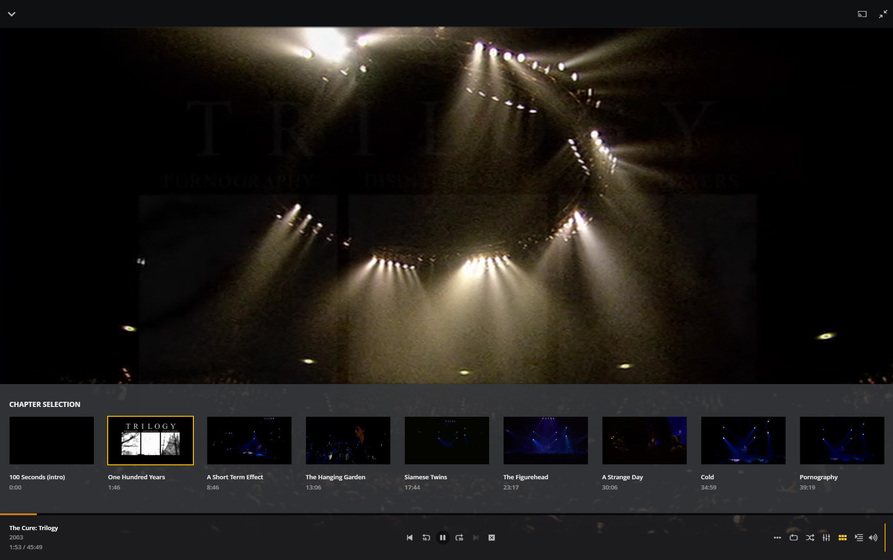
I must have a setting wrong in MakeMKV or Plex. Here’s the situation.
I rip all my movies to the MKV container to watch using Plex. When I watch the movie in Plex and click on “chapters”. it shows icons for every chapter. I can click on any icon and jump to that scene. However, the “next” button is always grayed out. The “previous” button is active, but if I click on it, it jumps back to the beginning of the movie instead of just moving back one chapter. I have the exact same issue if I use MKVToolNix to create a single title from multiple MKV titles. I append each video to the first source video and I have “create chapters” for each appended file chosen in the output section. When I play the remuxed title in Plex, there are chapter icons, a grayed next button and an incorrectly functioning previous button.
Does anyone else have this issue or know how to fix it? Thanks!
I use Plex Media Player for 64 bit Windows 10. This has the issue I described. I didn’t know there was a TV vs. Desktop mode. Where would I check this?
I also use the nVidia Shield TV app (android TV) and the Sony TV app (also android TV). On these two devices there are no “next” and “previous” buttons even displayed. Instead there is a fast forward button that skips 30 secs forward and a rewind button that skips 10 seconds back. The chapter icons are present and work normally.
I just noticed the enter TV mode icon in the upper right corner. I’ve been in Desktop mode. If I enter TV mode, the behavior is the same however. The next button is grayed and the previous button takes me back to the very beginning. The fast forward and rewind buttons actually work as fast forward and rewind buttons normally do, instead of the 30 second forward and 10 second back skip like in the Android devices.
I did notice a “bug” I believe. When I hover over the “enter TV mode” icon in the upper right, a description of the icon, namely enter TV mode, pops up. Once in TV mode, if I hover over the “enter desktop mode” icon, there is no pop up message telling you what that new icon actually does.
Thank you. It’s nice to know that my MKV files are working properly. I guess the “skip forward” and “skip backward” buttons you see in desktop mode are actually “next title” and “previous title” buttons. Since movies are so long, skipping to the next movie in a playlist doesn’t really make much sense. I doubt many people make playlists of movies. I’d make the suggestion to the PLEX coders to actually make those next chapter and previous chapter buttons for movies.