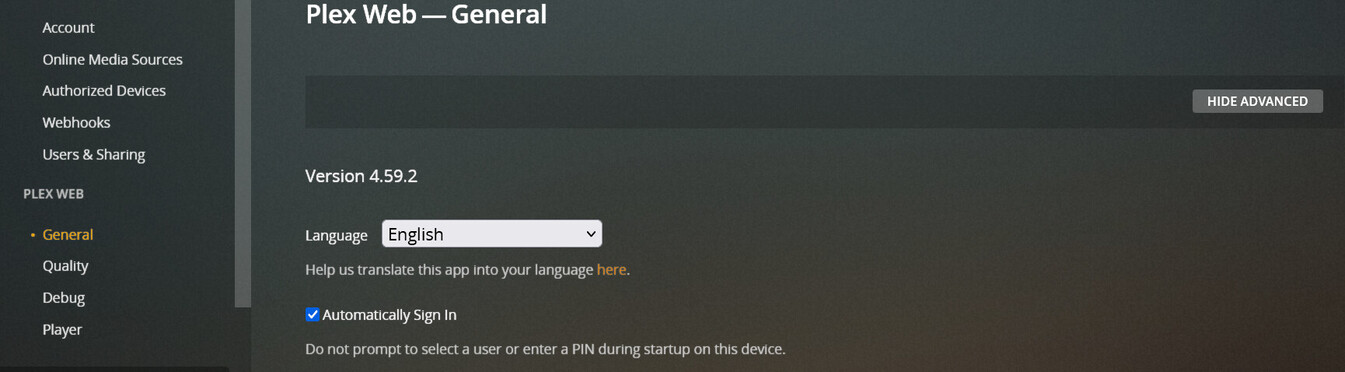
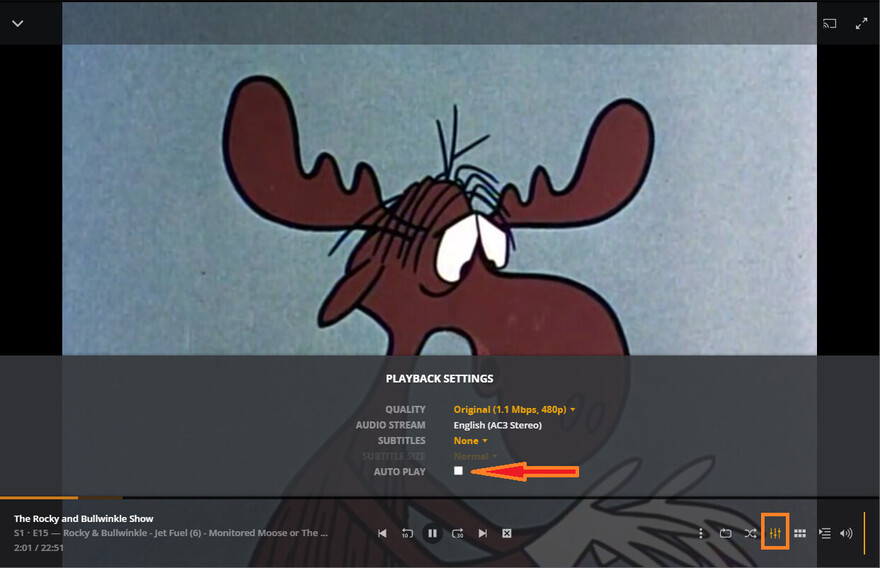
Please add a setting (again) to toggle Auto Play in the settings menu. In the Web UI the “Experience” menu does not exist anymore. And please add documentation about how to toggle Auto Play since the instructions are incorrect.
It took me 30 minutes of Googling (and I am an expert at google searches) to find out that I can only change the Auto Play setting while playing a show. Here’s where I finally found it: No Way To Stop Automatically Play Next Episode
Disclaimer: My plex server is managed by a commercial seedbox remotely (Ubuntu 18). I have no control over the version I am using, and limited control over the server settings but I am the Plex account manager.
Yes, a source of irritation:
Best to find it, so you can find it again.
(and - you can only get to it when something is playing…lol)
My apologies if this is an illogical request. If it makes sense, can you share what organization is hosting the Plex Server? Multiple virtual hosting companies exist including AWS, Google, Azure etc. I think there are also Docker hosting services which is probably a good idea for Plex. That way you do have control over the version.
Your point is valid about making the auto-play easy to toggle and I don’t want to dilute that request with my question.
IMHO — this media circus is a bit crazy. We all make decisions based on our requirements, both functional and non-functional. At End-of-day we all end up chasing our tails when something doesn’t work. I host my Plex Server on a local Synology NAS device and curious what requirements are driving your external solution which is probably a better idea than what I am doing.
Good luck