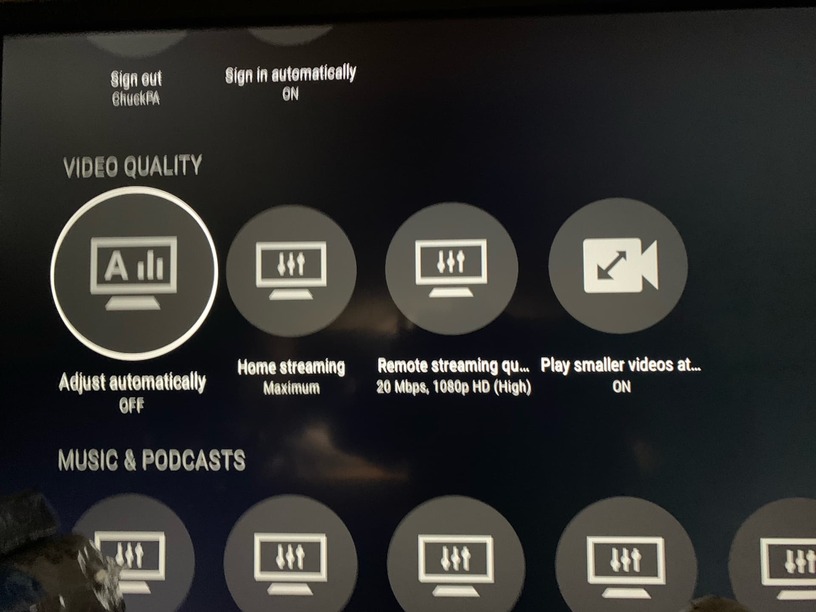
This has now happened a few times with different remote users. Basically they will fire up a movie and the CPU will jump up to about 30-35% CPU usage in a sine wave like pattern on the graph and then a few minutes into the movie it settles down to about 20-25% usage as a flat line with minimal waves. I’m confident the files are direct playing the video and audio (checked Plex dashboard and Tautulli). The users didn’t have subtitles on. This issue has happened on a the Samsung TV plex app for one user and now on a Nvidia Shield Pro for two different users. The thing is, the same users have watched other movies and the CPU doesn’t always do this. There aren’t background tasks as far as I can tell. I saw in a reddit thread someone mention https encryption could be the cause? Any ideas?
server: DS920+
drives: WD Red Plus
clients: nvidia shield pro, samsung tv
files: remux of blu rays, mkv container
internet upload: google fiber 1 gig
internet download: these remote users have different speeds ranging from 50 to 300 mbps
Notice I have Remote Quality at 20 Mbps. Since you have 1 Gbps up, you can have them set to MAXIMUM as well if you wish or however appropriate for their download speeds.
You wouldn’t be forcing a transcode if you INCREASED the upload.
If you already have upload set high then this isn’t a factor – please ignore.
Nothing else running, it’s solely dedicated to Plex. how do I know if the data volume is encrypted/where do I check? That was a single movie playing remotely. Direct Play video, Direct Play audio, no subtitles. I have a music library, the remote user in this example does not have access to it. And I watched as they started up the movie, it went from 0% CPU to 20-30% right as it started.