Not to put too fine a point on it but no, that’s not UNO, that’s Type-First, which is what UNO will replace. It’s what the non-beta iOS version looks like currently too (the content tabs on the bottom is the give-away, UNO doesn’t have those).
Correct… I just meant that this build has UNO on the TV side … is UNO coming to mobile Android in beta soon?!? Shocked face That would be awesome!
Is UNO UI in beta on iOS beta??
Ah, I read totally wrong. I have no information about when UNO is coming Android mobile.
This whole thread is about UNO on iOS, it’s just been released as beta on (any version of) iOS.
So what is the status on this, there have been 3-4 updates since and still the same, I get both screens at different times.
It appears to be fixed in the current beta (testflight build #18067).
There is no offline mode per se any more. Your sync’d content is all stored under the
Downloads & Syncsection (left sidebar) and by content type.
If you have a Music Playlist, navigate toDownloads & Sync→Musicand then tap thePlayliststab at the bottom.
Same for TV and Movies.
Nope this was not fix either
Can you share iDevice model, iOS version, and the steps you’re using to reproduce? Thanks!
iPad mini 4 Wifi
iOS 13.0 PB
Plex latest 6.1 Testflight
Steps? I take it out of my bag at work, there is no wifi, launch Plex, get this screen
https://global.discourse-cdn.com/plex/original/3X/9/c/9ce709762c9dd9a6aa40ab48fa8138167fd90e5e.jpeg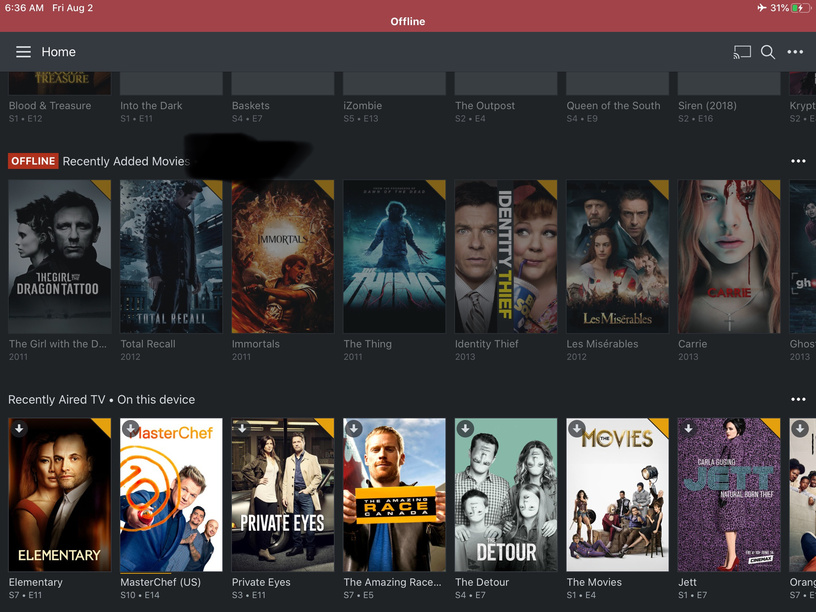
Then later the “No Internet Screen”, same as before.
And has this device ever been online and connected to a Plex Media Server since updating to Plex 6.1?
How/when does this happen? How have you interacted with Plex between the first screenshot and this statement:
of course, is on wifi whenever in the house.
Same as before, go to another screen or watch a show, return to home screen get the no internet screen.
But you can swipe to the right and use Downloads & Sync to get to your content?
To be honest, I would guess that your Plex app is in one weird state generally. You have issues that have been fixed that aren’t being reported by anyone else at this point and that I can no longer recreate (or haven’t been able to recreate for a long time).
I suspect that the only fix would be to delete the app and start over (which of course, you probably don’t want to do and I wouldn’t blame you!)
I have been using the recent iOS 13 betas and recently went to 13.1. I have heard that there are intermittent network connectivity issues with LTE and required switching airplane mode on then off to restore the connectivity. I have had it once or twice. Perhaps that is contributing to it?
Not sure if this helps as a workaround but instead of using the home page I setup the side bar with the offline/synced section from the downloads area. This way if the home page shows everything as offline or shows the following then I can go directly to what I am looking for.

Go to the Downloads & Sync section

Go into the section you want to pin
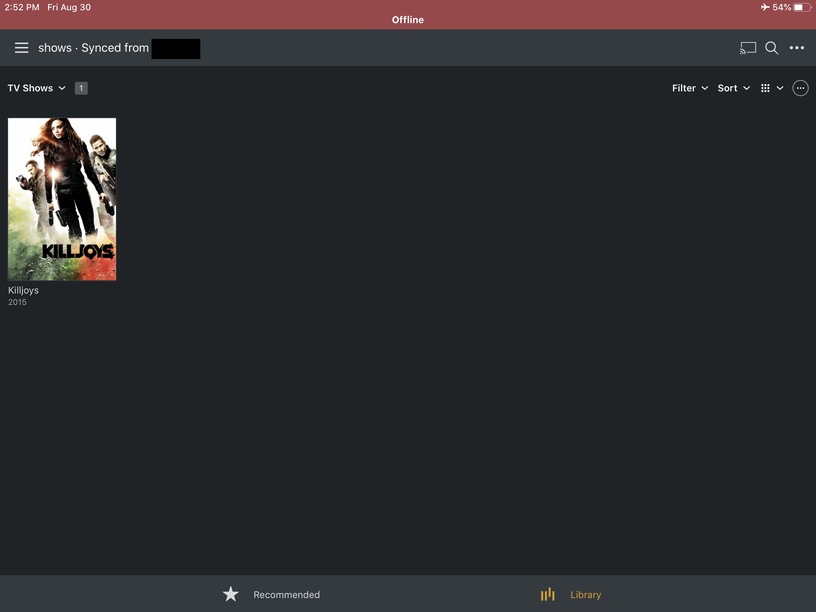
and tap on the three dots in the top right which will give you the following option

Now the offline stuff is on the side panel

When I download/sync a video on my android phone the download appears to go smoothly. When it finishes I click my photo in the upper left corner to open the side menu, click Downloads & Sync, the downloaded video appears. I tap on it and the Sync Options screen opens with a list of Video Quality options. I can’t make the video play. I have plex pass, web client Version 3.108.2, deleted and reinstalled the Plex Android app. Nothing works. Can anyone tell me how to play a downloaded video? EDIT - I think I found the answer. I tapped on Online Browsing and found a playable file. I had tried that before reinstalling and got nothing. Could be I had a corrupted app?
I’m having a similar issue with the Android Plex App currently running (7.23.0.12770). I had the same issue with the non-beta Play store version and upgraded to the Beta to see if it changed anything. It did not. Server is running 1.18.0.1846 on Ubuntu.
Here’s what I do.
-
Find content and mark it to sync. This last test I did a TV show season, a single show, and a music album. After the sync was complete, I see this:
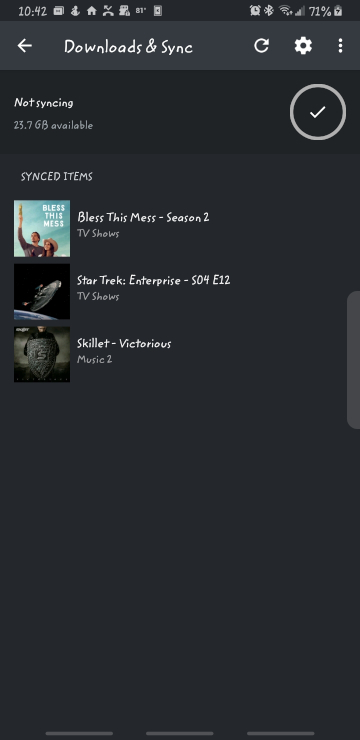
-
I then enable “Offline Browsing” with the toggle switch in the menu. When I do that, I see:

None of the content shows on the home screen, nor on any of the tabs along the bottom. -
Still in offline mode, I go back to “Downloads and Sync” and verify the items are still listed. Screenshot would look exactly as the first.
I have tried this for both internal and external storage. I was able to locate the sync’ed material and play with an external player, but that is not how it should work. I have used this feature in the past (not on these recent Android Apps, though), and it did work as I would expect.
If I go back online, all media shows up, and the sync’ed media has the expected “downloaded” symbol over the cover art.
This thread is for iOS beta. To get the attention/support you need, please start a new thread and tag it with android-mobile or android-mobile-beta as appropriate.
This thread is for iOS beta . To get the attention/support you need, please start a new thread and tag it with android-mobile or android-mobile-beta as appropriate.
Oops. Didn’t see the small little tag under the title.

