I’m having an issue with the Android Plex App currently running (7.23.0.12770). I had the same issue with the non-beta Play store version and upgraded to the Beta to see if it changed anything. It did not. Server is running 1.18.0.1846 on Ubuntu.
Here’s what I do.
- Find content and mark it to sync. This last test I did a TV show season, a single show, and a music album. After the sync was complete, I see this:
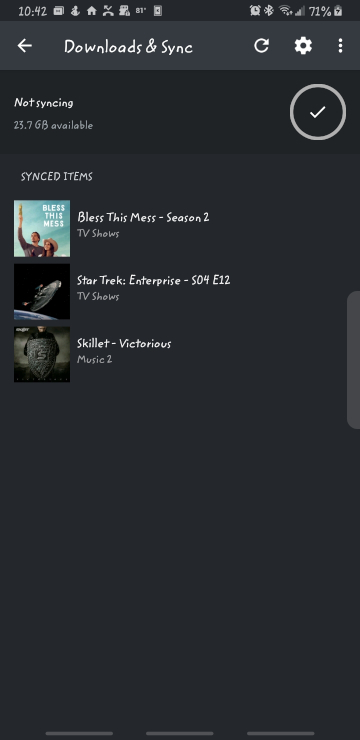
- I then enable “Offline Browsing” with the toggle switch in the menu. When I do that, I see:

None of the content shows on the home screen, nor on any of the tabs along the bottom. - Still in offline mode, I go back to “Downloads and Sync” and verify the items are still listed. Screenshot would look exactly as the first.
I have tried this for both internal and external storage. I was able to locate the sync’ed material and play with an external player, but that is not how it should work. I have used this feature in the past (not on these recent Android Apps, though), and it did work as I would expect.
If I go back online, all media shows up, and the sync’ed media has the expected “downloaded” symbol over the cover art.
