I have a folder called Home Videos and they have subfolders with different things in them.
To get things to work correctly check the Support Docs at the top.
File structure and naming is important…
Never mind I thought it would be something easy, what’s a good alternative to Plex that lets you make subfolders?


Thanks I see how to do it now, but do I have add the folders one at a time?
Just add Home Videos then switch from Movie view to Folder view. You will see your subfolders.
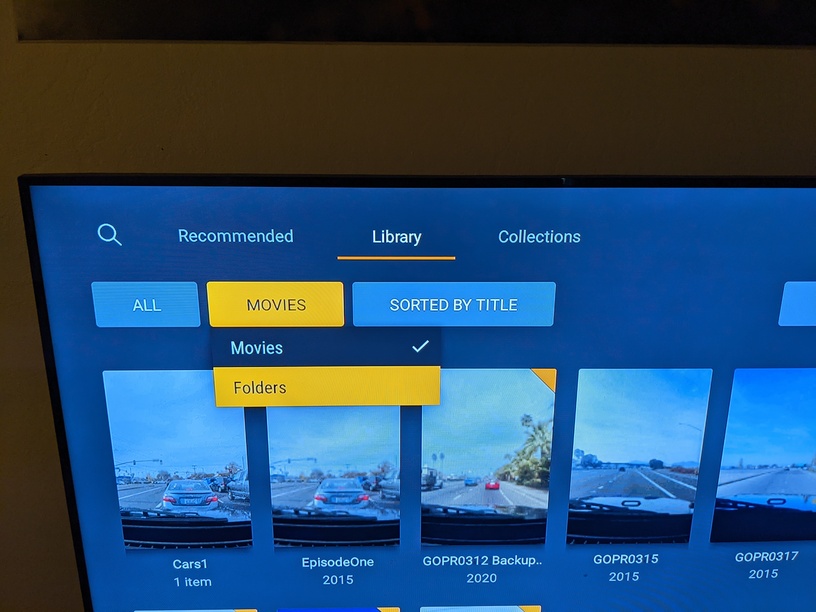
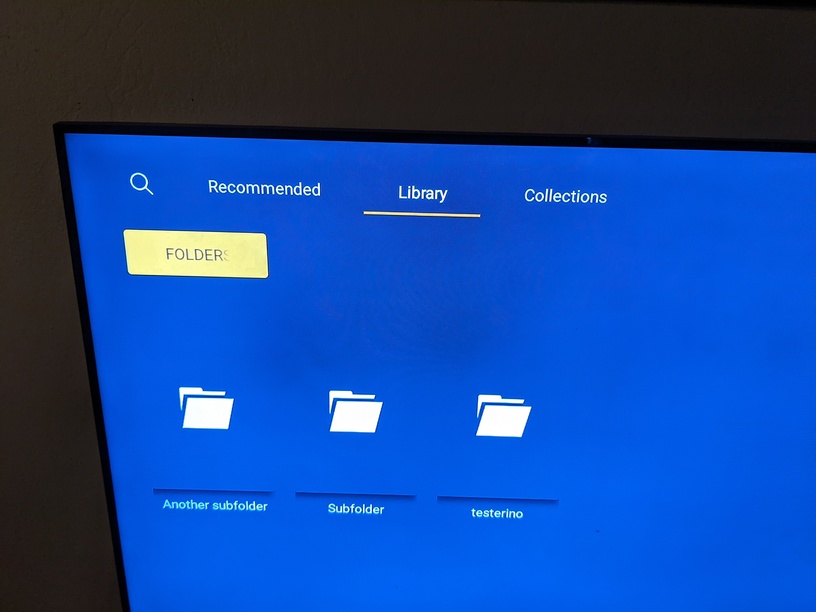
Will that work on firestick?
I don’t want Home Videos to be in the Movies library, can I add them to Other Videos and do the same thing?
Yes, they should be Other Videos.
Well it didn’t work out, I added them one at a time and it does not even play the entire folder, just clips, thanks for helping though.
That’s a different subject.
You were asking how to set up folders now you’re talking about playing clips continuously, I think.
You have to be clear on what you want.
Each home video folder has say like three videos within that subfolder and Plex won’t play the entire folder.
What Plex client are you using?
I am running the latest version of Plex, it won’t let me copy and paste it here.
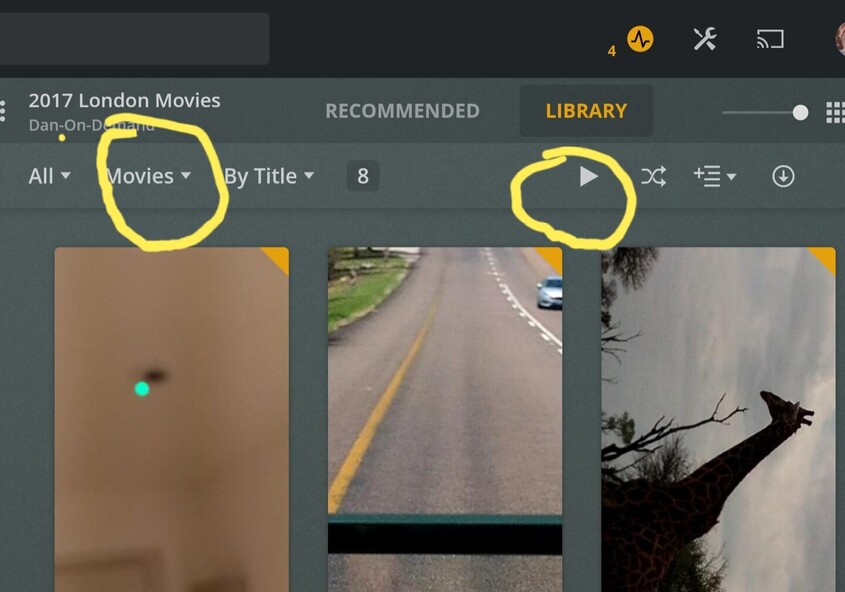
I am viewing on the PC but it still groups everything together and not separate, oh well maybe this can be a future request.
Can you upload a screenshot?
The image I posted is from my Windows Plex server, the same as yours.
