I’m thinking about switching from my current hodgepodge of Spotify/YTMusic (uploads) to Plex+Tidal. One of the main reasons is that I want a more powerful way to curate my music and easily search for / find things.
So my question is fairly broad, as I’m fairly new to Plex (haven’t used it since 2011) and haven’t been able to find great answers / resources online: How does tagging work in Plex/PlexAmp?
Can I tag a song/album/artist with multiple tags like: ‘vietnamese’, ‘chill’, ‘2010s’ and then search for songs/albums/artists using a combination of those tags? Does this work for my own uploaded music as well as streamed music (as I know PlexAmp has partnered with Tidal)?
I’d appreciate any insights anyone can provide!
For tagging.
Plex support article: Music Media Using Embedded Metadata
What you are describing might not work the way you want it to in Plex Media Server. The server doesn’t read ALL embedded tags it does however read a few.
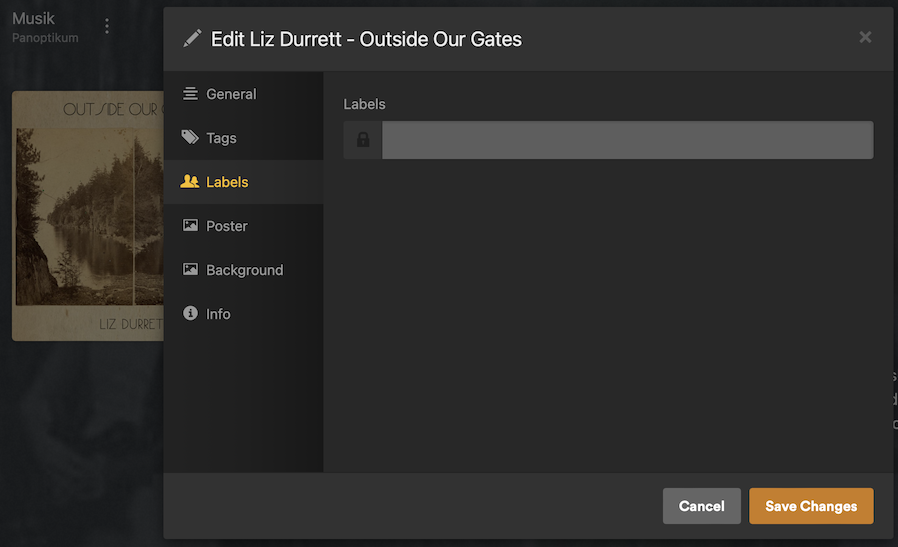
The approach for Plex is for you to use Tags & Labels from the web app and then create playlists and smart playlists or collection or smart collections for the tags and labels. However what you describe as adding tags into the files and Plex being able to read those tags and create searches. As far as I know this is not possible. The tags Plex uses are pretty set, however labels can be whatever you want. I don’t use a lot of labels but others do. See screen grab below for what it may look like

Wait, this actually looks like what I’m looking for! If you don’t mind, can you help me understand the uses and limitations:
Tags have predefined fields (genres, styles, moods, country, etc. - would you mind sharing them all?) and you can put any value you want in that field? For example, I can add “Djent” as a value for the Genre field, or anything else I want?
Then labels is just an open ended field for me to put any value I want?
Tags and Labels are available on only songs? Or also Albums and Artists?
Finally, when searching, can I search for a combination of things? AKA: Country=Vietnam AND Moods=Chill?
If this is the case, this might completely sell me on switching to Plex
Metadata
One of the strengths of Plex is that you don’t have to bother finding/editing all the metadata. That being said… you can also configure it to pull embedded metadata from your files (as per Ryuzaki’s post and link) or manually overwrite/edit all fields – this goes for metadata of artists, albums and individual tracks.
I’m not aware of a conclusive list.
Here’s some more screenshots…
Artist
Album
Track
Filtering
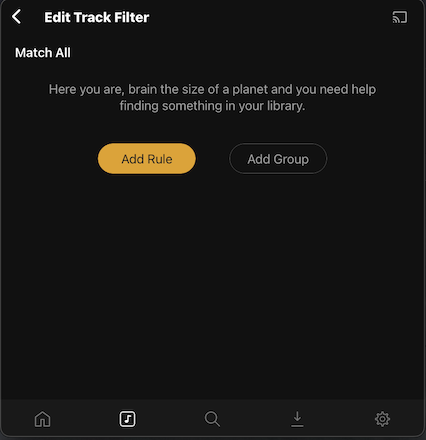
Using Plexamp, you (or the web app) you can filter your library for those values (and additional technical attributes like duration, bitrate, codec…). You can either directly start playback from such a filtered view or save it as a regular or smart playlist.
This looks BRILLIANT! Thank you for the detailed follow up and pictures. This is exactly what I’d like. It sounds like overwriting the fields is the path I’d take. I don’t have the file metadata all updated anyways.
I suppose my follow question is, do you happen to know if this works the same with TIDAL streamed content? My library will be a mix of my personal library of music combined with music streamed through Tidal in Plex/PlexAmp.
I’m not using Plex with Tidal.
Filtering should be possible in the same way if you’ve added certain artists/albums/tracks to your libraries. I don’t think you can edit the Tidal metadata though.
https://support.plex.tv/articles/add-tidal-content-to-your-plex-music-library/
Yes for Tidal it works the same way. However you need to add the album to your library first. Let me explain..
In your library you will see Music On Tidal and that will be next to your other libraries see my screen grab.
Those are two separate libraries. The one library is the default Tidal library from the subscription it contains none of my personal media. The other one is my personal media.
Opening up Tidal library first.
I am going to use Marshmello as a example. I have in my personal library only three of Marshello albums.
If I open to edit the tags I have many.
These were pulled in automatically by Plex. But I can add to them if I want.
Now if I go to the tidal library lets see what happens. there are 9 albums
Let me click on shockwave to see the tags, There is no tags or labels section at the artist or track or album level
here is the trick. Click on Add to Library and then pick the library. So for me let me pick my Ryuzaki library.
Now you see that Shockwave was added to my library. Now if I click on the shockwave album and I select the pencil edit button I can open up the menu and pull up the tags and labels and add tags and labels. Its kind of a bit of magic isn’t it.
As for your other question. As far as I know Plex can read the Artist, Album Artist, Genre, Release Type. The release type tag is if you have it inside the file you can specify Live albums, compilations, singles and EP and albums and plex will rack and stack them that way see screen shot.
Inside my file I have the metadata tag called Release Type. And I set it album;live, album;single, etc. and plex reads that and puts them in the right spot.
Hope this inspires you and helps out.
You are both brilliant. This is literally the most helpful forum I’ve ever been a part of. Thank you! You have inspired me to start testing this out. This might completely change my interaction with music from now!