really good info
Okey here is another test with some sample files (provided here as links):
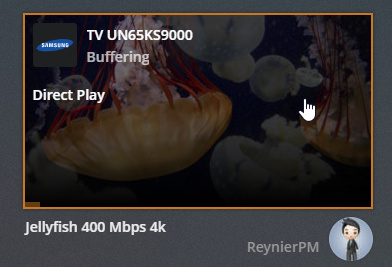
Plex App in Samsung TV: both files did work, they say “buffering” probably because the TV is connected to the WiFi and is not fast enough

Plex App in Apple TV: First video fails, second one play intermittently


Plex App in Roku Premiere+:
- 1st video fails: Conversion failed, the transcoder exited due to an error.
- 2nd video stop every second with a loading indicator

You will certainly have a hard time with 4K streaming over wi-fi.
Interesting that the files do direct play though. Your will need to check logs to see why the first video crashed.
hmmm well I changed the connection to wired, tried the same movie using the Samsung app (the one from the first post) and the same thing exactly happen, it’s transcoding it! 
The 400 Mbps will buffer. That’s a very high a bit rate. Surprised it played at all. Even the 120Mbps file is pushing things. The highest bitrate 4K HDR movie in my collection is 80 Mbps.
Samsung:
Good news with the Samsung app. Try the Ant-Man movie and see how it plays.
AppleTV:
Direct Stream is OK and expected. As mentioned earlier, AppleTV prefers MP4, not MKV files. So, the Plex Server will repackage to MP4 before streaming.
Still, if the Travel With My Pet plays on the Samsung app, it should play on the ATV. Not sure why it is buffering.
Roku:
Agree w/ @umaradam. Not sure why first video failed.
1 Like
I have attached the logs but even with the x265 which is an HVEC behind scenes still transcoding
Plex Transcoder Statistics.log (52.6 KB)
Plex Transcoder Statistics.1.log (29.7 KB)
And the worst is this part:
<Playback startTime="9793" endTime="19739" state="buffering" progress="0" />
<Playback startTime="19739" endTime="22399" state="buffering" progress="0" />
<Playback startTime="22399" endTime="29772" state="playing" progress="0" />
<Playback startTime="29772" endTime="36013" state="playing" progress="7017" />
<Playback startTime="36013" endTime="36361" state="buffering" progress="13528" />
<Playback startTime="36361" endTime="38452" state="playing" progress="13710" />
<Playback startTime="38452" endTime="39736" state="buffering" progress="13710" />
<Playback startTime="39736" endTime="41547" state="buffering" progress="13710" />
<Playback startTime="41547" endTime="49736" state="playing" progress="13710" />
<Playback startTime="49736" endTime="59456" state="playing" progress="21614" />
<Playback startTime="59456" endTime="59735" state="buffering" progress="31631" />
<Playback startTime="59735" endTime="59896" state="buffering" progress="31631" />
<Playback startTime="59896" endTime="62073" state="playing" progress="31712" />
<Playback startTime="62073" endTime="65246" state="buffering" progress="31712" />
<Playback startTime="65246" endTime="69762" state="playing" progress="31712" />
<Playback startTime="69762" endTime="79739" state="playing" progress="35915" />
<Playback startTime="79739" endTime="89772" state="playing" progress="45934" />
<Playback startTime="89772" endTime="99753" state="playing" progress="55946" />
<Playback startTime="99753" endTime="109780" state="playing" progress="65962" />
<Playback startTime="109780" endTime="110174" state="playing" progress="75975" />
<Playback startTime="110174" endTime="110471" state="buffering" progress="76476" />
<Playback startTime="110471" endTime="112636" state="playing" progress="76700" />
<Playback startTime="112636" endTime="116399" state="buffering" progress="76700" />
<Playback startTime="116399" endTime="119747" state="playing" progress="76700" />
<Playback startTime="119747" endTime="129794" state="playing" progress="79859" />
<Playback startTime="129794" endTime="132328" state="playing" progress="89873" />
<Playback startTime="132328" endTime="132553" state="buffering" progress="92396" />
<Playback startTime="132553" endTime="134694" state="playing" progress="92724" />
<Playback startTime="134694" endTime="135303" state="buffering" progress="92724" />
It’s buffering all the time …
Will 1080p H264 direct play on the AppleTV and/or Roku?
Maybe try the 10 Mbps Jellyfish files. Try all three - H.264, H.265, H.265 10-bit.
Those should easily direct play. If they don’t, then the problem is probably with your network setup.
Find something that works. Then see where things break.
I can’t find anything wrong with my network setup maybe the router (https://www.tp-link.com/au/products/details/cat-9_Archer-C5.html) isn’t prepared for 4k streaming. In addition could be the HDMI cable an issue? I’ve got this ones https://www.amazon.com/gp/product/B00NO57AD8/
The weird thing is that I am able to reproduce 4K content over Internet from Netflix for example without buffering or cutouts issues also I am able to play 4K games in the PS4 Pro over the Internet so don’t know what the heck is happening with the Plex server.
So … after several tries I was able to reproduce the 4K content (Ant Man movie) in DirectPlay (using the Roku) but here is the only configuration that does work for me:
Playback:
- Quality: 65.3 Mbps 4k (original)
- DirectPlay: Force
- Allow Direct Stream: checked
- Roku Captions Mode: Off
- Burn Subtitles: Automatic
Streams:
- Subtitles: None
- Audio: English (TRUEHD 7.1)
- Video: HEVC
That way Direct Play works fine but I lost audio. I have tried also the same combination but using DTS-MA 7.1 for Audio and AC3 5.1 for Audio and I did not get audio at all. The only way to get the audio back is by setting the Subtitles to Language (I use Spanish cause is my main language) which triggers automatically the transcoding and subtitles does not show up all the time, there are parts where they are gone for a minute or so, any ideas?
I think you should have started with stating you have subtitles enabled.
In my experience most, if not all, subtitles will force Plex to transcode. There is no way around that… unless you burn them in using Handbrake or a similar program beforehand. Then you can disable subtitles in Plex and it will Direct Play no problem.
2 Likes
My bad you’re right should’ve started saying I am using subtitles, ok if there is no more answers on this I will assume yours fix my issue with 4k, now the question is burning subtitles with Handbrake will make the video loss quality and or audio?
Yes, but it depends on what options you use. I suggest you try different settings and then generate 1 to 5 minute clips, that way you are not waiting for the full movie to encode before you can watch it and decide you didn’t like the results.
The one setting you absolutely want is, of course, the “Burn In” option for the subtitle option you want.
There are many guides out on the internet on what settings work best for your encodes. However, the results are always subjective; it is up to you to decide what encoding options you really like.
One way or another be prepared to wait for hours and hours when you do finally encode the full movie.  Your file is HEVC and a high bit rate one.
Finally: Handbrake is software encoding, so even though there will be some loss it will not be as bad as hardware transcoding; and you may get the settings just right and make it imperceptible.
Edit: for audio you may be able to not lose any quality. There may be a passthrough option for your audio streams.
1 Like
One thing to check is the speed of your HDD. If your using an SSD then the speed of your drive isn’t the problem. But if your using a traditional hard drive then it should have a speed of 7200 RPM.
you have tried to put it directly to the TV? I have an external hard drive I put directly to the TV via USB and I have no problem watching the movie plays perfectly 4K UHD HDR, my TV is a simple LG 49UJ6300.
From what I can tell, Plex officially says they only support 4k content at 8-bit color, and that HEVC codec uses 10-bit. Plex could be trying to transcode based on that? I’ve always had the same issues on my local network trying to direct play onto my Shield TV and eventually just moved my server onto the local device to counteract it, but that’s hardly a solution to the problem.
Source: https://support.plex.tv/articles/203810286-what-media-formats-are-supported/
@b.sullender no. is not the issue in this case I have checked and the HDD speed is 7200 RPM (here is the reference https://www.amazon.com/dp/B013JPKUU2/)
@emmoya no, I haven’t tried and yes I could do that but is not the purpose cause then I will loose all the Plex capabilities.
@jhardman1962 I can try the 8bit instead the 10bit but I don’t think that is the issue, as I said before, without subtitles it play a perfect 4K but without audio (Direct Play) with subtitles it does the transcoding and I got audio back.
For now I will keep using Plex for “normal” movies (not 4K UHD) and will get a 4K UHD Blueray later on, either way not all the movies deserve 4k UHD, Marvel ones does 
Like you, I struggled for some time trying to fix the transcoding issue on top of limitations with Plex handling subtitles. I don’t think I saw anyone mentioning this on this thread but a small change that helped me was changing my client settings to only burn image subtitles (from your screenshots you have set as “always”). I also try to select rtf files over the pgs files suggested by Plex. I hope that helps you.
1 Like
I have tried that combination too without success so my guess would be it’s a Plex limitation or simply is how it mean to be and that is how Plex works.
The Roku only has a 100Mbps ethernet adapter. Wouldn’t this cause anything over 100Mbps to buffer?
Subtitles require transcoding on certain clients. That will break 4k playback. If you are dead set on having 4k HEVC and subtitles get an nvidia shield as plex client.
1 Like
