Server Version#: 1.21.1.3830
Player Version#: Any Player
This is my setup:
My files are all 1080 x264
I want my clients to transcode only when it’s really necessary because I don’t have much CPU power on my side. Today, in order to achieve that I have two options:
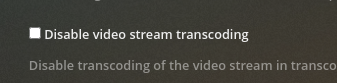
Disable video stream transcoding. It works, but it also prevents players from playing some of my content. (it gives more headache than convenience).
Second, change the maximum stream speed on the client-side.
I just had this problem. My girlfriend played something and I knew someone was connected to my server because the fan in my NAS went on and it almost flew away . Plex was transcoding. I asked my girlfriend to change the stream quality on her player (windows) to something higher and then she was able to Direct Play right away.
How can I avoid this situation of having to tweak things to get it working?
You can’t.
There’s a long standing discussion/request to force clients to max/original quality… however the downside is that users might choose that for good reason (e.g. if they stream from a mobile with a limited data plan).
Long story short… your best shot is to be open about it with your users and ask them to use max/original video quality whenever possible or to avoid using clients that have many direct playback restrictions.
You guys could use the same negotiating logic TCP uses for windowing and create an option on the server like:
Let server and player negotiate when to transcode
With that, server would use the maximum upload speed set on the settings until a second stream started, then the server could split the bandwidth.
Today Server says “hey I have up to 50Mbs of upload available” but the player connected to a 100Mbps network says “nah, send me 2Mbs”. In other words, layer 4 says aye and layer 7 says nay.
Thanks for the answers. I’m glad there’s a discussion about it. I’m voting for that thing right now.

 . Plex was transcoding. I asked my girlfriend to change the stream quality on her player (windows) to something higher and then she was able to Direct Play right away.
 Let server and player negotiate when to transcode
