Server Version#: 1.31.1.6733-bc0674160
Player Version#: 1.64.2.3546-5107ec40
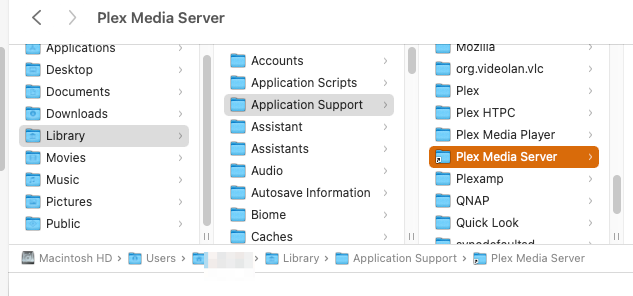
I know where plex media data directory located, however, I don’t have an access to the option to change server location and move it away from mac mini to external SSD.
UPDATE: essentially this is what I am looking for - how to get access to the server settings: Link to the screenshot of Settings > Server
Just FYI I know you are using an SSD so should be pretty quick but there is potential if it ever becomes disconnected while server launches or running wacky things could happen
I am new to Plex server and have what may be a related question. Running on Mac OSX 13.2 and downloaded and installed the Plex server. I had set up a media folder on an external SSD and added several movies and tv series using the naming conventions outlined in the documentation.
When running the setup on the newly installed server I get to the add folders and navigate to the external SSD folder containing the associated media (EG TV Series); but when I click on the ADD Library button it just gives error message that it cannot save the changes.
After trying several other paths with the same error, I copied the folder onto the computer main drive, went through the same selection process to that folder and the files were added.
So my question is how to initially choose external SSD folder for the media?
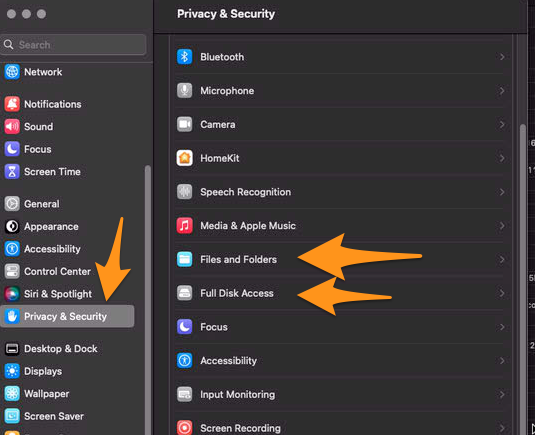
@twplexmac In system preferences you likely need to give Plex Media Sever Files & Folder access to removable drives or give it full disk access. By default on new versions of MacOS apps are not allowed to access them
What I discovered though was that after adding a media library from the hard drive on the computer I was then able to add folders from the external drive successfully (and I could then delete the folders from the local drive and the external ones still work ok).