Yes, but I did it directly in the folder that is shared as movies9 (etc.)
not sure why i did not see that screenshot before. what happened to the period in the beginning of file name
Sorry. That’s an old one! LOL. Let me grab a current one.

Here you go. Not sure why, but the file name doesn’t show so I am showing the properties too which show .plexignore for the file name.
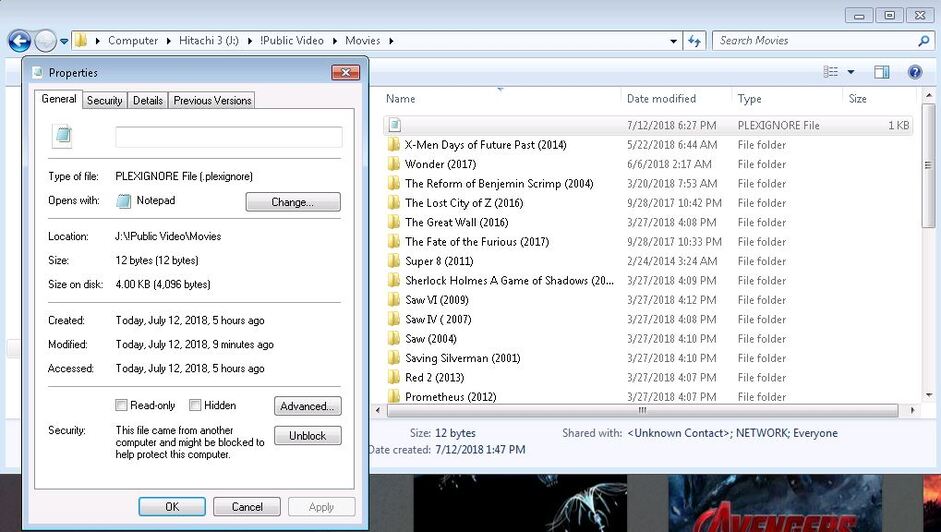
In the Properties screenshot can you click the Unblock button and Apply.
Wow! I didn’t even see that! THANK YOU. I will and scan again.
So I went to fix it an it no longer said this in Properties???
I re-scanned again. The Backdrops are still there. I may just delete them.
I saw someone else mention it in another post but to get rid of the extension, he said to put a dot at the end (.plexignore.) and Windows will automatically remove the dot. Quick method.
From a user on the Emby Forum I got a recommendation to do this with .plexignore:
Hi for plex not to show that, create a file called " .plexignore " in the folders you have.
In that file, copy paste this
backdrop/*
theme.mp4
theme.mp3
theme.mkv
theme.aviRe-scan everything.
That should do the it
What do you think?
That should work too. but i feel like Plex cannot even see your plexignore file for some reason.
This topic was automatically closed 90 days after the last reply. New replies are no longer allowed.
