How to manually update PMS installed inside Docker on a Synology NAS?

Server Version#: 1.22.1.4275
Player Version#:

I’m a Plex Pass user. I currently have 1.22.1 installed. I changed the server channel to beta so that I can update to 1.22.2. I then downloaded a .deb file. Unfortunately, I don’t know what to do with it. There’s no option in Synology Docker to import the file. I know I will have to SSH to my NAS but I’m not quite sure how to perform the update. Any help would be appreciated.

You can’t install one *.deb package on a Synology NAS

Go to Media Server Downloads | Plex Media Server for Windows, Mac, Linux, FreeBSD and More
Select Synology platform, choose your Synology architecture and download your PMS

Synology uses a *.spk extension for their software packages

i’m running it inside docker though. if i choose the synology package, then that would install plex directly on my NAS.

Sorry, I did’t read “Docker” on your post :upside_down_face:
Them you need to update your docker image. What Docker image are you using?

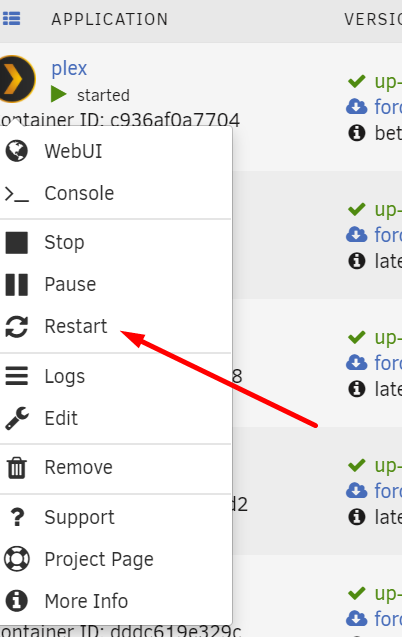
I don’t know if my experience applies to Synology devices but my Docker install will look for and retrieve the latest version when I restart the docker. Mine is running under unRaid but I would assume the docker behavior would be the same?

Screenshot_1

i am able to retrieve the latest public version via docker. if there’s a new version, plex informs me to update the docker image. however, since i need to install the latest beta, i’m getting this message:

image

when i click on please install manually, it downloads the .deb file.

problem is, when i try to install it using this command:

sudo dpkg -i plexmediaserver_1.22.2.4282-a97b03fad_amd64

which by the way are the instructions provided on the plex website, i get this error:

1 Like

If I may add here?

  1. Debian packaging will not work on Synology. Synology has no DEB file format support.

  2. Upgrades to containers are done via docker pull , followed by the updated docker run.

this doesn’t work. pulling from beta or plexpass will create a new image which means i would need to rebuild my plex server. defeats the purpose of upgrading it. also, the container for beta and plexpass are outdated.

Interesting:

  1. I keep the config stored outside the overlay area so it survives upgrading.
  2. I can then, under script control, RM, RMI, and PULL as needed
  3. Start the container again , with specs pointing where needed.

Edit as appropriate:

# cat dockerplex
sudo docker stop plex
sudo docker rm plex

sudo docker run \
-d \
--name plex \
--network=host \
-e TZ="EST" \
-e LANG="en_US.UTF-8" \
-e ADVERTISE_IP="http://<hostIPAddress>:32400/" \
-e PLEX_UID=1001 \
-e PLEX_GID=1001 \
-e PUID=1001 \
-e PGID=1001 \
-h dockerplex \
-v /backup/dockerplex:/config \
-v /backup/dockerplex/tmp:/tmp \
-v /backup/dockerplex/transcode:/transcode \
-v /vie:/data \
--device=/dev/dri:/dev/dri \
plexinc/pms-docker

docker start plex
docker update --restart=unless-stopped plex
#

This topic was automatically closed 90 days after the last reply. New replies are no longer allowed.
