Need some help on how select two copies of the same movie.
I have two copies, different resolutions, of the same movie. For some reason Plex did not combine them into one and is not showing them merged and I would like to merge them. They are not showing as duplicates and when looking at info for one copy the other is not shown yet they are both in the same directory on disk.
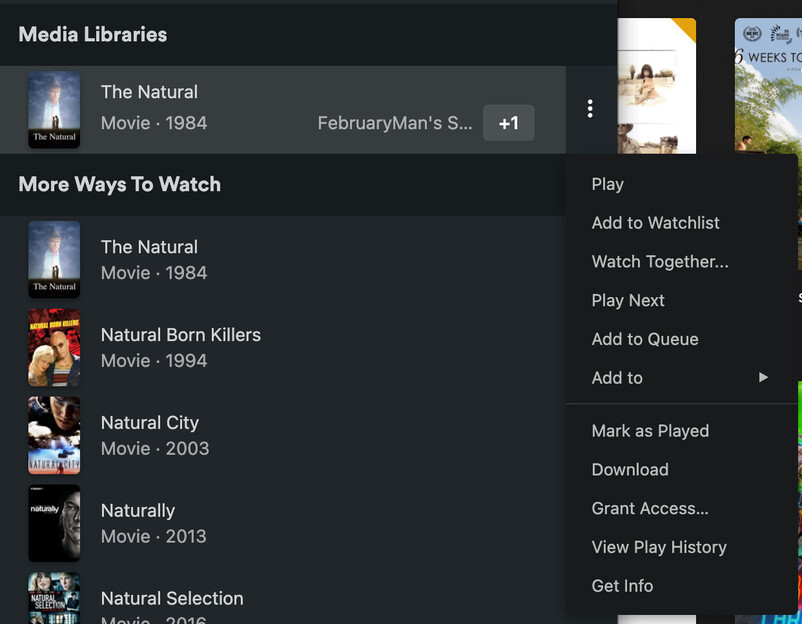
I can’t seem to locate a screen where I can easily pull them up side by side to select them both. If I use Search I a shown a menu with both copies but can’t perform an action to merge from there.
If I pull up one of the copies the other is shown below, which I can select, but I can’t select the one that is currently displayed.
If I go to the Movies page and list by title I have to scroll through 7000 entries to locate them? really!
The merge action needs to be available in the ellipses when using search. So much faster.
click on the circle button that should appear when you hover over the first movie you want to merge
click on the circle button on the other movie(s) you want to merge with the first one
select merge from the three-dot menu at the top of the movie list
Hint: select the movie whose poster, view history and other metadata you want to maintain first. The other movie(s) you want to merge with the first one will adopt the same poster, view history, etc.
I agree it would be nice to do this from the search results.
The +1 is telling you that your two copies of the movie are already merged. That’s why there’s no option to merge them and you can’t look at them side by side
The copy under More ways to watch is not your copy, that’s the free version Plex offers. You may know this already, I’m just mentioning it in case you don’t
They weren’t merged. They were separate. I merged them after following the advice from the first response above - which is the only way to do it BTW.
When I selected one of those versions the other was not listed in the Info window so they were seen as two different items. Probably because they were different Editions:
One is Remastered and the other is Directors Cut. So possible they wouldn’t be merged automatically when added to the Library.
Maybe it’s something different in the beta version I installed yesterday, v1.32.0.6865
Now that I am scrolling through my Library I am already seeing a few duplicates that aren’t showing up as Duplicates in the Duplicates list. How can I fix this?
Provide real example of what you mean and we can probably better help you.
In general if two of the same thing were not combine then it is due to them using different metadata agents and have different metadata IDs. this usually happens because the metadata agent for library was changed then newer things were added. Refreshing All for the library as a whole should update everything to the which ever metadata agent the library is currently set to.
Editions function is specifically for splitting different versions of the same Title into two separate listings\references. It’s something that has to be done manually either by editing the Edition field via GUI or adding some info to the file name itself. https://support.plex.tv/articles/multiple-editions/
It also wouldn’t be considered a duplicate in that case either because duplicates are for same titles\references. So it’s working as intended really.
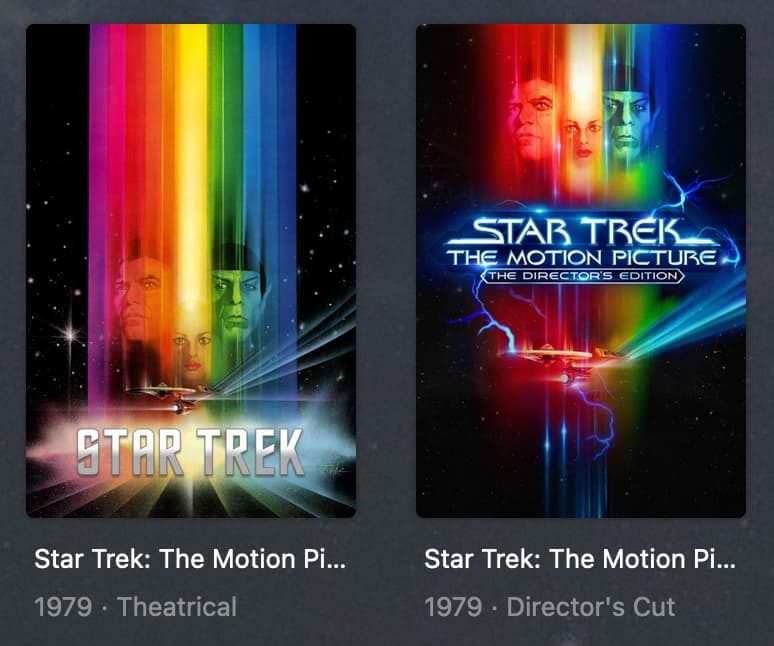
Here’s an example using Star Trek The Motion Picture in my library. I have both a Director’s Cut and Theatrical edition.
If I set my library to show “Duplicates” the only one of those two listings that comes up is the Theatrical because I have two different files for different resolutions of that Edition (a 4k and a 1080).
Editions are treated as “separate but together” and solves a problem that used to happen when trying to split titles that were same but different versions.
If you want all resolutions of a title as well as all Editions\Versions of a title under one listing, it might be more useful to use the “Extras” function and include one or the other edition as an extra under the other instead. https://support.plex.tv/articles/local-files-for-trailers-and-extras/
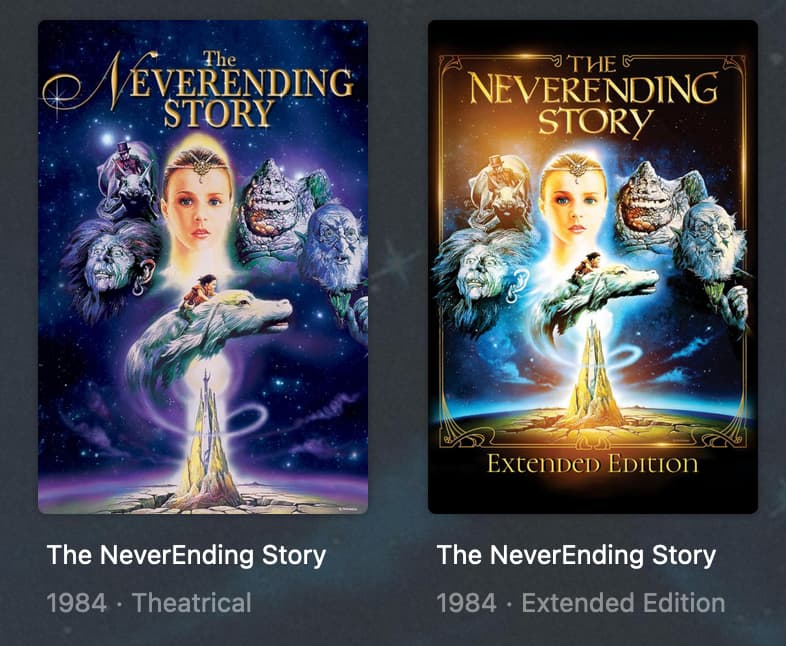
Another way you can go - and I’ve done this with my NeverEnding Story editions - is to put them in a Collection so when navigating the Library you’ll see just the one listing:
That’s how I work with Editions anyways and maybe that’ll help with how it’s being represented - though if I’ve gotten anything mixed up here just let me know.
Thanks for the response and confirmation that it’s expected behavior for different editions to not be merged. This makes sense since we can’t see that Edition flag in the Play Version menu.
I did scroll through using list view and found a few duplicates that only differed in their container and resolution. These were not listed in Movies>Duplicates. I am Refreshing All…
You might wanna Refresh Metadata of the whole library. It sounds as if you were using a different metadata agent before, so you still have some items which are connected to a different metadata agent. If you have 2 copies of the same movie which are each matched to a different agent, Plex will not know that they are one and the same.