I have a library of Music Videos that I frequently run on random if I am having a party.
How can I disable the prompt for resume for this library and force them to always play from the beginning?
hmm, well Plex in their Articles suggests that music videos go in one of your music libraries. That type of library, when you Edit → Advanced, has a setting to remember your playback position. Maybe uncheck it?
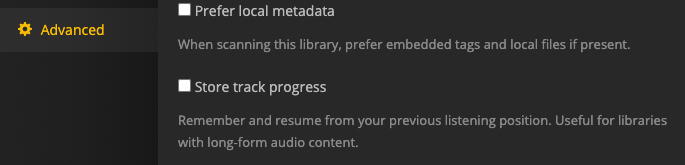
I haven’t any to test with atm. So let me know if I guessed well.
Music videos in a music library show up as “Extras” under the artist, similar to how trailers and other extras are displayed in movie and TV libraries. In the same way that you cannot play all of the trailers from your movie library, there is no way to actually see all of your music videos in one place, so there is no way to play a random playlist of music videos when they are in a music library.
I think the Store track progress option only applies to audio files.
Thanks for the great Ideas.
I tried adding as a music library and it doesn’t recognize anything so nothing shows up in the library.
That reminded me about one of my other complaints about Plex (Namely that you can’t exclude Videos from Photo Libraries).
So I tried adding the Music Videos as a Photo library and it seems to work roughly the way I want even though it is pretty clumsy. It doesn’t have the concept of Genres or artists and the playlist is including playlists from my photos library.
Close enough for government work I guess.
1 Like
This topic was automatically closed 90 days after the last reply. New replies are no longer allowed.
