Ouch! Moaning. Paid service, so we are notifying! Also, suggesting improvements for future patches and updates. Obviously we have to wait, Plex gives us no other choice. I do at least like that they noted it was an internal server error on there end when login failure happens.
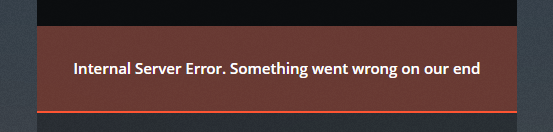
So, it seems to only have affected access to the web client and maybe other clients. However, I have no issues with my iphone nor apple TV, I am only having issues with the web client so far…
Interestingly enough, it switches between “Operational” and “Major outage” on the API. Either way, it’s a sad error to be hit by!
Luckily my Plex was already playing when the error hit, so no need to login to be entertained…
same here why is there no backdoor for using the local server???
Guys I am paying for this…
Interesting how it affects only some clients. My Roku and web client are affected. According to Tautulli the one person watching football is still playing it on their xbox, and my Android phone seems good to go.
I’m wondering about the local server access and the complications there - is it authentication complication? Is it a business model that keeps paying customers or something? Is it that they are tightly integrated with the web now and podcasts, extras, etc?
I too would like to see real-time production monitoring that keeps the status site accurate (if they don’t already have it - but it sounds like it was a delay in being updated).
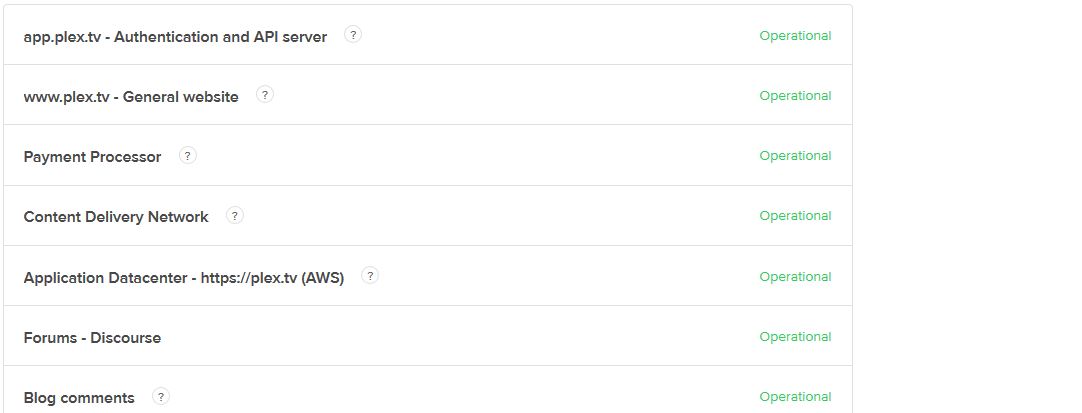
What I’d really like to see is an update in the “incidents reported” section…
Yes – Generally you want something like https://yourserveraddress:32400/web — where 32400 is whatever port you are running on. 32400 would be common.
it is working now
Yep, working for me too.
same
it snot working with chrome but ok with phone
Exactly Cruiskeen - but why can’t it work that way? Any guesses on the complications there?
you should be able to access you server locally. You need to configure the network setting: List of IP addresses and networks that are allowed without auth.
This.
It’s a shame that we “aren’t allowed” to connect locally.
Funny thing, the old PleXBMC plugin in Kodi is still able to connect, so it isn’t a technical problem, more a political, financial or something else.
It was working in browser (Chrome) for me now, as well as Roku. All devices are up for me.
Looks like things are back up now. I never saw the status page change from Operational so that is something to look at as well.
Well — to do this you need to let your local network access without authentication (which isn’t the default). If you do that then it implies that you trust everyone on your local network. You also lose things like multiple users, remote acccess, etc. which DOES require that plex.tv is up and running and doing authentication.
So — setting up your server to access locally is in some senses less secure, and when you connect without using the Plex auth server you lose features. But it DOES allow you to access your server from the web if and when plex.tv is down - which to be fair is pretty rare.
Thanks - but please help me understand why hitting the URL https://yourserveraddress:32400/web from an external network would not connect? I can see why “friends” wouldn’t work - as accounts are dependent on Plex.tv, but wouldn’t family users still prompt and be able to select their profile?
plex is stil not working where the heck is my server??
