Server Version#: 1.32.5.7349
Player Version#: 4.108.0
<If providing server logs please do NOT turn on verbose logging, only debug logging should be enabled>
Hi Forum members,
I ran into a problem setting up a plex media server on my WD MyCloud EX2 Ultra NAS.
Maybe someone can help.
After successful installation I opened up the plex control page.
I set my NAS with a static IP.
In the settings I clicked the button: “Connect server” to establish a connection between the media server and the plex account.
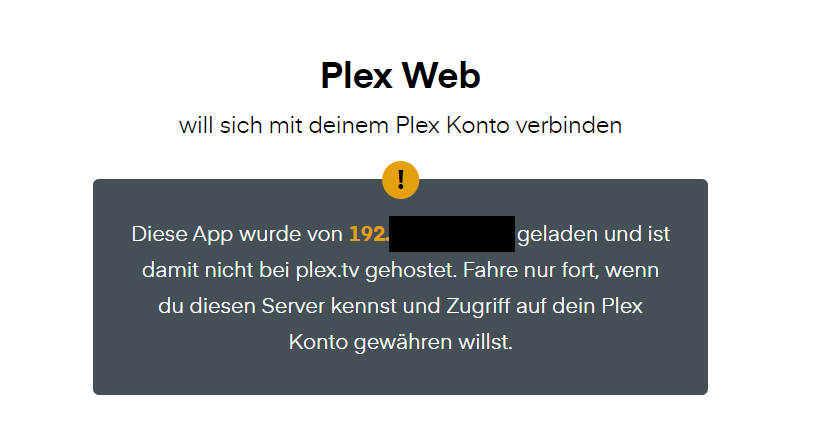
I don’t know the IP address that is displayed. It is not my static IP address. But the mail address is correct. So I allowed the connection and logged in with my login data.
The server is now connected successfully.
But whenever I try to start the control page from my NAS, I have to login again, because there is a message, that my static IP is not hosted on plex.tv.
If you navigate to canyouseeme.org is the “Your IP” displayed the same as the one in your first screenshot (the one which starts with 194.)?
For the initial connection to your Plex server, you should be connecting to http://ip.address.of.server:32400/web (if on a different system than the server itself) or http:/localhost:32400/web.
If I navigate to canyouseemee.org, the IP displayed is not exactly the same (last three digits are different) but very similar. It also starts with 194… I think this is the IP that my internet provider assigned to me. It is not a static IP, that’s why it’s not matching with the IP a few days ago.
For the initial connection to the plex server I used the workflow you described, I connected to http://ip.address.of.server:32400/web. This worked fine. When I clicked “connect server” in the settings, then the security alert popped up.
I usually open the plex web server web interface from the NAS interface, and I have to re-login to the plex web server web interface every time.
So my question is maybe, how can I register my local IP address from my NAS (plex server) on plex.tv?
If you are accesing the local web app it is hosted on your NAS not plex.tv and that message is totally normal. You may have your browser set to delete cookies/sitedata/etc every time it closes which signs you out of web app and prompts it to inform you again when you sign in.