see attached screenshot
That depends.
Is this a local streaming problem, or a remote one? What hardware (specifically, what exact CPU have you got)? How is your PMS server connected to your home network - wired or wifi?
If it’s a remote streaming issue we also need to know the upload bandwidth of the broadband connection for your PMS server, and the download bandwidth of the remote client.
This is a remote streaming issue. My PMS has a wired connection. I have an Intel quad core i5-4460S CPU @ 2.90 Ghz
The upload bandwidth for my PMS server (in Chicago) is 12.21 Mbps
The upload bandwidth for my remote client (AppleTV in Las Vegas) is 24.03 Mbps
Remote connection is enabled via port forwarding. I’ve even tried lowering the video quality and i’m still having issues.
As an FYI, I have another family member in the same remote location steaming from his PMS server (from a different part of Chicago) and he’s having no issues.
Ok, now some more.
What is the remote user’s DOWNLOAD speed (they are downloading , you are uploading)?
What quality is the remote user trying to stream at?
What else is going on at your remote server location, internet usage-wise?
12Mbps is not great, the remote user probably just needs to lower the quality of the stream they are requesting.
Remote download is 23.75 Mbps
I’m streaming at the default setting of 4 Mbps, 720p
Many other apple products (iPhones, iPads, etc) are connected wirelessly at the remote location frequently throughout the day. Very low wireless usage at night
I have tried lowering the quality of the stream. I’ve even put it on the lowest option, slight improvement but buffering issues still occur.
I would bet that there is/are more streams happening at the same time as you.
Does this happen immediately or does the stream start normally and then deteriorate?
Sorry I can’t give you more help but I have never had an issue. I have streamed from my server in Florida to my iPad halfway around the world (Moscow and Kuwait City) and I stream from all over the US and Canada. I have 200 Mbps up though. In Moscow I need to drop the quality, but that had more to do with the connection in Moscow.
Sadly it happens immediately
rsava - are you leveraging port forwarding to enable a remote connection from your PMS?
@Cleavon - No, I have UPNP turned on and it just works for me. My ISP modem is set to bridge mode so no double NAT.
If you don’t mind me asking… what’s the make the make and model of your router? I’m currently only using the one provided by my ISP. It only has 1 2.4Ghz channel
I use this one:
ASUS RT-N66U Dual-Band Wireless-N900 Gigabit Router
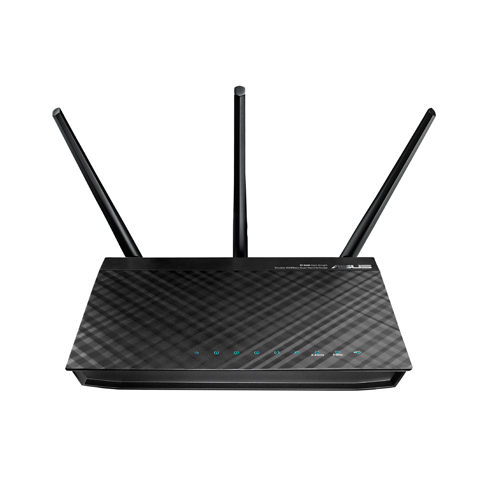
https://www.amazon.com/gp/product/B006QB1RPY/ref=oh_aui_search_detailpage?ie=UTF8&psc=1 (only I paid a LOT more than $88  ).
).
I may need to pick up a couple more for backups.
running Merlin’s AsusWrt firmware.
Issue has been resolved. I did a complete uninstall / reinstall of PMS. Re-sync’d all my libraries and now everything is streaming nicely.
Thanks for the recommendation on the router. I definitely need something better than what my ISP provider gave me. Yours is nice, but i’m looking for a good tri-band router. I have kids with their own portal devices at home. The goal is to put them on 1 5G channel and have all my media (Plex, chromecast) on the other 5G channel.
Thanks for all your feedback man. It was really helpful.
