I’m running into some issues when trying to get a Webhook to call my local Home Assistant server.
The root cause is that I’m using a SSL Certificate I’ve generated myself on the Home Assistant server and therefore PLEX isn’t happy about connecting to it by default.
I’ve tried adding the certificates via the “Custom certificate location” setting under network as implied here Webhook Broken, by just adding them/it into a pkcs12 file using openssl, but has had little success so far.
Since the certificate is signed by my own CA, to avoid juggling multiple self-signed certificates for my server applications, I’ve tried adding it by itself, bundling it with the CA certificate and just adding the CA certificate but with no success so far.
Since I’m only adding it to make PLEX accept the Webhook connection I have at no point included any private keys since I’m thinking that shouldn’t be necessary to make that work, but I’m not really an expert so I could be wrong there.
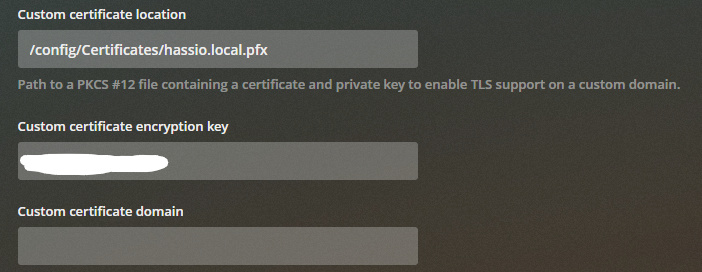
Settings look like this at the moment, I’ve verified that the path is correct,
According to the logs the certificate is being loaded atleast,
Nov 05, 2020 23:44:56.386 [0x14d416a17700] DEBUG - [CERT] Loaded a user-provided certificate.
Nov 05, 2020 23:44:56.386 [0x14d416a17700] WARN - [CERT/OCSP] Missing cert or issuer; skipping stapling
but it doesn’t really seem to matter when making the webhook call.
Nov 05, 2020 23:44:58.562 [0x14d4155dc700] WARN - HTTP error requesting POST https://[the correct address for my server] (60, SSL peer certificate or SSH remote key was not OK) (SSL certificate problem: unable to get local issuer certificate)
Anyone have an idea about what I’m doing wrong?
