Issue when reading 4K movies from outside

Hello everyone,

(First of all sorry for the rookie question but i’m a novice)
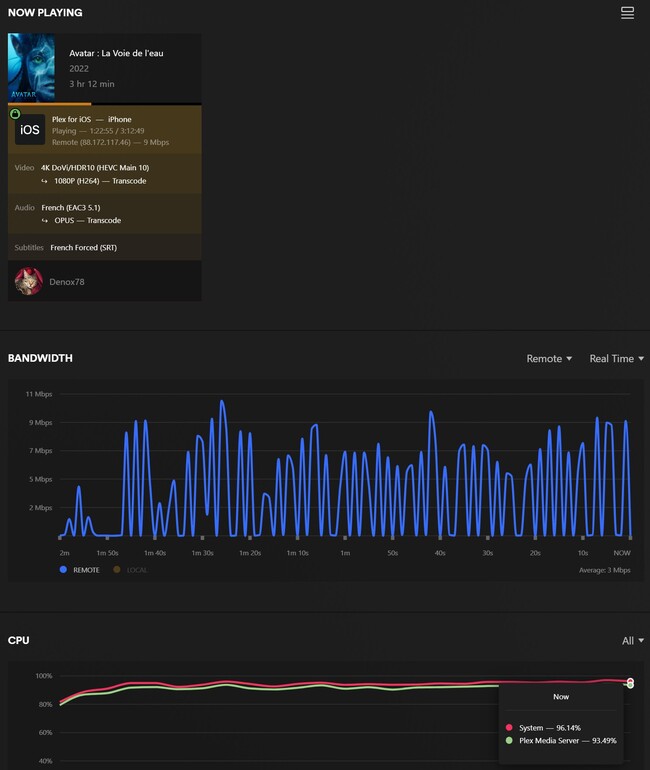
I’m having an issue when reading 4K movies (X265) from outside my network, it is very slow to download, it finally works at the end but it’s buffering all the time.. I don’t know if it’s related to the transcoding stuff or my internet connection

I have a Intel MINI NUC PC where I have Promox server installed on it and my Plex is running on a Debian Linux Container where I have allocated 4 CPUs and 6GB of RAM (which is probably not useful for the RAM I guess)

The config of my mini PC is the below :

CPU 11 generation Intel Jasper Lake Processor N5095(2.0GHZ up to 2.9GHZ)
Graphics Intel UHD Graphics
Memory 8G DDR4

I have a fiber link 1GBPS internet at home so it should be enough when reading my medias from outside

So I would like to know if my mini PC is powerful enough to transcode 4K movies ?

I am not sure to understand why the blue graphic is fluctuating like this

Thanks for your help

Server Version#: 1.32.3.7162

i’m no expert and if expertise is needed you’ll need to post logs… but i would first remux the file.

https://mkvtoolnix.download/

Plex Media Server Logs_2023-06-06_15-41-48.zip (2.4 MB)

Please find the logs

For a rookie, you picked one of the most difficult OS’s to use to run PMS on.

You must go into Proxmox and disable all their drivers by hand so the GPU is available to pass through to the VM.

Unless you have an overriding reason to use Proxmox, use Ubuntu . It’s FAR easier.
AND, it’s a supported OS. Proxmox isn’t.

Jun 06, 2023 12:29:30.208 [140565569108792] DEBUG - [Req#197/Transcode/10966337-7F70-44CF-B9AF-B518ACBC824D] TPU: hardware transcoding: enabled, but no hardware decode accelerator found
Jun 06, 2023 12:29:30.208 [140565569108792] INFO - [Req#197/Transcode/10966337-7F70-44CF-B9AF-B518ACBC824D] CodecManager: starting EAE at "/tmp/pms-b2bf1646-9827-4aeb-8884-78b08e0ad8b0/EasyAudioEncoder"
Jun 06, 2023 12:29:30.208 [140565569108792] DEBUG - [Req#197/Transcode/10966337-7F70-44CF-B9AF-B518ACBC824D/JobRunner] Job running: "/var/lib/plexmediaserver/Library/Application Support/Plex Media Server/Codecs/EasyAudioEncoder-1847-linux-x86_64/EasyAudioEncoder/EasyAudioEncoder"
Jun 06, 2023 12:29:30.208 [140565569108792] DEBUG - [Req#197/Transcode/10966337-7F70-44CF-B9AF-B518ACBC824D/JobRunner] In directory: "/tmp/pms-b2bf1646-9827-4aeb-8884-78b08e0ad8b0/EasyAudioEncoder"
Jun 06, 2023 12:29:30.209 [140565569108792] DEBUG - [Req#197/Transcode/10966337-7F70-44CF-B9AF-B518ACBC824D/JobRunner] Jobs: Starting child process with pid 476
Jun 06, 2023 12:29:30.209 [140565569108792] DEBUG - [Req#197/Transcode/10966337-7F70-44CF-B9AF-B518ACBC824D] [Universal] Using local file path instead of URL: /mnt/pve/plexmedia/downloads/Avatar The Way of Water 2022 REPACK MULTi VFF 2160p 10bit 4KLight DV HDR10Plus WEBRip DDP 5.1 x265-SAKADOX.mkv
Jun 06, 2023 12:29:30.209 [140565569108792] DEBUG - [Req#197/Transcode/10966337-7F70-44CF-B9AF-B518ACBC824D] TPU: hardware transcoding: final decoder: , final encoder: 

This shows – Hardware transcoding enabled but the hardware was not found.
I expect this when dealing with an unmodifed and non-passthrough VM.

This is why I always recommend folks start with simple configurations and then work themselves to the more advanced after they gain experience.

Ref: It took me a few tries to get Proxmox to pass the GPU through to the VM.

Oh ok, well the reason why I installed proxmox is because that’s what I’ve been advised to do to run the things i need

  • Home Assistant Server
  • Transmission Client Torrent Server
  • Plex Server

And yes indeed it was a pain for me to setup all of this as it’s not an easy one for beginners…

Will I be able to run my 3 needs above on Ubuntu ? Should I wipe the whole thing and start again from here ?

If I wipe the ProxMox OS and install Ubuntu as you said

How can I access the system once it’s installed without monitor, keyboard / mouse?

If your Home assistant server is a standard Linux package then YES.
( I presume you have a Ubuntu VM on Promox? )

The same will be true for any native Linux packages which you’d otherwise run in a VM.

IF, you’re using it purely for virtualization then there’s no need from PMS perspective.

PMS is extremely well behaved on Ubuntu:

  1. All software exists only in /usr/lib/plexmediaserver
  2. Your server information (and its metadata) exist by default in /var/lib/plexmediaserver (which you can easily change with a systemd override)

I don’t know if the other apps have tons of dependencies / scribble stuff on the host but if you’re concerned about that then it comes down to:

  1. Is this host dedicated to those specific tasks
    -or-
  2. must this host also serve as a workstation / daily-drive machine?

I know transmission exists in docker – that one’s solved.
If the home assistant also exists in docker – there’s the second one.

I run LXD (another container option) on my main NAS server.
Under LXD, I have 4 LXC’s as shown here:

They appear on the LAN as discrete hosts.
They are containers – not VMs (avoids all that overhead)

In each LXC, I have all package(s) needed for those tasks installed.
Everything things it’s native on a Ubuntu host. :slight_smile:

PMS also runs native on this main server host which hosts the LXD/LXC

The layers in general are:

  1. VM - virtualize the hardware
  2. LXC - virtualize the OS (see the same hardware as the host)
  3. Docker - Virtualize the application runtime environment (can see the same hardware as the host)

For me, LXC is easier.
I have two dedicated VM machines for when I develop/test for PMS and need different hardware configurations.

Hello,

Thanks for your reply, sorry i am not sure to understand everything you’re saying but regarding HomeAssistant

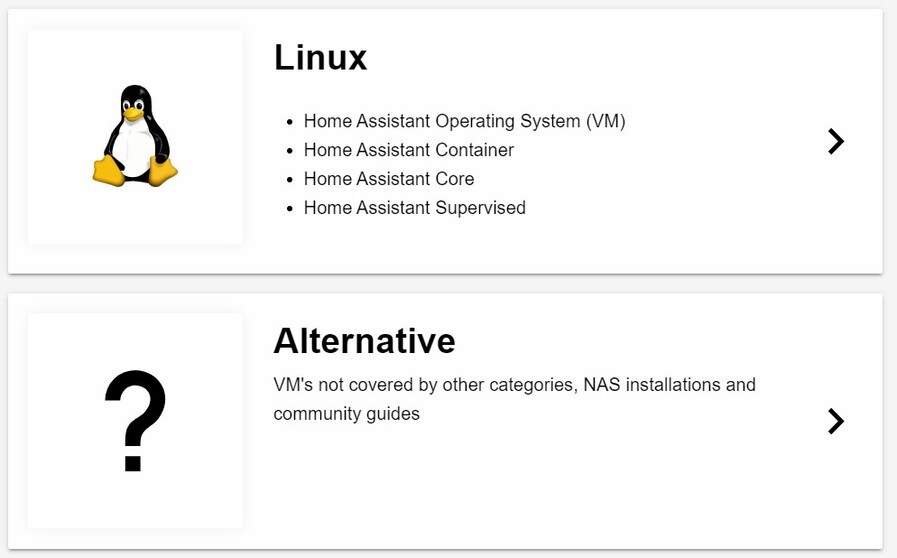
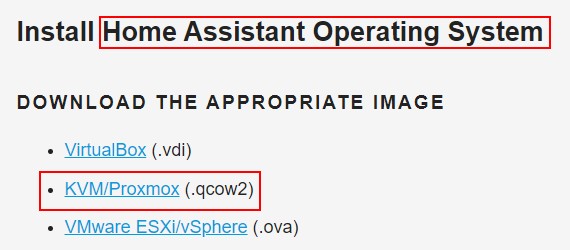
From what I see on the website, there are different installation methods :


The version I currently use on ProxMox is this one

Can you tell me where should I change the drivers on ProxMox ? I want to give a try but is it working for container ? (i am not running plex on a VM)

Thanks for your help

Again, Proxmox is not a supported OS.

Proxmox video driver configuration for Plex is for you to go find.

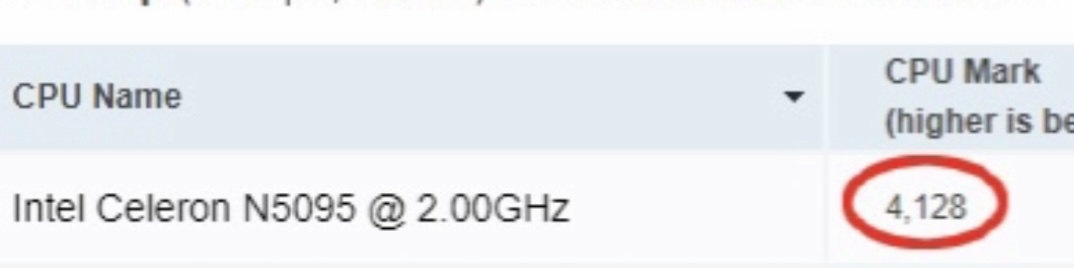
Finally I think I have found the answer to my problem which in fact is not software but simply one of the hardware prerequisites…

My CPU:

So given the source of my files, I imagine that if my Plex server runs on Ubuntu or Proxmox or any other system the problem will be the same?

If so, I hesitate to invest in this mini PC.

The cpu has a score mark of 22000 I believe.

But consumption is 4 to 5 times higher…

The only problem you’re having with that chip now is that hardware transcoding is not working

You need to get that fixed and see how it works before you think about spending more money

The AMD cpu is more powerful but it doesn’t have the Intel Quick Sync you need

I have no idea how the hardware transcoding works on those

Ok, I didn’t know about this Quick Sync feature! Thanks

I’ll try to make it work on a Ubuntu release first and see how it goes.

I think I should be able to install VirtualBox to also get my HomeAssistant Server working as an OS

And I’ve seen this tutorial which makes the Ubuntu Desktop accessible from anywhere with ThinLinc Server so i’m less concerned on how to access my MINI PC without a monitor or mouse Keyboard remotely

This topic was automatically closed 90 days after the last reply. New replies are no longer allowed.